Walmart Receipt Template: The Reusable Layout
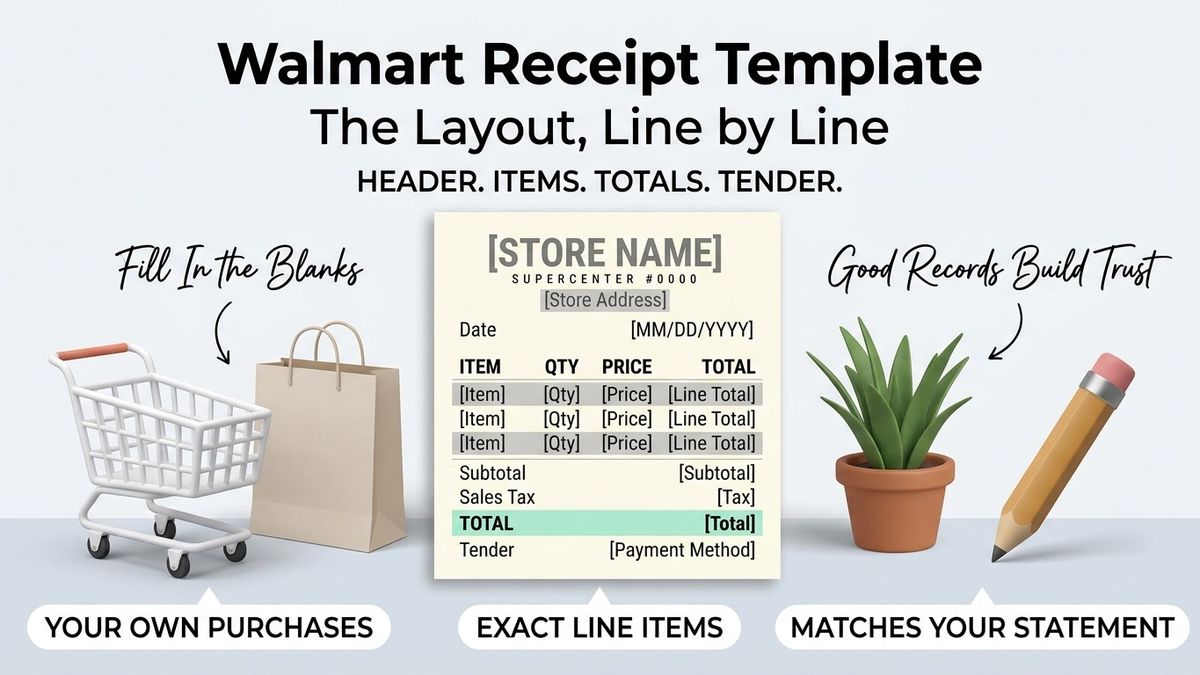
A Walmart receipt template is a reusable receipt layout that holds the header, the item columns and the totals rows in place, so that only the purchase details change from one record to the next. It serves contractors filing supply runs, bookkeepers reconciling card statements and households tracking a monthly shopping figure.
Across the United States, the value of a template is consistency: twelve records that look alike can be scanned in a minute, while twelve records that look different have to be read one by one. Makecepeit lets you build a receipt from a fixed structure, so the tenth record you file takes the same shape as the first.
What Is a Walmart Receipt Template?
It is a fixed arrangement of receipt fields that you fill in repeatedly, rather than a document you rebuild from nothing each time.
A template separates what stays put from what changes. The store name, the column headings and the subtotal, tax and total rows stay put. The date, the items, the quantities and the amounts change with every purchase. That split is the entire idea, and it is why a template suits anybody documenting similar purchases more than once.
The output is your own record of a real purchase. It carries no connection to the retailer's systems and reproduces none of their branding.
Template, generator or maker
These three words describe one tool used three ways. A maker suits a one-off reconstruction after a slip is lost, covered in our guide to the Walmart receipt maker. A generator emphasises accuracy on a single purchase. A template emphasises repetition, which is the case where the structure earns its keep.
Which Fields Should Stay Constant?
- Store name and location, if you shop the same place each time
- Column headings for item, quantity, price and line total
- Subtotal row, sitting above the tax line
- Sales tax row, kept visible rather than folded into the total
- Total row, formatted the same way every time
- Tender row, naming the payment method
- Any reference field you use, such as a job name or a budget category
The fields that change
Date, items, quantities, unit prices, tax amount and total change with every purchase. A reference field may change too, if you file by job rather than by month. Everything else should look identical across the whole folder, because that sameness is what makes an odd record stand out.
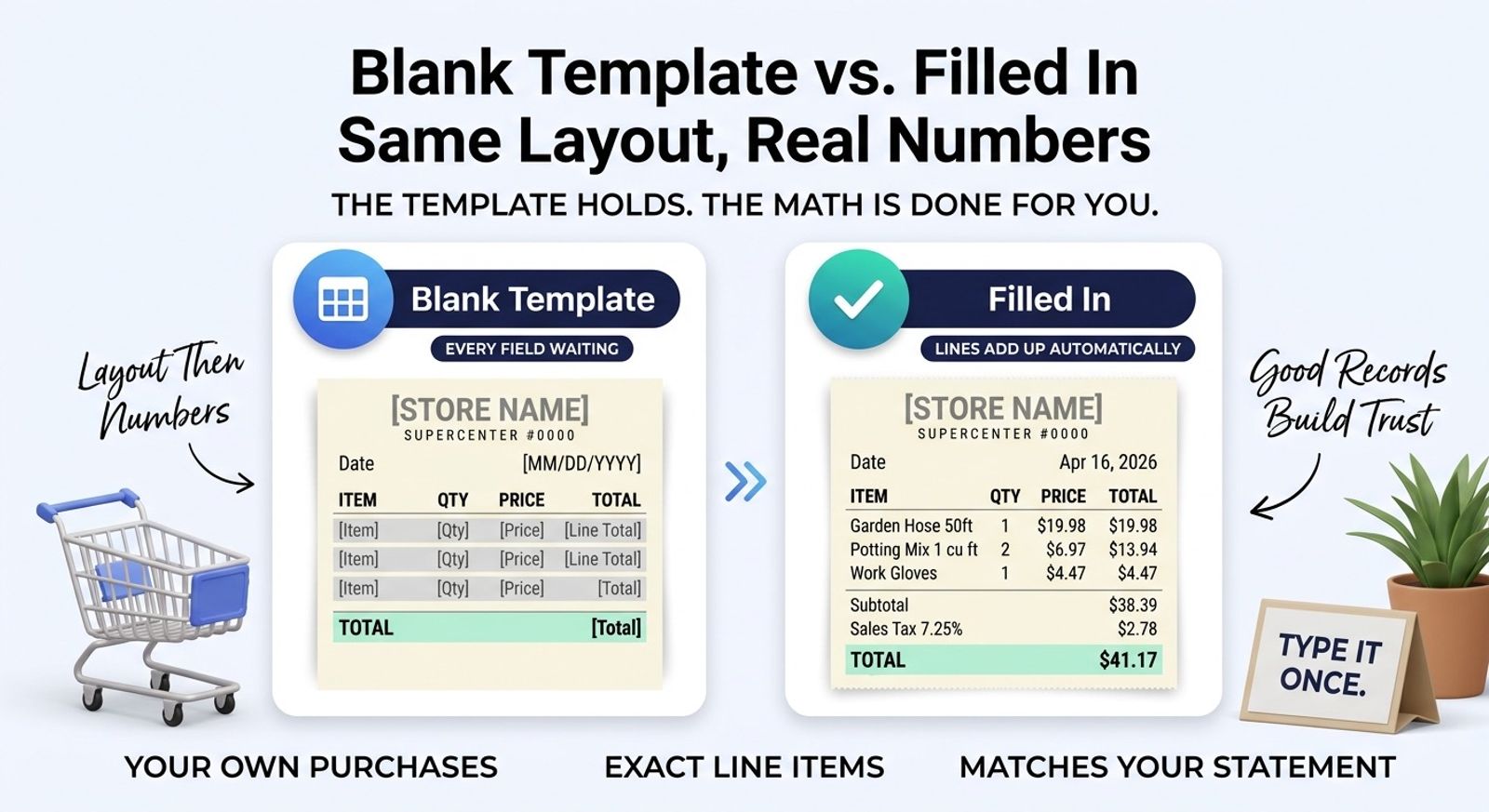
Blank Template vs. Filled Receipt
Keep one blank copy as the master and never type over it.
| Aspect | Blank template | Filled record |
|---|---|---|
| Purpose | The master layout | One documented purchase |
| Item lines | Empty placeholders | Real items and prices |
| Totals | Empty, or zero | Calculated from the lines |
| How often it changes | Rarely | Once per purchase |
| Where it lives | With your working files | With the statement it matches |
A master that gets edited becomes twelve slightly different templates within a quarter. Copy it, fill the copy, file the copy, and leave the original alone.
Why Consistent Receipt Records Matter in the United States
Because records that look alike are records somebody can actually audit.
A bookkeeper in Chicago reconciling a month of purchases reads the totals row first, then the date, then the tax. When every document places those in the same spot, the work is mechanical. When each one is laid out differently, every record becomes a small puzzle, and the cost of that shows up as billable hours or as a month that never gets reconciled at all.
Businesses in Texas, New York and Washington keep records under state regimes that differ in detail, and the IRS expects records supporting what a return claims. What applies to your situation depends on the business you run, so a tax professional is the right person to ask. The habit of consistency, though, helps in every jurisdiction.
Important: a template documents purchases that actually happened. Filling one in for a purchase that never occurred, or presenting the output as the retailer's own receipt, is fraud.
How to Set Up a Reusable Receipt Template
- Decide what repeats. Usually the store, the columns and the totals rows.
- Build one clean example with a real purchase, so you can see the structure working.
- Strip the specifics out of it to leave the master layout.
- Fix the field order and stop changing it.
- Copy the master each time you record a new purchase.
- Fill only the changing fields, letting the totals calculate.
- File the finished copy with the statement line it matches.
A worked example
A landscaping business in Sacramento buys materials most weeks. The master carries the store city, the four column headings and the three totals rows. Each Monday the owner copies it, enters that week's items, checks the total against the card statement and files the copy under the client's name. Building the master took twenty minutes once; each weekly record now takes about three, and a year of them sorts into client folders without any further thought.
Digital or paper masters
A digital master is easier to copy and impossible to smudge, which is why most people should keep one. A printed blank has its place on a job site where a phone is inconvenient, provided the figures are entered into the digital record afterwards rather than left on the sheet. What matters is that one version is authoritative, because two masters drifting apart is the same problem as an edited master.
Reference Fields: Filing by Job or by Month
A reference field turns a pile of receipts into a set you can sort.
A remodelling contractor in Denver may file by job, so every supply run carries the job name and the whole project can be totalled later. A household may file by month. A freelancer may file by client. The field itself is small, and it may be the difference between a folder you can query and a folder you have to read.
Whichever you choose, use it consistently. Half a folder tagged by job and half tagged by month sorts into nothing useful.
Keeping the structure stable
Resist the urge to improve the layout mid-year. A template that changes shape in March produces two incompatible sets of records, and the comparison you wanted at year end becomes manual work. Improvements are best saved for a clean starting point, such as the beginning of a tax year or a new project.
Sharing a template with a team
When several people file records, hand them the same master and say plainly which fields may change. Without that, one person adds a column, another renames the tax row, and within a quarter the folder holds three formats. A short note stored with the master, describing what to fill and what to leave alone, generally prevents the drift better than any amount of correcting afterwards.
Sales Tax on a Reusable Layout
Leave the tax row visible on the master, even for purchases where it comes out at zero.
Tax varies by state and by what you bought, and some items are exempt in some places. A row that disappears whenever the figure is zero makes it impossible to tell later whether tax was exempt, forgotten or simply not recorded. Keeping the row fixed answers that question permanently.
Enter what you were charged rather than a rate you looked up. The register applied the rules in force that day in that city, and your statement carries the result.
Filing the Finished Records
A template produces records faster than most people file them, which is where the benefit quietly leaks away.
Decide where a finished record goes before you build the first one. A folder per month suits a household; a folder per client suits a freelancer in Austin invoicing several at once; a folder per job suits a builder. Whatever the scheme, the finished copy should land there the same day, next to the statement line it matches.
Records that sit unfiled lose the thing that made them useful. The layout is still consistent, but nobody can find the one they need, and a year later the folder has to be read rather than searched.
Keeping the digital and paper sets aligned
If you print as well as save, file both under the same name. A paper sheet and a digital file that disagree about which purchase they describe cost more time to untangle than either saved.
Why Use makecepeit for Receipt Templates?
Because the structure is already built, and the arithmetic updates itself when you change a line.
- A consistent layout across every record you produce
- Totals that recalculate as you edit, so the math cannot drift
- Item, quantity, price and line total columns in the expected order
- Clean downloads you can file beside a statement page
- Free to start, with nothing to install
The same layout covers a grocery run, a tools purchase and a month of small supply trips, which is what makes it worth setting up once.
What consistency is worth
The gain is small on any single record and large across a year. Fifty records in one shape can be totalled, compared and handed to an accountant without explanation. Fifty in five shapes need a covering note, and the note is usually written by somebody who has forgotten why the layouts differ.
Tips Before You Build a Template
- Design it around the purchases you actually make most often
- Keep the master blank and copy it each time
- Fix the field order before you file the first record
- Leave the tax row in place permanently
- Name files by date and store so they sort themselves
- Mask card numbers to the last four digits
- Record the city and state rather than inventing an address
Common Mistakes to Avoid
- Editing the master. Copy it instead, or you will end up with a dozen variants.
- Adding store branding. Your record does not need a logo, and copying one creates a trademark problem.
- Dropping the tax row when it is zero. Later you will not know whether it was exempt or forgotten.
- Changing the layout mid-year. Two structures in one folder defeat the point of a template.
- Filing by two schemes at once. Pick job or month, and stay with it.
- Reusing one record's numbers for another purchase. Each document covers one transaction.
- Treating a filled template as proof for a return. Retailers verify against their own records.
When a template stops helping
A template earns its keep on repetition. For a single lost receipt it may be more trouble than it saves, and a one-off reconstruction is the better tool. It also stops helping when the purchases stop resembling each other: a folder mixing grocery runs, equipment purchases and fuel may need two or three layouts rather than one stretched to cover everything.
Final Takeaway
A Walmart receipt template is worth setting up when you document similar purchases more than once. Fix the header, the columns and the totals rows, keep a blank master, and fill a copy for each real purchase. The consistency is what makes a year of records readable rather than merely stored.
For a return, a warranty claim or a dispute, the retailer's own record is still the document that counts. Our guide to looking up a Walmart receipt covers how to request it.
One more habit is worth adopting early: review the template once a year, not continuously. A yearly look lets you fix what genuinely does not work while keeping every record inside a tax year in one shape, which is the comparison most people actually want.
Create Your Receipt Template With makecepeit
Set the fields once, then fill a fresh copy for each purchase and let the totals calculate. Start your template and file each record beside the statement it matches.
Frequently asked questions
- What is a Walmart receipt template?
- It is a reusable layout holding the header, item columns and totals rows in place, so only the date, items and amounts change from one record to the next.
- Which fields should stay the same?
- The store details, the column headings, and the subtotal, tax, total and tender rows. Those form the structure a reader learns to scan quickly.
- Should I edit my blank master template?
- No. Copy it and fill the copy. A master that gets edited turns into several slightly different templates within a few months.
- Why keep a tax row showing zero?
- So a later reader can tell the difference between tax that was exempt and tax that was simply never recorded. A missing row answers nothing.
- Can I file receipts by job instead of month?
- Yes, and contractors often should. Add a reference field for the job name, then use the same scheme across the whole folder rather than mixing two.
- Is a filled template proof of purchase?
- Generally not for a return. Retailers verify against their own transaction records, so ask the store to retrieve the original when that is what matters.
- Should the template carry store branding?
- No. A record kept for your own files needs no logo, and reproducing a retailer's branding on a document you made raises a trademark problem.
- How do I name the files?
- By date and store, in a consistent order. Names that sort themselves save you from opening a dozen files to find one purchase.
- What tax rate should I enter?
- The one you were actually charged, which your statement reflects. Rates vary by state and locality, and some items may be exempt where you shopped.
- Is using a receipt template legal?
- Recording purchases you genuinely made is ordinary record-keeping. Filling one in for a purchase that never happened, or passing it off as the store's receipt, is fraud.