Walmart Receipt Generator: Every Line Right
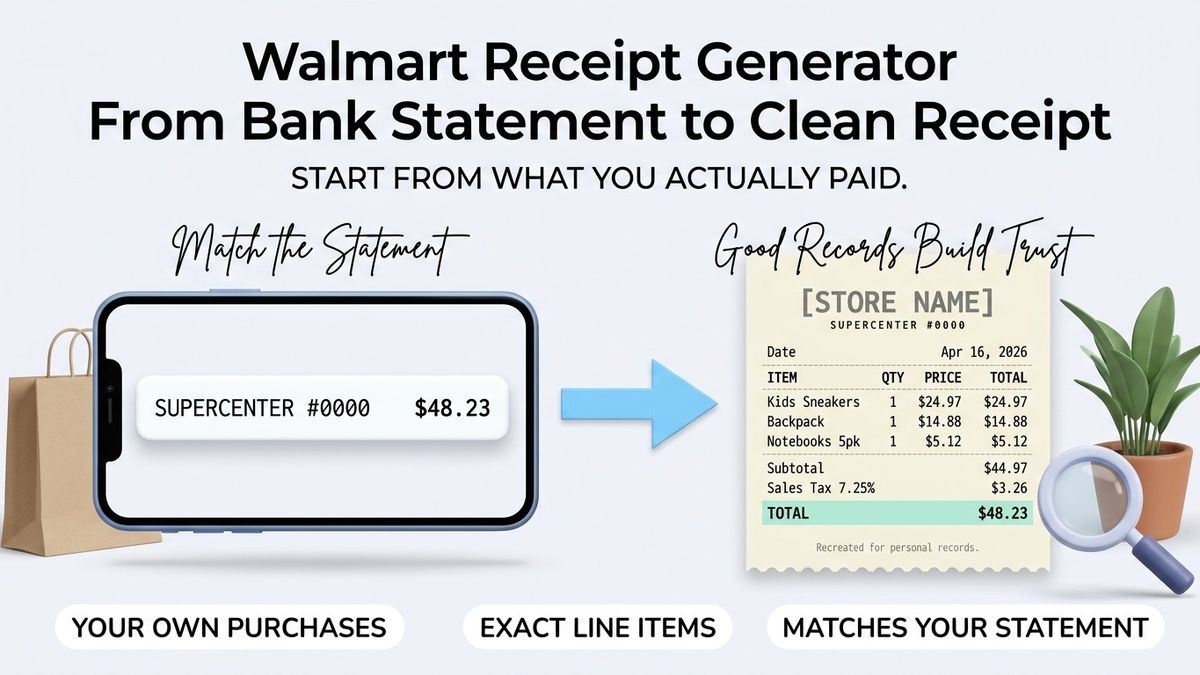
A Walmart receipt generator is a tool that lays out a supercenter-style receipt field by field, for shoppers rebuilding a lost record, bookkeepers reconciling a card statement and small business owners filing supply purchases. It produces a document whose structure matches what a big-box register prints: a header, a column of item lines, a subtotal, a tax row and a tender line.
Getting that structure right is what makes a copy readable to somebody else. Makecepeit lets you generate a receipt with those fields in the order a reader expects, so a purchase made in Atlanta reads the same way as one made in Seattle.
What Is a Walmart Receipt Generator?
It is a builder that arranges the details of a real purchase into the layout a big-box store receipt uses.
The value is in the arrangement. Anybody can write down what they spent, but a record that separates items from tax from payment is one a bookkeeper, a partner or an expense reviewer can check in seconds. A generator enforces that separation instead of leaving it to memory.
It is a personal record, produced by you from facts you can verify. It carries no connection to the retailer's systems and holds no transaction codes of theirs.
Why the arrangement matters
Two documents may carry identical facts and still differ in how quickly somebody can check them. A reader scanning for the tax line expects it under the subtotal; a reader matching a card statement looks for the tender row at the foot. Following the conventional order is not decoration, it is what lets a reviewer confirm in seconds that the copy and the statement agree.
What Does a Supercenter Receipt Actually Show?
- Store identity, usually a store number alongside the city and state
- Date and time of the sale
- One line per item, with a description and a price
- Quantities where more than one of something was bought
- Subtotal before tax is applied
- Sales tax, often split by taxable category
- Total paid
- Tender, naming the payment method and the last four digits of a card
- Change given, on cash transactions
The fields people leave out
Time of day, quantity columns and the tax line are the three most often dropped when somebody reconstructs a purchase from memory, and they are the three that make the copy checkable. A receipt with items and a total but no tax row leaves a reader unable to tell whether the numbers agree.
Item Lines: Quantities, Unit Prices and Line Totals
Each line should say what was bought, how many, at what price, and what that came to.
Three items at $6.47 is a line total of $19.41, and writing that out lets any reader verify the arithmetic without redoing it. Where a store prints a weight instead of a quantity, as it does for produce, record the weight and the price per pound in the same way.
Descriptions should be recognisable rather than technical. "Printer paper, 500 sheets" tells a reviewer what they need; a register abbreviation does not. Plain descriptions also spare you from inventing product codes, which is a mistake covered further down.
Weighted items and produce
Loose produce, deli counter items and anything else sold by weight print differently: a weight, a price per pound and the resulting line total. When you rebuild one of those lines, keep the same three parts rather than collapsing them into a single figure, because a reader who cannot see the weight may have no way to tell whether the price was right.
Sales Tax and Why the Line Varies
Tax on the same basket differs by state, by city and by what the basket contains.
Grocery items are treated differently from general merchandise in many states, which is why a single trip can produce two tax figures on one slip. Rates also change, and the combined state and local rate in Chicago is not the rate in Portland. A generated copy should carry the tax you were actually charged, not a national average.
| Field | What to enter | Common error |
|---|---|---|
| Subtotal | Total of the item lines before tax | Entering the amount paid instead |
| Tax rate | The rate applied to your taxable items | Using a rounded national figure |
| Tax amount | What the register charged | Recalculating and getting a different number |
| Total | The figure on your bank statement | A total that does not match the statement |
| Tender | Method plus last four digits | Writing the full card number |
If your own arithmetic disagrees with the statement, the statement wins. The difference usually means a taxable item was missed or a price was mis-remembered.
Mixed baskets
A single trip that includes milk, a screwdriver and a pack of socks may produce more than one tax figure, because states treat food and general merchandise differently. Rebuilding that basket under one flat rate will usually miss the statement total by a small amount, and the mismatch is the first thing a careful reader notices.
Why Accurate Receipt Copies Matter in the United States
Because a copy that does not reconcile with the statement is worse than no copy at all.
Expense reviewers, bookkeepers and tax preparers work by matching documents to bank lines. A receipt copy whose total sits a dollar away from the statement raises a question in every one of those readers, and answering it costs more time than building the copy did.
Businesses in California, Illinois and Georgia keep records under different state regimes, and the IRS expects records that support what a return claims. Treatment varies with circumstances, so a tax professional is the right person to ask how long to keep what. The general rule holds everywhere: the document and the money trail should agree.
Important: a generated receipt records a purchase that actually happened. Inventing a purchase, or presenting a copy you produced as the store's own document, is fraud.
The reconciliation habit
Bookkeepers reconcile because memory is unreliable and arithmetic is not. Applying the same habit to a single receipt copy takes a minute: open the statement, open the copy, confirm the date and the total agree. Anything that fails that check is worth fixing immediately, while you still remember the trip well enough to correct it.
How to Generate an Accurate Copy
- Start from the statement line, which fixes the date and the total.
- Enter the store city and state, plus a store number if you know it.
- Add the item lines, one per product, with quantities and unit prices.
- Enter the taxable subtotal and the tax you were charged.
- Check the total against the statement, to the cent.
- Record the tender, masking all but the last four digits.
- Save the file alongside the statement page it matches.
Generator vs. Template: Which Should You Use?
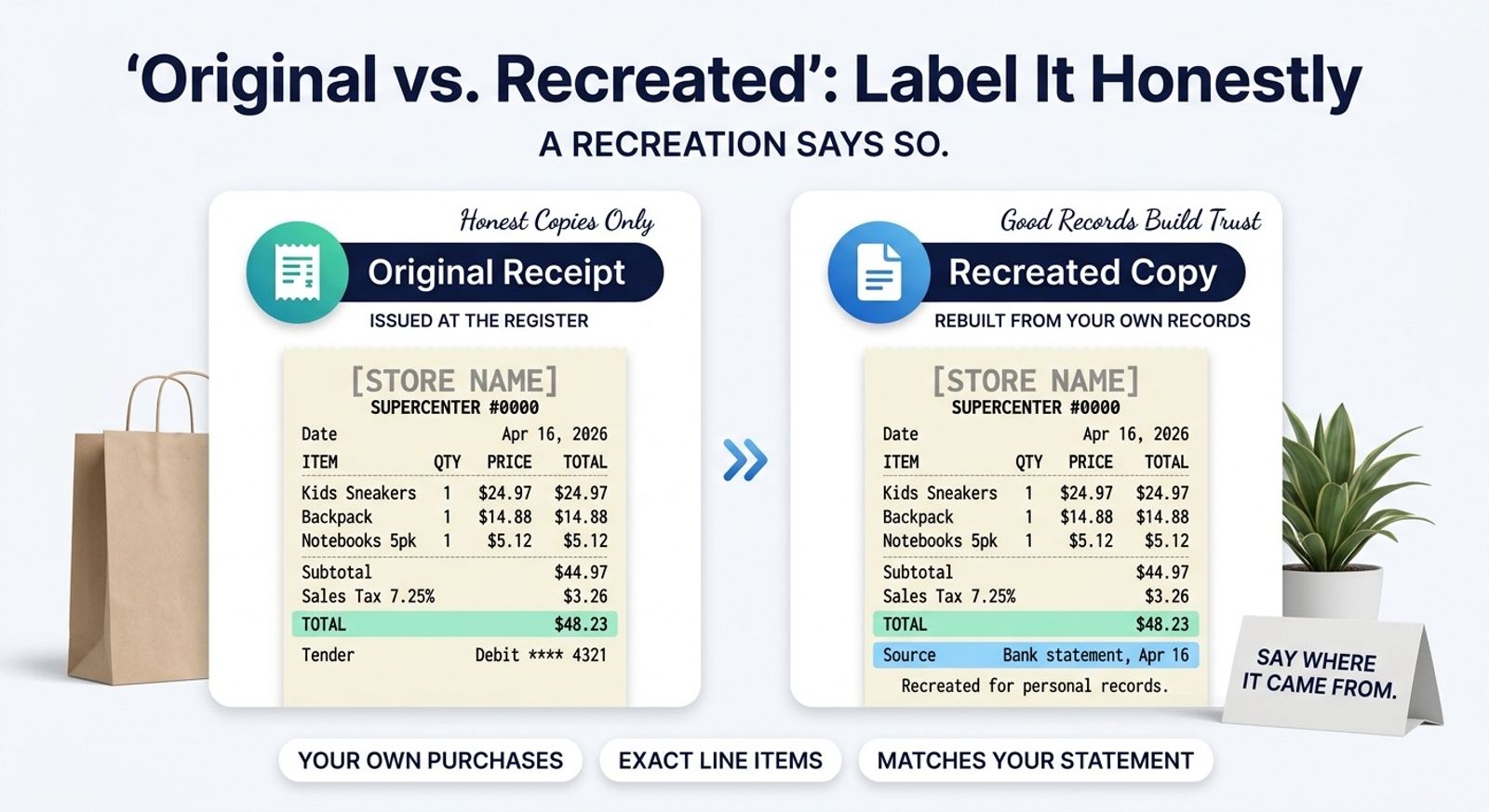
Use a generator for one purchase you are reconstructing now, and a template when you expect to do it repeatedly.
A generator walks you through the fields and calculates as you go, which suits a one-off reconstruction where accuracy matters more than speed. A reusable layout suits a contractor filing a supply purchase every week, where the header never changes and only the items do. Our guide to the Walmart receipt template covers that reusable side.
Either way the fields are the same. The choice is about how often you fill them in.
Card Data, Privacy and What to Mask
Keep the last four digits and nothing more.
Card networks and the Federal Trade Commission have pushed truncation on printed receipts for years, and the reasoning applies just as well to a document you produce yourself. A receipt copy travels: it goes into shared folders, gets emailed to an accountant and is sometimes printed and left on a desk.
Leave out the full card number, any expiry date and anything resembling an authorisation code. Your own records lose nothing by it, and a copy that leaks card data creates a problem nobody wants.
Where copies travel
A receipt copy rarely stays where it was made. It may be emailed to an accountant in another state, dropped into a shared folder a whole team can open, or printed and left in a tray. Masking the card number is cheap insurance against all three, and no legitimate use of the document needs the other twelve digits.
When You Should Ask the Retailer Instead
Whenever the store's own record is what the situation actually calls for.
Returns, exchanges, warranty claims and payment disputes are all resolved against the retailer's transaction history. A copy you generated has no standing there, and offering one in place of the original wastes a trip to the service desk.
Our Walmart receipt lookup guide sets out how to retrieve the original through the app, the website or the store. Generate a copy for your files, and go to the retailer for anything that needs their record.
Why Use makecepeit for Receipt Copies?
Because the structure is already correct, so the only thing left to get right is the data.
- Item lines, subtotal, tax and tender in the order a reader expects
- Totals that recalculate as you edit, so the math cannot drift
- The same layout every time, which makes a folder of copies easy to scan
- A clean download you can attach to a statement or an expense report
- Free to start, with nothing to install
Tips for an Accurate Reconstruction
- Work from the statement, never from memory alone
- Enter one line per item rather than grouping them
- Record the tax you were charged, not a rate you looked up
- Use plain item descriptions a stranger could follow
- Note where you estimated something
- Keep the city and state honest
- Check the total twice before you save
Common Mistakes to Avoid
- Inventing store transaction codes. They look authoritative and are fabricated, which is the worst combination on a document.
- Reproducing the retailer's logo. Your record does not need it, and copying it creates a trademark problem.
- Letting the total drift from the statement. A copy that does not reconcile raises questions instead of answering them.
- Merging two trips into one receipt. One transaction, one document.
- Writing a full card number. Mask it to four digits, always.
- Applying one tax rate to a mixed basket. Groceries and general merchandise are often taxed differently.
- Treating the copy as proof for a return. That is the retailer's record, not yours.
What good looks like
A well-built copy can be checked by somebody who was not there. The date matches the statement, the items are recognisable, the tax sits on its own line and the total lands to the cent. Nothing on it claims to be the retailer's document, and nothing on it was invented to make a number work.
Final Takeaway
A Walmart receipt generator is useful precisely to the degree it is accurate. Build from the statement line, list the items honestly, carry the tax you were actually charged, and mask the card. A copy that reconciles to the cent is a record anybody can rely on.
For anything requiring the store's own document, ask the store. For your own files, a well-built copy does the job.
One habit makes the whole exercise worth doing: file the copy the same day you build it. A reconstruction sitting in a downloads folder may as well not exist, and the details you relied on to build it fade from memory faster than the paper did. Attach it to the statement page, name the file after the date and the store, and the record becomes something you can find a year later without effort.
That is ultimately what separates a useful receipt copy from a nice-looking one. The layout matters, the arithmetic matters more, and the filing is what makes either of them count when somebody finally asks what you spent.
Create Your Receipt Copy With makecepeit
Enter the store, the items, the tax and the payment method, and watch the totals land where the statement says they should. Generate your receipt and file it with the paperwork it supports.
Frequently asked questions
- What is a Walmart receipt generator?
- It is a builder that arranges the details of a purchase you made into the layout a big-box receipt uses, with item lines, a tax row and a tender line.
- What fields does a supercenter receipt print?
- Store identity, date and time, one line per item, a subtotal, sales tax, the total paid, and the tender showing how the purchase was paid for.
- Why does the tax line sometimes appear twice?
- Many states tax groceries differently from general merchandise, so a single basket containing both can produce two separate tax figures.
- What if my total does not match the statement?
- The statement wins. A gap usually means an item was forgotten or a price mis-remembered, so revisit the lines before saving the copy.
- Should I include store transaction codes?
- No. Those codes come from the retailer's systems, and inventing something that resembles one puts fabricated data on your record.
- How much of the card number should show?
- The last four digits only. Full numbers, expiry dates and authorisation codes do not belong on a receipt copy you keep or share.
- Can a generated receipt be used for a return?
- Generally not. Returns are verified against the retailer's own transaction record, so request the original through the store instead.
- Should I list quantities on each line?
- Yes. A description, a quantity and a unit price let any reader check the line total without recalculating the whole receipt.
- Generator or template, which is better?
- A generator suits a one-off reconstruction where accuracy matters most. A reusable template suits someone filing similar purchases week after week.
- Is generating a receipt copy legal?
- Recording a purchase you genuinely made is normal record-keeping. Creating a receipt for a purchase that never happened, or passing your copy off as the store's, is fraud.