What Does Contactless Mean on a Receipt?
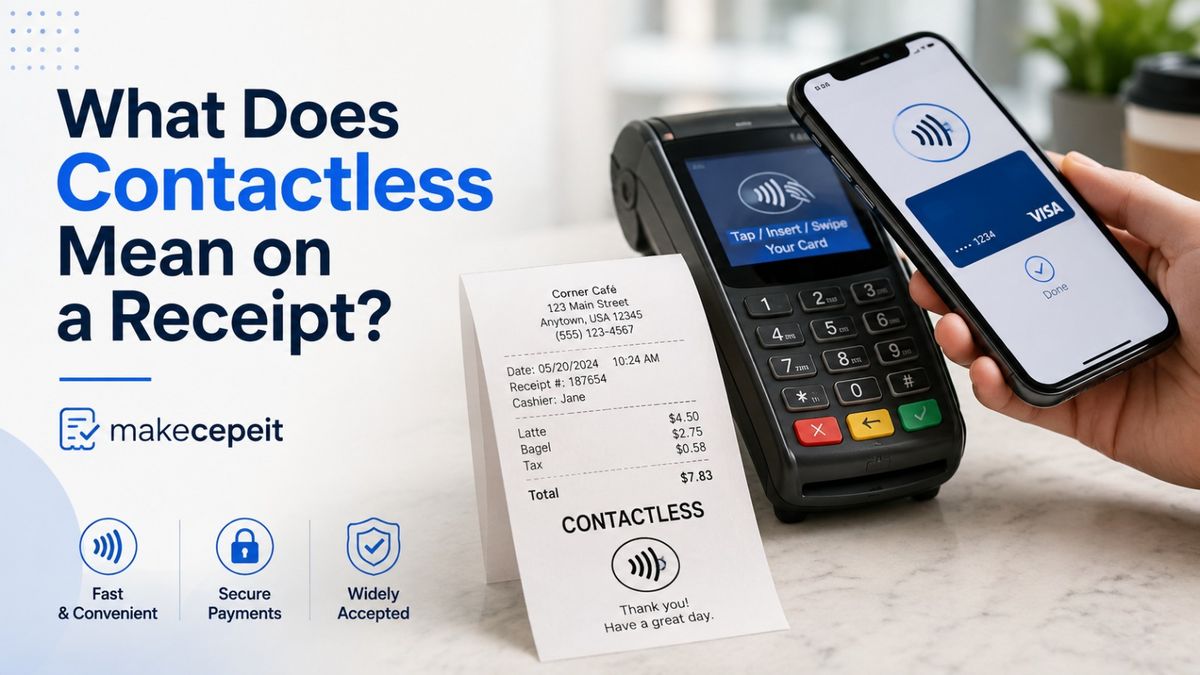
"Contactless" on a receipt usually means the payment was processed by tapping or holding a contactless-enabled card, smartphone, or smartwatch near the payment terminal instead of inserting the card's chip or swiping its magnetic stripe. The transaction typically uses Near Field Communication, or NFC, to exchange payment information over a very short distance.
If you see "Contactless," "Tap," or a similar description on a receipt in the United States, it usually identifies the card-entry method, not necessarily the exact device or wallet that was used. A physical contactless card, Apple Pay, Google Pay, or another supported digital wallet may all result in a contactless transaction. At makecepeit, understanding these small receipt details can make it much easier to identify how a purchase was paid for and determine whether a transaction looks familiar.
What Does "Contactless" Mean on a Receipt?
Contactless on a receipt means the payment terminal processed the transaction through a contactless payment interface, usually by NFC, rather than through a traditional card swipe or chip insertion.
When a customer taps a payment card, phone, or compatible wearable near a checkout terminal, the terminal communicates with the payment device wirelessly. The terminal then sends the necessary transaction information through the merchant's payment system for authorization.
The word shown on the receipt can vary by store, point-of-sale system, card processor, or terminal. You might see descriptions such as:
- Contactless
- Contactless EMV
- Tap
- Tap to Pay
- NFC
- Contactless Card
- Mobile or Wallet
These terms may describe similar payment activity, but they are not always interchangeable. In particular, seeing "Contactless" does not automatically prove that a digital wallet was used.
Does Contactless Mean You Used Apple Pay or Google Pay?
No. A receipt marked "Contactless" does not necessarily mean Apple Pay or Google Pay was used. A physical bank card with contactless capability can produce the same general transaction description.
For example, imagine you make a purchase at a grocery store in New York and tap your Visa card on the terminal. The receipt may display "Contactless." If you return the following week and pay by holding an iPhone using Apple Pay near the same terminal, that receipt may also display "Contactless."
The merchant's receipt system may record both transactions according to the way the terminal received the payment rather than the specific device you used.
Common Ways a Contactless Transaction Can Be Made
- A physical Visa, Mastercard, American Express, or Discover card with tap-to-pay capability.
- An iPhone or Apple Watch using Apple Pay.
- An Android phone or compatible wearable using Google Wallet or another supported wallet.
- Another NFC-enabled payment device accepted by the merchant's terminal.
If identifying the exact wallet matters, check the receipt for additional payment information and compare it with the transaction in your banking or digital-wallet app.
How Does a Contactless Payment Work?
Contactless payments generally rely on short-range wireless communication between the payment device and the merchant's terminal. In many retail environments, this technology is referred to as NFC, or Near Field Communication.
- The merchant enters the purchase. The total appears on the payment terminal.
- You tap or hold your payment device near the reader. This could be a contactless card, smartphone, or smartwatch.
- The terminal reads the payment credentials. The transaction data is prepared according to the payment technology being used.
- The payment is submitted for authorization. The transaction moves through the merchant's payment processor and relevant payment network.
- The transaction is approved or declined. If approved, the merchant completes the sale and generates the receipt.
- The receipt may identify the entry method. Depending on the merchant's system, it may show "Contactless," "Tap," "NFC," or another description.
The entire customer-facing process can happen quickly, which is one reason tap-to-pay has become common at supermarkets, restaurants, pharmacies, gas stations, transit systems, and other businesses across the United States.
Contactless vs. Chip vs. Swipe: What Does the Receipt Tell You?
A payment receipt can sometimes reveal how the card or payment credentials entered the terminal. Understanding these descriptions is useful when reviewing expenses or investigating an unfamiliar charge.
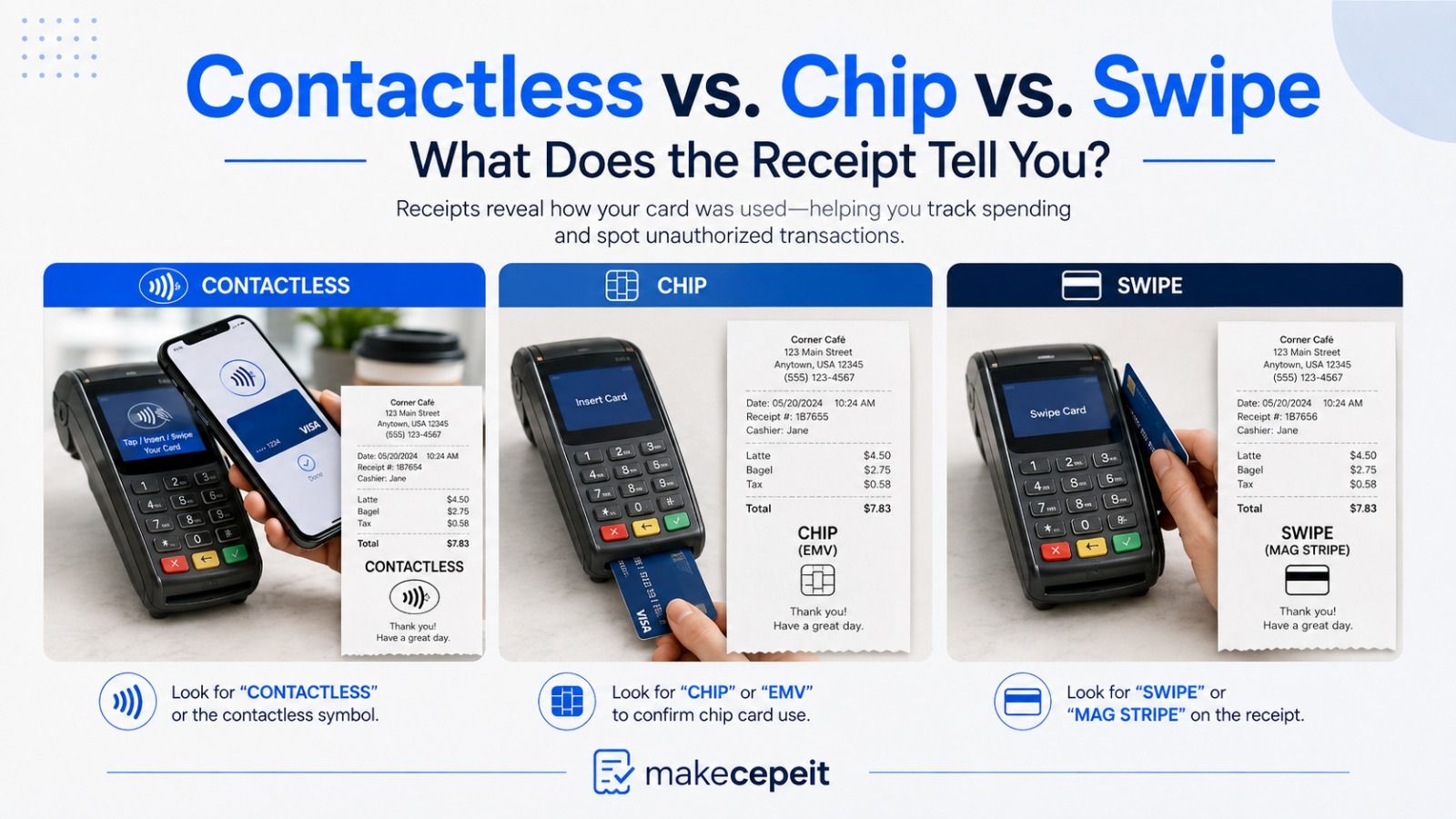
| Receipt or Payment Method | How the Payment Is Made | What It Usually Means |
|---|---|---|
| Contactless / Tap | Card, phone, or wearable held near the terminal | The terminal used its contactless interface |
| Chip / EMV | Physical card inserted into the reader | The card's chip was read through the terminal |
| Swipe / Magnetic Stripe | Card swiped through a reader | The magnetic stripe provided the card data |
| Mobile Wallet | Phone or wearable used for payment | The merchant system identified a digital-wallet transaction |
| Manual / Keyed | Card information entered manually | The card number was typed into the payment system |
Receipt terminology is not completely standardized across every merchant. Two stores can process similar payments but print different descriptions because they use different payment terminals, processors, or point-of-sale software.
What Information May Appear Next to "Contactless"?
The contactless label is only one part of a payment receipt. Depending on the merchant and payment system, other transaction details may appear nearby.
Card Brand
The receipt might identify the payment network or card brand, such as Visa or Mastercard. This can help you determine which account may have been used.
Last Four Digits
Many receipts display only a limited portion of the card number, commonly the final digits, instead of printing the complete account number.
When a mobile wallet is involved, the digits printed on the receipt may not always look identical to the digits printed on the physical payment card. Digital-wallet systems can use payment credentials designed for device-based transactions, so comparing only the visible digits without checking your wallet or banking app can sometimes cause confusion.
Transaction Type or Entry Method
Terms such as contactless, chip, swipe, keyed, credit, or debit may help explain how the payment reached the terminal or how the transaction was processed.
Authorization Information
A receipt may also contain an approval or authorization code associated with the merchant's payment record. These details are mainly useful to merchants and payment providers when locating a specific transaction.
Why Is "Contactless" Common on Receipts in the United States?
Contactless payment acceptance is now familiar to shoppers throughout the United States. Consumers can encounter tap-enabled terminals in major cities such as New York, Los Angeles, Chicago, Houston, Miami, and Seattle, as well as at businesses in smaller communities.
The technology fits naturally into situations where customers want a straightforward checkout experience. Instead of inserting a card and waiting to remove it, a customer can present a compatible payment device near the contactless symbol on the terminal.
Contactless capability is also useful because one terminal interface can support several payment forms. A shopper may tap a physical card while another person uses a smartphone wallet at the same checkout terminal.
For U.S. consumers reviewing receipts after travel, shopping, dining, or business purchases, recognizing the word "Contactless" can therefore provide an immediate clue about how the payment was presented.
What Are the Benefits of Contactless Payments?
For consumers, the main advantages of contactless payment are convenience and flexibility. A compatible terminal can accept a payment without requiring the customer to physically insert the card into the reader.
- Fast checkout interaction: the customer generally needs only to present the card or device near the terminal.
- Multiple device options: payments may be made using eligible cards, phones, and wearables.
- Less physical interaction with the terminal: tapping may reduce the need to handle the card reader compared with some traditional checkout flows.
- Clearer transaction clues: when the receipt records "Contactless," it can help identify the transaction's entry method later.
- Compatibility with digital wallets: many NFC-enabled checkout terminals support widely used mobile-payment systems.
The precise checkout experience still depends on factors such as the merchant, terminal, card issuer, transaction type, and any verification that may be required.
How Can You Tell Which Card Was Used for a Contactless Payment?
The most reliable approach is to compare the receipt with your bank, credit-card, or digital-wallet transaction history. The word "Contactless" alone usually is not enough to identify the exact card or device.
- Check the card brand shown on the receipt.
- Look for any masked card or account digits printed with the transaction.
- Compare the purchase amount and merchant name with your banking apps.
- Check Apple Pay, Google Wallet, or another wallet if you may have paid by phone or watch.
- Confirm the date and approximate transaction time.
- If the transaction remains unfamiliar, contact the relevant card issuer or financial institution using an official contact method.
This process is especially useful when several family or business cards are connected to similar accounts or digital wallets.
Does "Contactless" on a Receipt Mean the Transaction Is Fraudulent?
No. "Contactless" is a normal payment description and does not by itself indicate fraud. It simply describes how the payment credentials were presented to the terminal.
However, an unfamiliar contactless purchase should be reviewed just like any other unfamiliar transaction. First, compare the merchant name, amount, date, card details, and digital-wallet history. Remember that the name appearing on a bank statement can occasionally differ from the storefront name customers recognize.
If you still cannot identify the purchase, use the official website, app, or phone number of your bank or card issuer to review the transaction and learn what options are available.
Common Mistakes When Reading a Contactless Receipt
Assuming Contactless Always Means Apple Pay
This is one of the most common misunderstandings. A traditional physical card can also be contactless, so the label alone does not confirm that a phone was used.
Assuming Contactless and Chip Mean the Same Thing
A chip-enabled card may support both inserted and contactless transactions. The underlying card can therefore contain a chip while the checkout method itself is contactless. On a receipt, "Chip" often refers to inserting the card, while "Contactless" refers to tapping it.
Using Only the Printed Card Digits to Identify a Wallet Payment
When digital wallets are involved, the transaction credentials associated with the device may differ from the number you see printed on the physical card. Check the wallet's transaction details before concluding that the wrong card was charged.
Thinking Every Store Uses the Same Receipt Terminology
There is no single receipt layout used by every U.S. merchant. One point-of-sale system may print "Contactless," another may print "NFC," and another may provide only limited payment information.
Ignoring the Rest of the Receipt
Do not interpret one payment label in isolation. Merchant information, transaction time, card brand, purchase amount, authorization details, and masked account information can provide a more complete picture.
Tips for Reviewing a Receipt Before Taking Action
When a contactless transaction raises a question, start with the information you already have rather than assuming the payment method or device.
- Compare the merchant, amount, date, and time together.
- Check all cards you regularly use.
- Review any mobile wallets connected to those cards.
- Consider whether another authorized person could have used the account.
- Keep the original receipt when resolving a payment dispute or return.
- Use official financial-institution channels if you believe a charge is unauthorized.
A receipt can provide useful evidence, but the bank, card issuer, merchant, or payment provider may have more detailed transaction records when further investigation is necessary.
Why Use makecepeit When You Need to Understand Receipt Details?
Receipts often contain short payment labels, abbreviations, codes, and transaction descriptions that are obvious to payment systems but confusing to everyday shoppers. makecepeit focuses on making receipt-related information easier to understand in practical language.
Instead of treating a term such as "Contactless" as an isolated technical code, the useful approach is to understand what it says about the transaction, what it does not prove, and which details you should check next.
That distinction matters when you are organizing expenses, reviewing business purchases, checking a card statement, preparing for a return, or simply trying to remember how you paid for something.
Final Answer: What Does Contactless Mean on a Receipt?
Contactless on a receipt normally means the payment was presented to the terminal using contactless technology, usually by tapping or holding a card, smartphone, or wearable near the reader.
It does not automatically mean Apple Pay, Google Pay, or another specific mobile wallet was used. A physical contactless debit or credit card can produce the same type of receipt description.
If you need to identify exactly how a purchase was made, review the other information on the receipt and compare it with your card, bank, and digital-wallet history.
For more straightforward explanations of confusing receipt terms and payment details, explore makecepeit. Understanding what is printed on your receipt is often the simplest first step toward understanding the transaction itself.
Frequently asked questions
- What does contactless mean on a receipt?
- It usually means the payment was made through the terminal's contactless interface by tapping or holding a compatible card, phone, or wearable near the reader.
- Does contactless mean Apple Pay?
- No. Apple Pay can create a contactless transaction, but a physical tap-enabled credit or debit card can also be processed as contactless.
- Does contactless mean I tapped my card?
- Possibly. Tapping a physical card is one common form of contactless payment, but the transaction could also have come from a phone or wearable.
- What does NFC mean on a receipt?
- NFC stands for Near Field Communication. It is a short-range wireless technology commonly used for contactless payments between a payment device and terminal.
- Is contactless different from a chip payment?
- Yes in terms of the checkout method. A contactless transaction is made by tapping near the terminal, while a traditional chip transaction involves inserting the physical card into the reader.
- Can a debit card show as contactless?
- Yes. If a debit card has contactless capability and is tapped on a compatible terminal, the receipt may identify the transaction as contactless.
- Why do the card digits on my receipt look different?
- One possible reason is the use of a digital wallet, which may use device-related payment credentials rather than displaying the same number printed on the physical card.
- Is a contactless transaction safe to recognize as legitimate?
- The word "Contactless" itself does not determine whether a purchase is legitimate or fraudulent. Verify unfamiliar transactions using your receipt, bank records, and wallet history.
- Why doesn't my receipt say Apple Pay even though I used it?
- Some merchant systems record only the payment entry method, such as "Contactless," rather than printing the name of the digital wallet used.
- How do I find out which card made a contactless purchase?
- Compare the receipt's merchant, amount, date, card brand, and masked digits with your bank, credit-card, and digital-wallet transaction histories.