StockX Receipt: How to Find Yours, and How to Make One
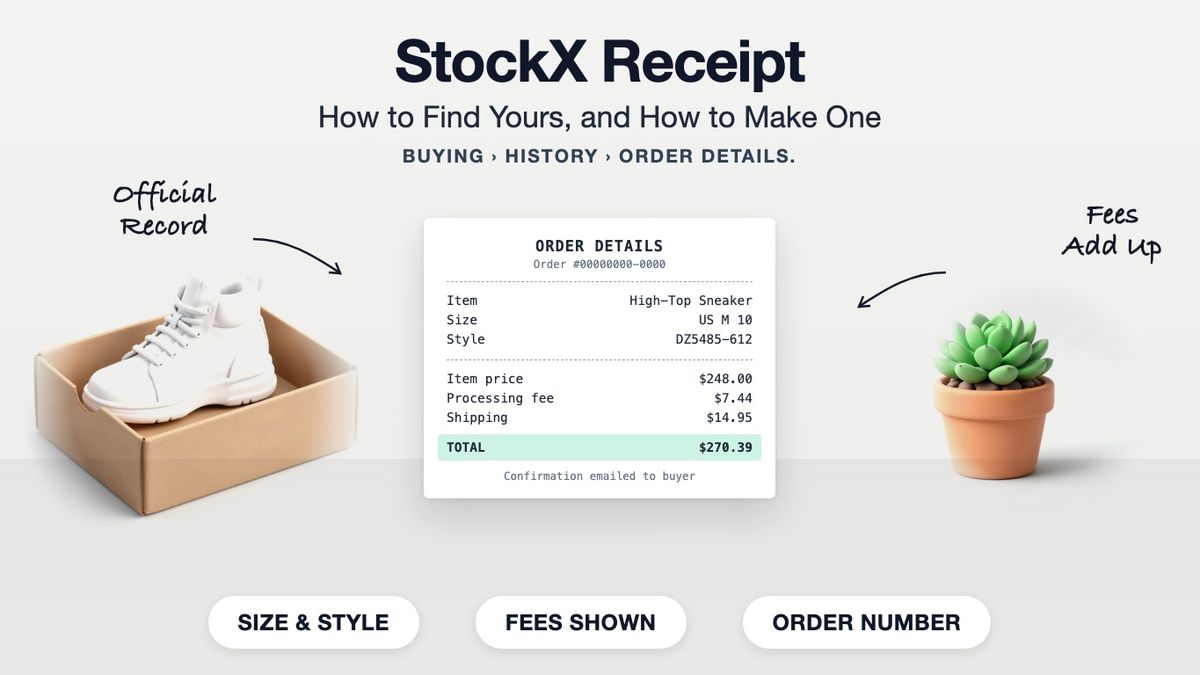
Your StockX receipt is the order record in your account. On the StockX app or website, go to your profile, select Buying, then History, and open the order to see its Order Details page. StockX also emails an order confirmation when the purchase goes through, so searching your inbox for "StockX" and the order number finds the same record. If you need a StockX-style receipt for your own books instead, the StockX receipt generator lays one out with the size, style code and fees.
Those are two different jobs. The first is retrieving the official record of what you paid. The second is making a document for your own bookkeeping. Most people searching for a StockX receipt need the first, so that comes first here.
Where to Find Your StockX Receipt
StockX does not print receipts. The order confirmation is the receipt.
- Open the StockX app or stockx.com and sign in.
- Go to your profile and select Buying.
- Select History to see completed orders.
- Open the order. The Order Details page shows the item, size, price, fees and total.
- Screenshot it or print the page if you need a copy outside the app.
StockX's help centre describes the same path in its return policy article, which is also where the order number you will be asked for lives.
If the order isn't in your history
Check that you are signed in to the account you bought with. A gift bought by someone else sits in their history, not yours. Then search your email for the confirmation, which arrives at the address on the buying account. Failing both, StockX support can find the order from the order number or the card you paid with.
What a StockX Receipt Shows
An itemised order: the product, the size, and every fee on top of the price.
| Line | What it is |
|---|---|
| Item name | The product, as listed on StockX |
| Size | The size you bought, for example US M 10 |
| Style code | The manufacturer's style number, for example DZ5485-612 |
| Purchase price | The price you paid for the item itself |
| Processing fee | StockX's fee on the purchase |
| Shipping | The delivery charge |
| Sales tax | Tax, where your state collects it |
| Total | What was charged to your payment method |
| Order number | The reference StockX support and returns use |
The fees matter more than they do on most receipts. The price shown on a product page is not what a pair costs once processing and shipping are added, and the order record is the only place the full figure appears.
When You Need the Real Record
Anything involving StockX itself needs StockX's own record.
- A return. StockX's return policy works from your order, not from a document you produce. In the US, eligible Verified Marketplace purchases can be returned within 14 days of delivery for StockX Credit, if unused and in their original condition.
- A dispute or a missing parcel. Support works from the order number.
- A warranty question with the manufacturer. Expect to be asked for the original order confirmation.
A receipt you make yourself cannot stand in for any of these, and it should not try to.
When a Receipt You Make Yourself Is the Right Tool
For your own bookkeeping, a consistent document beats a folder of screenshots.
Resellers and collectors often want every purchase recorded the same way, in one format, next to purchases from other marketplaces. That is a record-keeping job, and it is what the StockX receipt template is for:
- Resale bookkeeping: what each pair actually cost after fees, so a profit figure means something.
- Collection records: a tidy record of what you paid, for insurance notes or your own tracking.
- Expense reports: where an employer or client wants one PDF per purchase rather than an app screenshot.
Build it from your real order: the same item, size, price, fees and date as the Order Details page.
How to Make a StockX-Style Receipt
- Open the StockX receipt template. It loads with the item, size, style code, processing fee and shipping lines already laid out.
- Copy the item name, size and style code from your Order Details page.
- Enter the purchase price, processing fee and shipping exactly as charged.
- Set the sales tax rate to match what you paid.
- Set the order date, then download a PDF or PNG.
A Made Receipt Proves Nothing About Authenticity
It records a price. That is all it can do.
StockX's verification happens to the item, inside StockX's process, and its own records are the only ones that relate to it. A receipt from a template carries no authentication tag, and ours deliberately leaves one out. Selling a pair on with a receipt presented as StockX's own, or as proof it was verified, is misrepresentation. Keep the official order confirmation for anything a buyer, a platform or StockX needs to rely on.
Keep Your Records Straight
Find the official record in Buying, then History. Keep the confirmation email. For your own books, make a StockX-style receipt from the real figures.
Frequently asked questions
- Where do I find my StockX receipt?
- In the StockX app or website, go to your profile, select Buying, then History, and open the order. The Order Details page is your receipt. StockX also emails an order confirmation.
- Does StockX send a receipt by email?
- Yes. An order confirmation goes to the email address on your buying account when the purchase goes through. Search your inbox for StockX and the order number.
- Can I get a printed StockX receipt?
- StockX does not print receipts. Print or screenshot the Order Details page, or print the confirmation email.
- What does a StockX receipt include?
- The item name, size and style code, the purchase price, the processing fee, shipping, sales tax, the total and the order number.
- Why is my StockX total higher than the listed price?
- The total adds the processing fee, shipping and any sales tax to the item price. The order record is the only place the full figure appears.
- Can I return a StockX order with a receipt I made?
- No. Returns run from your StockX order. In the US, eligible items can be returned within 14 days of delivery for StockX Credit, if unused and in original condition.
- I can't find the order in my history. What now?
- Check you are signed in to the account you bought with, then search your email for the confirmation. StockX support can find it from the order number or the card used.
- What is a StockX receipt generator for?
- Your own bookkeeping: recording what each pair cost after fees, in the same format as purchases from other marketplaces. Build it from the real order figures.
- Does a StockX-style receipt prove a pair is authentic?
- No. It records a price. Only StockX's own records relate to its verification, and presenting a made receipt as proof of authenticity is misrepresentation.
- Do I need my StockX receipt for taxes?
- If you resell, keep the official order record as proof of what each item cost you. How resale income is taxed in your situation is a question for a tax professional.