Receipt Template in Word or Excel: How to Build One
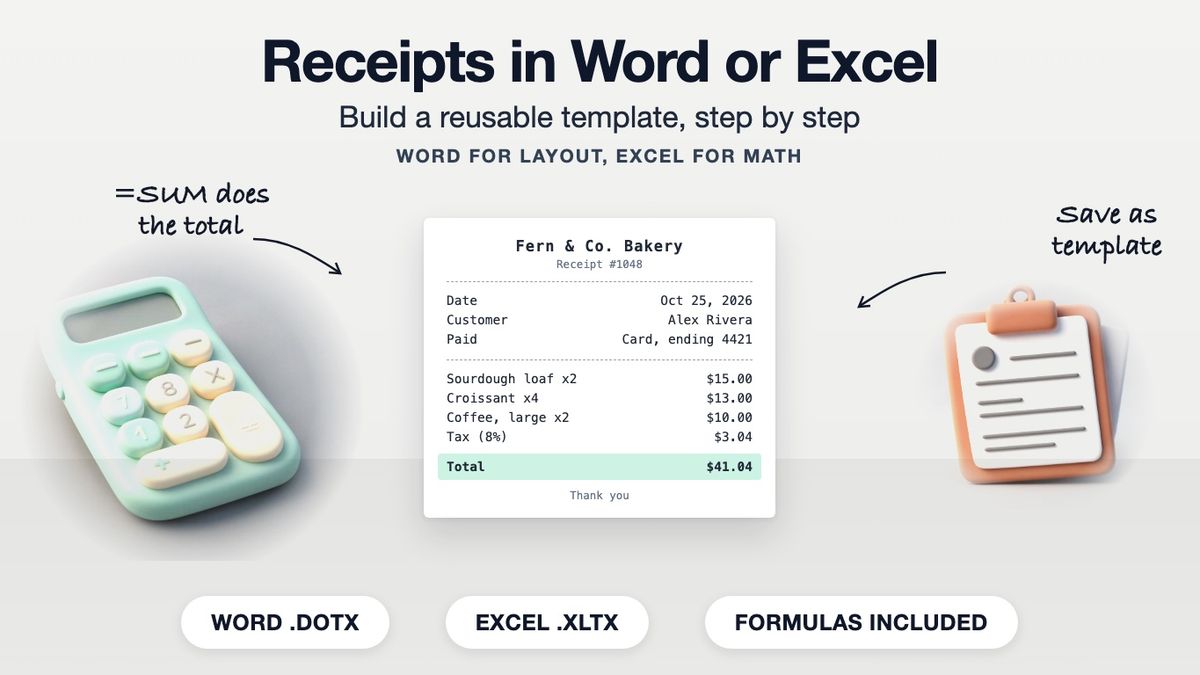
To make a receipt template in Word, build a two-column header table for your business and the customer, then an item table with description, quantity, price and amount columns, and type the totals by hand. In Excel, use the same layout but let formulas multiply each line and add the total. Save either one as a template file and copy it for each sale. If you would rather skip the setup, our receipt builder has the fields laid out and does the math.
If you work in Google Docs, our Google Docs templates page has free receipt and invoice templates you can copy straight into your Drive.
Which to Use
| Word | Excel | |
|---|---|---|
| Layout and logo | Easy, looks like a letter | Possible, takes more fiddling |
| Math | You type every amount | Formulas calculate lines and totals |
| Receipt numbering | Manual | Manual, or a formula off a log sheet |
| Best for | A few receipts with few line items | Itemized receipts, many lines, tax |
Both work. Pick Excel if your receipts have several lines or sales tax, because typed totals are where mistakes creep in.
The Fields Every Receipt Template Needs
| Field | Example |
|---|---|
| Business name, address, phone | Fern & Co. Bakery, 22 Mill St |
| Receipt number | 1048 |
| Date | Oct 25, 2026 |
| Customer name | Alex Rivera |
| Items: description, qty, price, amount | Sourdough loaf, 2, $7.50, $15.00 |
| Subtotal, tax, total | $38.00 / $3.04 / $41.04 |
| Payment method | Card, ending 4421 |
| Signature or "Thank you" line | Optional |
See how to write a receipt for what each field is for.
How to Build a Receipt Template in Word
- Open a blank document and set narrow margins so the receipt fits on half a page if you want to print two per sheet.
- Insert a 2-column table for the header. Business name, address and phone go on the left; "RECEIPT", the receipt number and date on the right. Remove the borders.
- Add a "Received from" line for the customer's name.
- Insert a 4-column table with headings Description, Qty, Price, Amount, and five or six empty rows.
- Add three right-aligned rows under it: Subtotal, Tax, Total.
- Add Payment method and a signature line at the bottom.
- Save as a template (.dotx) so opening it creates a fresh copy instead of overwriting your master.
Each time you use it, type the amounts and add them yourself. Word tables can hold simple formulas, but they do not recalculate on their own as you type, so most people treat the Word version as a typed form and double-check the total.
How to Build a Receipt Template in Excel
- Set up the header in rows 1 to 6: business details on the left, receipt number and date on the right. Merge cells for the business name if you like.
- Put column headings in row 8: Description (A), Qty (B), Price (C), Amount (D).
- In D9 type `=B9*C9` and fill it down through D14.
- Subtotal in D16: `=SUM(D9:D14)`
- Tax in D17: `=D16*0.08`, with your own rate in place of 0.08. A rate in a separate labeled cell is easier to change later.
- Total in D18: `=D16+D17`
- Format columns C and D as currency, set the print area to the receipt, and check Print Preview.
- Save as an Excel template (.xltx).
A worked example with the formulas above:
| Description | Qty | Price | Amount |
|---|---|---|---|
| Sourdough loaf | 2 | $7.50 | $15.00 |
| Croissant | 4 | $3.25 | $13.00 |
| Coffee, large | 2 | $5.00 | $10.00 |
| Subtotal | $38.00 | ||
| Tax (8%) | $3.04 | ||
| **Total** | **$41.04** |
Where Word and Excel Templates Fall Short
- Numbering. Neither app knows which receipt number comes next. Keep a log sheet and copy the next number in by hand. Our guide on how to number receipts covers simple schemes.
- Overwriting the master. Opening the original file instead of the template and saving over it is the most common mishap. Saving as .dotx or .xltx prevents it.
- Manual totals in Word. Every typed total is a chance for an arithmetic slip.
- Sending to customers. You need to export a PDF each time so the customer cannot edit it and it looks the same on their screen.
None of this is a reason to avoid Word or Excel. If you send a few receipts a month and like controlling the layout, a homemade template is perfectly good.
When a Generator Is Easier
If you issue receipts often, have many line items, or want a PDF without the export step, a receipt generator saves the setup. Our receipt builder and the cash receipt template have the fields above, calculate the line amounts and total, and preview in the browser for free. A watermark-free download needs Pro. Whatever tool you use, a receipt must record a real sale.
Frequently asked questions
- How do I make a receipt template in Word?
- Use a borderless two-column table for your business and receipt details, a four-column item table, subtotal, tax and total rows, then save the file as a Word template (.dotx).
- How do I make a receipt template in Excel?
- Lay out a header and an item table, use =Qty*Price for each line, =SUM for the subtotal, a tax formula and a total, then save as an Excel template (.xltx).
- Is Word or Excel better for receipts?
- Excel, if your receipts have several lines or sales tax, because it calculates totals. Word is fine for simple one-line receipts where layout matters more.
- Can Word calculate totals on a receipt?
- Word tables can hold basic formulas, but they do not update automatically as you type, so most people type and check the totals by hand.
- How do I number receipts in Word or Excel?
- Neither does it automatically. Keep a log of issued numbers and enter the next one on each new receipt.
- What should a receipt template include?
- Business details, receipt number, date, customer name, items with quantity, price and amount, subtotal, tax, total and payment method.
- How do I stop overwriting my receipt template?
- Save it as a template file (.dotx in Word, .xltx in Excel). Opening a template creates a new copy each time.
- Should I send customers the Word or Excel file?
- Send a PDF. It looks the same on every device and the customer cannot change the amounts.
- Is there a Google Docs receipt template?
- Yes. Our Google Docs templates page lists free receipt and invoice templates you can copy into your own Drive.
- When is a receipt generator better than Word or Excel?
- When you issue receipts often, have many line items or want a finished PDF without building and exporting a file each time.