Mileage Reimbursement Form: What to Include and How to Calculate It
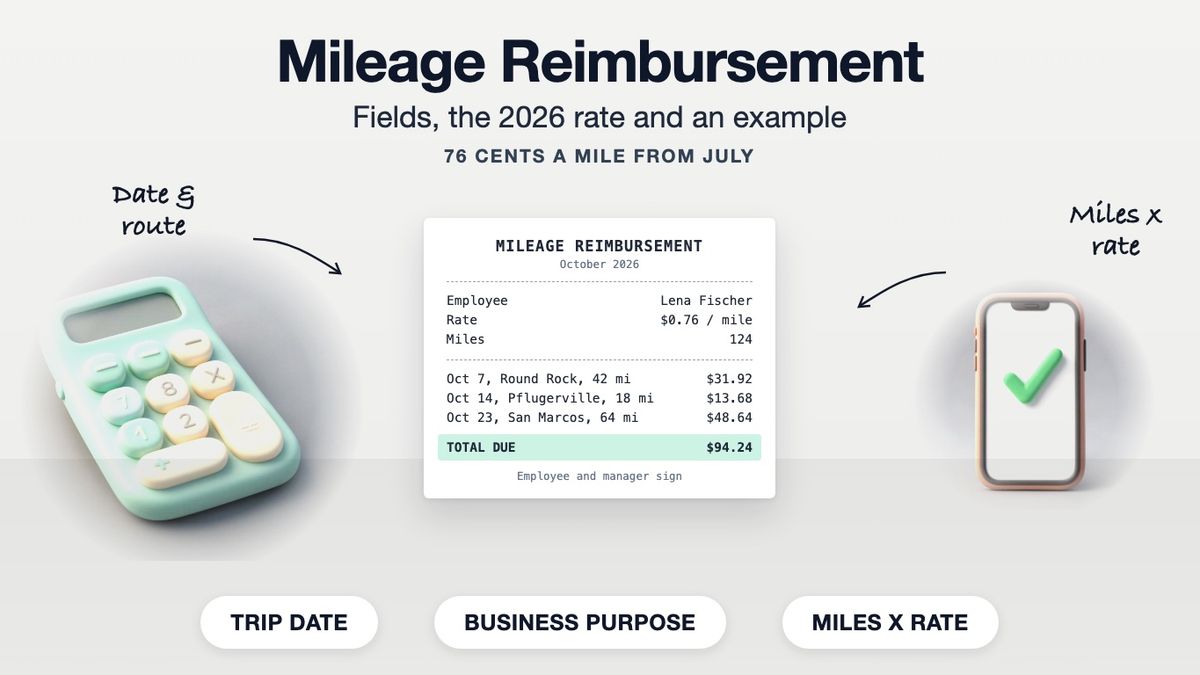
A mileage reimbursement form is a log of business trips an employee or contractor submits to get paid back for using their own vehicle. Each line needs the date, where the trip started and ended, the business purpose and the miles driven; the form multiplies total miles by the reimbursement rate and is signed by the driver and an approver. It works alongside the records described in our mileage log guide.
What the Form Must Include
| Field | Example |
|---|---|
| Employee or contractor name | Lena Fischer |
| Vehicle | Personal car, 2021 Honda Civic |
| Period covered | Oct 1 to Oct 31, 2026 |
| Date of each trip | Oct 7, 2026 |
| Starting point and destination | Office, Austin TX to client site, Round Rock TX |
| Business purpose | Quarterly review with Delta Freight |
| Miles driven | 42 (round trip) |
| Rate per mile | $0.76 |
| Amount per trip | $31.92 |
| Total miles and total due | 124 miles, $94.24 |
| Signatures and dates | Employee, then manager |
These fields match what IRS Publication 463 lists as the records for business car use: the mileage for each business use, the date, the destination and the business purpose. Odometer readings are optional on most forms but make the miles easy to check.
The 2026 IRS Rate
The IRS changed the business standard mileage rate partway through 2026. Its standard mileage rates page lists:
| Trips taken | Business rate |
|---|---|
| Jan 1 to Jun 30, 2026 | 72.5 cents per mile |
| Jul 1 to Dec 31, 2026 | 76 cents per mile |
| All of 2025 (for comparison) | 70 cents per mile |
Use the rate for the date of the trip, not the date you submit the form. A form covering late June and early July needs both rates. The IRS announces the following year's rates, usually in December.
Many employers reimburse at the IRS business rate, but your employer's policy sets the rate it actually pays. Some pay a lower flat rate or a fixed car allowance instead.
How to Calculate the Reimbursement
- Record each trip's miles. Count only business driving; the commute from home to your regular workplace is generally excluded.
- Add up the miles for the period.
- Multiply by the rate. For trips split across rate periods, total each period separately.
- Add tolls and parking as separate lines with receipts, if your policy allows.
A Worked Example
| Date | From / To | Purpose | Miles | Amount |
|---|---|---|---|---|
| Oct 7, 2026 | Office to Round Rock and back | Client review, Delta Freight | 42 | $31.92 |
| Oct 14, 2026 | Office to supplier, Pflugerville | Pick up samples | 18 | $13.68 |
| Oct 23, 2026 | Office to San Marcos and back | Site inspection | 64 | $48.64 |
| **Total** | **124** | **$94.24** |
All three trips are after July 1, so each uses 76 cents per mile: 124 × $0.76 = $94.24.
Why the Details Matter for Taxes
Under Pub 463, employer reimbursements are tax-free to the employee when they are paid through an accountable plan. That means the expense has a business connection, the employee adequately accounts for it within a reasonable period, and any excess is returned. Pub 463 defines adequate accounting as giving your employer a statement of expense, account book, diary or similar record made at or near the time, which is exactly what a completed mileage form is.
Self-employed people use the same records for their own deduction instead of a reimbursement. Our guide to expense report receipts covers the rest of a typical claim.
Trips That Cross the July 1 Rate Change
A June-to-July form needs two subtotals. Say a driver logs 80 business miles between June 22 and June 30, 2026, and 50 miles between July 1 and July 10. The June miles are paid at 72.5 cents (80 × $0.725 = $58.00) and the July miles at 76 cents (50 × $0.76 = $38.00), for $96.00 in total. Show both subtotals on the form so the approver can check the arithmetic.
Tips for a Form That Gets Approved First Time
- Fill it in weekly, not from memory at month-end.
- Use a map route to confirm distances.
- Write a purpose a manager will recognize: a client name or project, not "meeting".
- Attach parking and toll receipts.
- Submit within your policy's deadline.
For Contractors Billing Clients
Contractors usually bill mileage on an invoice, as a line showing miles and the agreed rate. Our invoice template has the bill-to details, invoice number, due date and balance due, and you can build one on makecepeit for free (a watermark-free download needs Pro). Only bill miles you actually drove.
This is general information, not tax or legal advice.
Frequently asked questions
- What is a mileage reimbursement form?
- A log of business trips that an employee or contractor submits to be paid back for driving their own vehicle for work, showing dates, destinations, purposes, miles and the amount due.
- What is the IRS mileage rate for 2026?
- The business rate is 72.5 cents per mile for trips from January 1 to June 30, 2026, and 76 cents per mile from July 1 to December 31, 2026.
- How do I calculate mileage reimbursement?
- Add up the business miles for the period and multiply by the rate. If trips fall in different rate periods, calculate each period separately.
- Does my employer have to use the IRS rate?
- Your employer's policy sets the rate it pays. Many use the IRS business rate as a benchmark; some pay a different rate or a car allowance.
- Can I claim my commute?
- Generally no. Driving between home and your regular workplace is commuting, not business mileage.
- Do I need odometer readings?
- Not always. You need the miles for each business trip, the date, destination and purpose. Odometer readings make the miles easier to verify.
- Is mileage reimbursement taxable?
- Reimbursements paid under an accountable plan, where you adequately account for the miles and return any excess, are generally not taxable wages.
- Can I add tolls and parking?
- Usually, as separate lines with receipts. Check your employer's policy.
- What was the 2025 mileage rate?
- 70 cents per mile for business driving, according to IRS Publication 463.
- How often should I submit a mileage form?
- Most employers ask for it monthly. Record trips as they happen so the log is made at or near the time.