How to Make an Invoice: Fields, Steps and a Worked Example
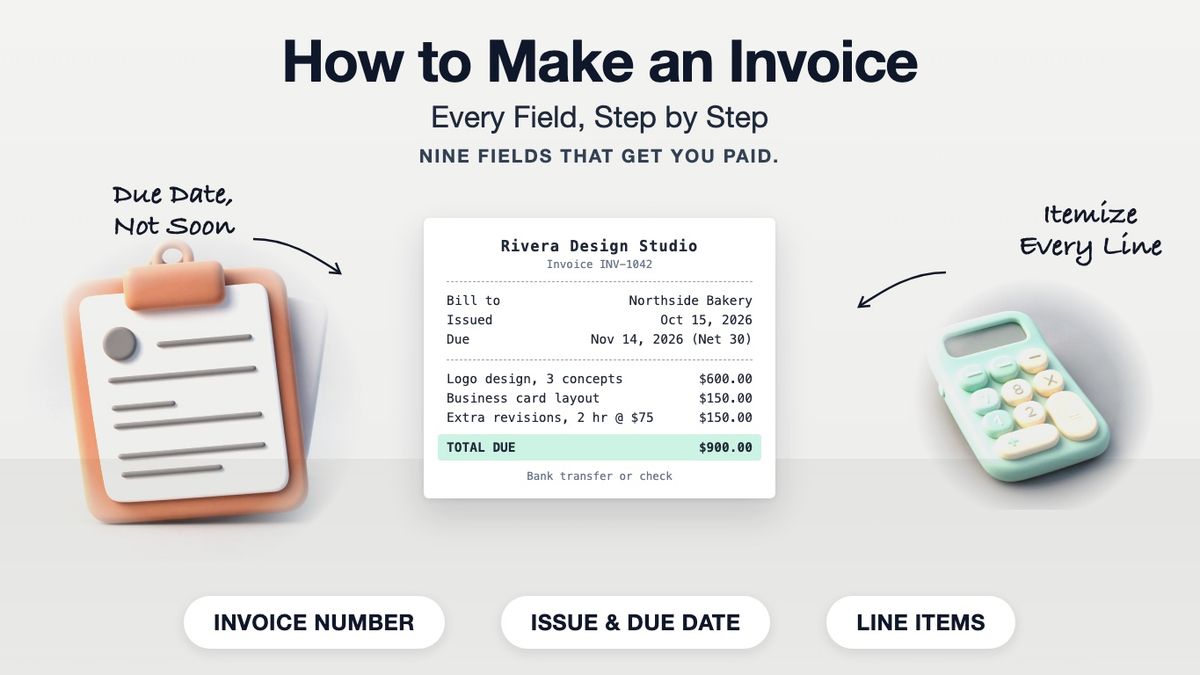
To make an invoice, put your business name and contact details at the top, then the client's name and address, a unique invoice number, the issue date and the due date. List each product or service on its own line with quantity, rate and amount, add any tax, show the total due, and finish with your payment terms and how the client can pay. You can build one in our invoice template, which has the bill-to block, invoice number, issue and due dates and balance due already laid out.
An invoice is a request for payment. A receipt comes after, and proves the money arrived. If you are unsure which one you need, our guide to receipts vs. invoices covers the difference, and the pro forma invoice guide covers the quote-style invoice sent before work starts.
What to Include on an Invoice
| Field | What to write | Why it matters |
|---|---|---|
| Your details | Business name, address, email, phone | Tells the client who to pay and who to call |
| Client details ("Bill to") | Name or company, billing address, contact person | Gets the invoice to the person who approves it |
| Invoice number | A unique number, e.g. INV-1042 | Lets both sides find and reference it |
| Issue date | The date you send it | Starts the clock on the payment terms |
| Due date | A real date, e.g. Nov 14, 2026 | Clearer than "Net 30" alone |
| Line items | Description, quantity, rate, amount | Shows exactly what is being charged |
| Subtotal, tax, total | Sum of lines, any sales tax, amount due | The number the client pays |
| Payment terms | Net 30, late fee policy if agreed | Sets expectations in writing |
| Payment methods | Bank transfer details, check payee, payment link | Removes the reason to delay |
Optional but useful: a purchase order (PO) number if the client issued one, a project name, and a short thank-you note. Many larger clients will not pay an invoice that is missing their PO number, so ask for it before you bill.
How to Make an Invoice, Step by Step
- Open a template. Start from an invoice template or the invoice builder rather than a blank page, so no field gets forgotten.
- Add your business details. Use the name your client knows you by and the email where you want replies.
- Fill in the bill-to block. Use the client's legal or company name and the billing address they gave you, which may differ from the job site.
- Assign the next invoice number. Never reuse one and never skip ahead without a reason. A simple sequence such as INV-1041, INV-1042 is enough.
- Set the issue date and due date. Write the due date as a calendar date. "Due on receipt" works for small one-off jobs; Net 15 or Net 30 is common for business clients.
- List each item on its own line. Describe the work the way the client will recognize it ("Logo design, 3 concepts"), then quantity, rate and amount. Hours go in the quantity column.
- Add tax if it applies. If your state requires sales tax on what you sold, add it as a separate line under the subtotal. Services are taxed in some states and not others, so check your state revenue department.
- Check the total. Subtotal plus tax, minus any deposit already paid, equals the balance due.
- Write the payment terms and methods. Say how to pay and by when. If you charge a late fee, it should match what the client agreed to before the work started.
- Save as PDF and send. A PDF keeps the layout fixed on every device. Then follow up if the due date passes.
A Worked Example
Here is a finished invoice from a freelance designer to a bakery.
Rivera Design Studio · 210 Pine St, Portland, OR · hello@riveradesign.example
Bill to: Northside Bakery, Attn: Sam Lee, 88 Market Ave, Portland, OR
Invoice: INV-1042 · Issued: Oct 15, 2026 · Due: Nov 14, 2026 (Net 30)
| Description | Qty | Rate | Amount |
|---|---|---|---|
| Logo design, 3 concepts + final files | 1 | $600.00 | $600.00 |
| Business card layout | 1 | $150.00 | $150.00 |
| Extra revision rounds | 2 hr | $75.00 | $150.00 |
| **Total due** | **$900.00** |
Payment: bank transfer (details on request) or check payable to Rivera Design Studio. Thank you for your business.
No sales tax line appears because the example assumes design services are not taxed where this designer works. Check your own state before copying that.
Common Invoice Mistakes
- No due date. "Payable soon" gets paid last. A date gets paid on time.
- Vague line items. "Services, $900" invites questions. Itemize so the approver can sign off without emailing you.
- Wrong recipient. In a company, the person who hired you is often not the person who pays. Ask who handles accounts payable.
- Duplicate numbers. Two invoices with the same number confuse both sets of books.
- Missing payment details. If the client has to ask how to pay, you have added a week.
Keep a Copy
Keep every invoice you send, paid or not. The IRS lists invoices among the supporting documents for gross receipts a business should keep, alongside receipt books and deposit records. When the client pays, mark the invoice paid or send a receipt.
Making One in a Few Minutes
The invoice template gives you the layout above, ready to fill in. Building it in the browser is free; a watermark-free download needs Pro. If you would rather edit a Google Doc, our Google Docs templates include an invoice you can copy into your own Drive.
Frequently asked questions
- What is the easiest way to make an invoice?
- Start from an invoice template, fill in your details, the client's details, an invoice number, the dates and your line items, then save it as a PDF and email it.
- What must an invoice include?
- Your business name and contact details, the client's name and address, a unique invoice number, the issue date, the due date, itemized lines with amounts, any tax, the total due, and how to pay.
- How do I make an invoice if I am not a business?
- Use your own name in place of a business name. The fields are the same: who is billing, who is paying, what for, how much and when it is due.
- Should I write the due date or just Net 30?
- Write both. "Net 30" explains the terms, and a calendar date such as Nov 14, 2026 removes any doubt about when the 30 days end.
- Do I need to add sales tax to an invoice?
- Only if your state taxes what you sold. Rules for services differ by state, so check with your state revenue department.
- What is the difference between an invoice and a receipt?
- An invoice asks for payment. A receipt confirms payment was received. Many businesses send the invoice first and a receipt, or a paid invoice, after.
- What file format should I send an invoice in?
- PDF. It looks the same on every device and the client cannot accidentally change the numbers.
- How do I number my first invoice?
- Pick a starting number such as 1001 or 2026-001 and go up by one each time. Starting above 1 is fine and common.
- Can I make an invoice in Google Docs?
- Yes. Copy an invoice template into your Drive, fill in the fields and download it as a PDF. You will need to add up the totals yourself.
- How long should I keep copies of my invoices?
- Keep them with your business records for as long as the IRS may ask about that tax year. The IRS lists invoices as supporting documents for gross receipts.