DoorDash Receipt: How to Get a Copy & What It Shows (2026)
To get your DoorDash receipt, open the DoorDash app, go to Orders, select the order and tap the receipt — or check your email, since DoorDash sends an emailed receipt after every order. A DoorDash receipt itemizes the food subtotal, delivery fee, service fee, taxes and fees, driver tip, and grand total, which is exactly what an expense claim needs. Here's how to get a copy, what it shows, and how to recreate one for your records.
What's on a DoorDash receipt
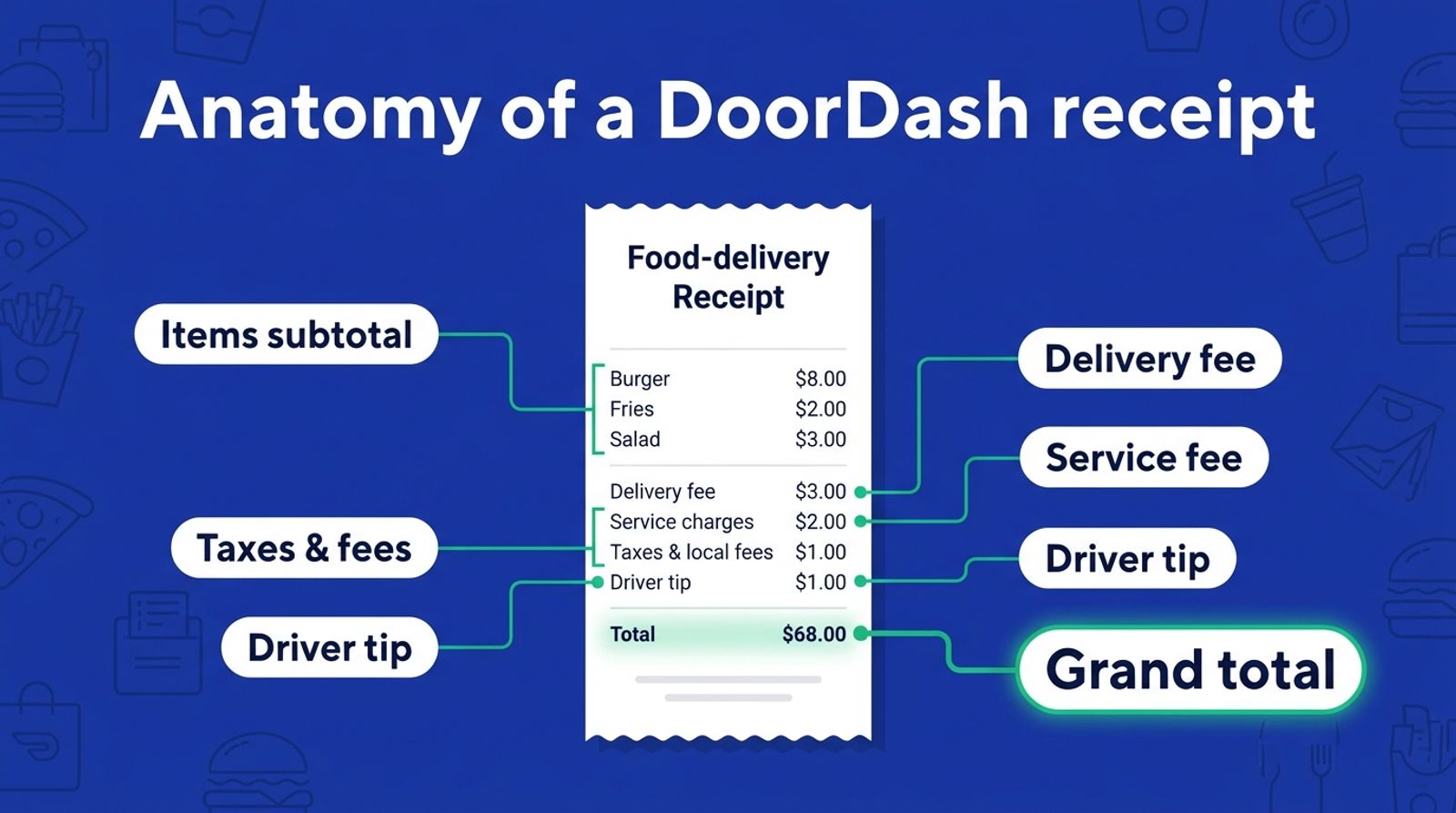
A DoorDash receipt breaks a delivery into its parts:
- Restaurant and order number with the order date and time
- Itemized food — each dish and its price
- Subtotal for the items
- Delivery fee and service fee
- Taxes and fees
- Driver tip
- Grand total and the payment method
Because delivery stacks several fees on top of the food, an itemized receipt matters more than a card statement, which only shows the single total charge.
How to get a copy of your DoorDash receipt
- DoorDash app. Open Orders, choose the order, and tap View Receipt.
- Email. DoorDash emails a receipt after each order — search your inbox for the restaurant name or "DoorDash order."
- DoorDash website. Sign in, open Orders, and view or download the receipt for a past order.
- Work account. If the order was placed through DoorDash for Business, the receipt stays in your order history for reimbursement.
Why the DoorDash receipt matters for expenses
Food delivery is a common reimbursable expense — per-diem travel meals, team lunches, or client orders. Employers and expense systems usually want an itemized receipt showing the food and fees, not just a bank line. Keep the DoorDash receipt (or a recreated itemized copy) with your expense report; see which receipts to keep for taxes.
Recreate a DoorDash receipt for your records
If you deleted the email and the order has aged out of the app, you can recreate a DoorDash receipt from your card statement's facts — the restaurant, date, items and total. The DoorDash receipt generator fills in the delivery layout with the subtotal, delivery and service fees, tip and taxes, then downloads a PDF or PNG. This is for legitimate record-keeping — expense claims, per-diem documentation and bookkeeping — only. To build one from scratch, open the receipt maker.
The bottom line
Your DoorDash receipt is quickest to get from the app's Orders tab or the emailed copy DoorDash sends after each order; both itemize the food, fees and tip you need for an expense claim. Lost both? Recreate an itemized DoorDash receipt for your records.
Frequently asked questions
- How do I get a DoorDash receipt?
- Open the DoorDash app, go to Orders, select the order and tap View Receipt. You can also find the emailed receipt DoorDash sends after each order, or download it from Orders on the DoorDash website.
- Does DoorDash email a receipt?
- Yes. DoorDash emails a receipt after every completed order. Search your inbox for the restaurant name or 'DoorDash order' to find it, even if you closed the app.
- What's on a DoorDash receipt?
- The restaurant and order number, the date, itemized food with prices, the subtotal, delivery fee, service fee, taxes and fees, the driver tip, and the grand total with the payment method.
- How do I get a DoorDash receipt for an expense report?
- Use the itemized receipt from the app or email — it shows the food and fees an expense system needs, unlike a card statement. If the order was on a work account, it stays in your DoorDash for Business order history.
- Can I get a receipt for an old DoorDash order?
- Recent orders stay in the app's Orders history and in your email. If an order has aged out, recreate an itemized copy from your card statement's facts for your records.
- Can I recreate a lost DoorDash receipt?
- Yes, for legitimate purposes such as expense claims, per-diem documentation and bookkeeping. Recreate it from your statement's facts, then download a PDF or PNG. Never use it to misrepresent a purchase.
- Is it legal to make a DoorDash receipt?
- Making a receipt is legal for legitimate uses like replacing a lost receipt, expense records and bookkeeping for an order you actually placed. Using any receipt maker to defraud a business or person is illegal.