Free Photography Receipt Generator Online
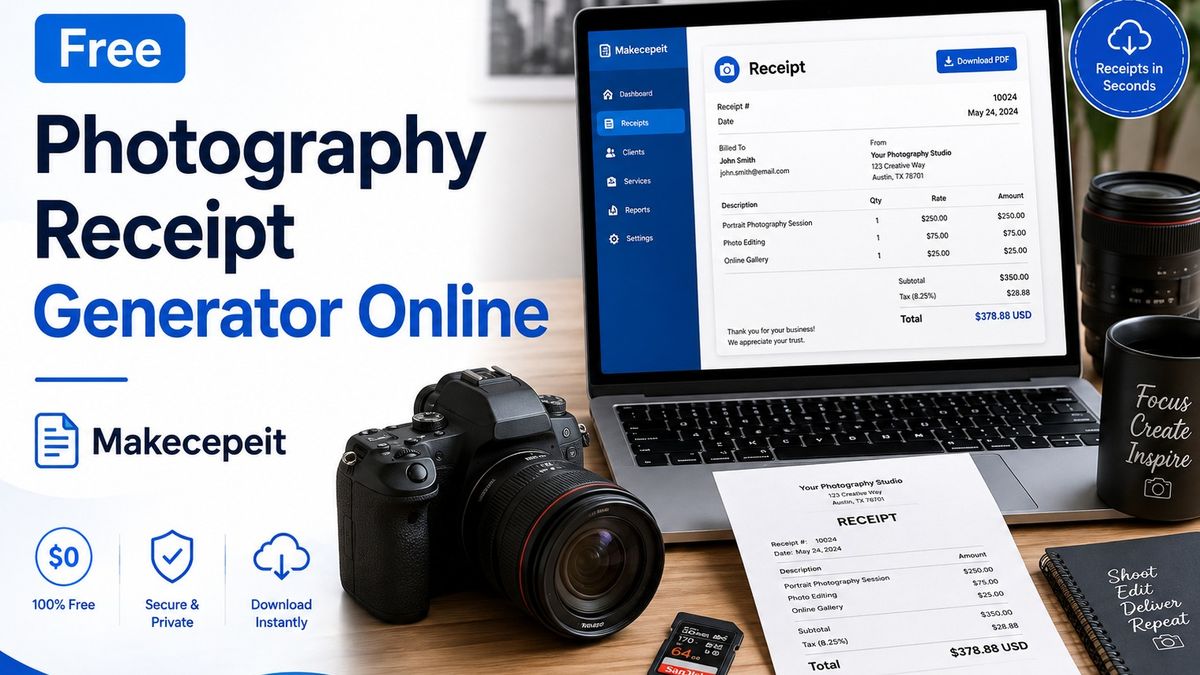
A free photography receipt generator online helps photographers create clear payment records for portrait sessions, weddings, events, commercial shoots, editing services, prints, and other photography work. Instead of building a receipt manually in Word or a spreadsheet, you can enter the client, service, payment, tax, and transaction details into an online receipt maker and produce a professional document.
For photographers and studios in the United States, Makecepeit provides a practical way to build and preview receipts online, customize transaction information, and prepare downloadable records for clients and bookkeeping. Its receipt builder includes live editing and supports common receipt information such as items, prices, taxes, payment details, and multiple export formats.
What Is a Photography Receipt Generator?
A photography receipt generator is an online tool used to document money that a photographer has received from a client. It turns details such as the photographer's business name, client information, photography service, amount paid, payment method, and transaction date into a structured receipt.
The main purpose of the receipt is simple: confirm that a payment took place and explain what the payment was for.
A photography receipt may be useful after payments for:
- Portrait photography sessions.
- Wedding photography packages.
- Engagement shoots.
- Family photography.
- Corporate events.
- Headshot sessions.
- Real estate photography.
- Product photography.
- Editing and retouching services.
- Photo albums and printed images.
- Deposits, retainers, or partial payments.
Dedicated photography receipt pages commonly include fields for session information, services, payments, deposits, image delivery, and other project-specific details rather than relying only on a generic retail receipt format.
Photography Receipt vs. Photography Invoice: What Is the Difference?
An invoice generally requests payment, while a receipt generally confirms payment. Understanding this distinction helps photographers send the correct document at the correct stage of a project.
| Document | Main Purpose | Typical Timing | Important Information |
|---|---|---|---|
| Photography Invoice | Requests payment | Before or when payment becomes due | Services, amount due, due date, payment terms |
| Photography Receipt | Confirms payment | After money is received | Amount paid, date, service, payment method, receipt number |
| Deposit Receipt | Confirms a partial payment | After a deposit or retainer is paid | Deposit amount, package or project, payment date, remaining balance if applicable |
For example, a wedding photographer might first send an invoice requesting a booking payment. Once the couple pays that amount, the photographer can issue a photography deposit receipt confirming the transaction.
Photography invoice templates typically emphasize services, prices, important dates, taxes, and payment terms, while photography receipt templates focus more directly on recording completed payments.
Why Professional Photography Receipts Matter in the United States
A professional photography receipt creates a clear transaction record for both the photographer and the client. This becomes particularly useful when a photographer manages several sessions, receives deposits at different stages, sells physical prints, or works with corporate clients that require documentation.

They Give Clients Proof of Payment
A client should be able to see what was paid, when it was paid, and what photography service the transaction relates to. A detailed receipt reduces confusion when clients later review wedding packages, portrait sessions, print orders, or commercial projects.
They Improve Business Recordkeeping
Receipts can also support a photographer's internal accounting records. The IRS states that supporting business documents can include receipts, invoices, sales slips, deposit information, and other records used to show business income and expenses. Records should be organized and retained as appropriate for the transaction they support.
They Make a Photography Business Look More Organized
Sending a structured receipt is usually clearer than confirming payment through an informal text message. A professional receipt can include consistent business information, transaction numbers, itemized services, and payment details.
What Should a Photography Receipt Include?
A complete photography receipt should identify the photographer, client, service, transaction, and payment clearly enough that both parties can understand the record later.
Useful fields include:
- Photographer or studio name.
- Business address and contact information when appropriate.
- Client name.
- Unique receipt number.
- Payment date.
- Photography session or project description.
- Itemized services.
- Quantity or hours when relevant.
- Individual service prices.
- Subtotal.
- Discounts when applicable.
- Applicable tax.
- Total paid.
- Payment method.
- Deposit or retainer information.
- Optional notes about the project.
Use Specific Photography Descriptions
A description such as "Photography Services — $500" provides very little context. A more useful receipt could say "Corporate Headshot Session — 2 Hours" or "Wedding Photography Package — Booking Deposit."
Specific descriptions help the photographer and client identify the transaction later without searching through emails or contracts.
How to Create a Photography Receipt Online
Creating a professional receipt does not require advanced accounting software. A photographer can complete the process in a few practical steps.
- Open an online receipt generator. Choose a receipt layout that is appropriate for a professional service business.
- Add your photography business information. Enter your studio or photographer name and relevant contact information.
- Add client and session details. Identify the customer and describe the photography service clearly.
- Enter payment information. Add prices, taxes where applicable, discounts, payment method, and the amount received.
- Review the totals. Verify every number and make sure the receipt accurately reflects the real transaction.
- Export and save the receipt. Keep a digital copy for your records and provide a copy to the client.
How to Use Makecepeit as a Free Photography Receipt Generator Online
Makecepeit allows users to start building and previewing receipts without creating an account. Its editor provides live updates as business information, items, prices, tax, tips, discounts, and payment details are changed.
Start With a Suitable Receipt Layout
Select a clean service or itemized receipt structure that gives enough space for photography services. For example, separate the session fee, additional coverage, retouching, prints, albums, or other paid deliverables instead of combining everything into a single unexplained total.
Customize the Receipt for Photography Work
Use line items that reflect the actual transaction, such as:
- Portrait Session.
- Wedding Photography Deposit.
- Additional Coverage Hour.
- Professional Retouching.
- Commercial Product Photography.
- Digital Image Package.
- Photo Album.
- Fine Art Prints.
Preview Before Exporting
Makecepeit's live preview updates as receipt details are edited, making it easier to spot incorrect totals, missing information, or formatting problems before generating the final document.
Choose the Appropriate Export Format
Makecepeit currently supports receipt exports including PDF and image formats. Building and previewing can begin without signup; downloading uses a free account. The service states that the first download on a free account is watermark-free HD, while later free downloads include a Makecepeit watermark unless the user chooses its optional Pro plan.
This distinction is useful for users searching specifically for a free photography receipt maker because it explains what is available without presenting the free tier as something it is not.
Photography Receipt Examples for Different Services
Wedding Photography Receipt
A wedding photography receipt may identify the couple or client, wedding date, photography package, amount received, payment date, and whether the payment represents a deposit, installment, or final balance.
If a payment represents only part of the project price, label it clearly rather than making the receipt appear to show full payment.
Portrait or Headshot Receipt
A portrait photography receipt can be simpler. It might include the session type, session date, studio fee, number of edited images or selected package, additional products, and total paid.
Event Photography Receipt
Business clients often benefit from more descriptive receipts. Include the event name, service date, coverage description, and any separately billed editing or delivery services.
Commercial Photography Receipt
Commercial photography can involve additional elements such as production services or usage rights. A receipt should accurately describe what the client paid for, but it should not replace a detailed licensing agreement or photography contract when those documents are required.
Photography Print Receipt
When selling physical prints, albums, canvases, or framed photographs, itemize the purchased products. Quantity, dimensions, product type, and price can make the payment record much easier to understand later.
How to Handle Photography Deposits and Partial Payments
A photography deposit receipt should show exactly how much the client paid and what that payment relates to.
For example:
Wedding Photography Package — Booking Deposit — $500 Paid
If the complete package price is $2,000, do not create a receipt suggesting that the full $2,000 was received when only $500 was paid.
You may also include a note showing the remaining balance when appropriate, but the receipt should continue to identify the amount actually received clearly.
Keeping deposits and final payments as separate transaction records can make payment history easier to follow.
Sales Tax and Photography Receipts in the United States
Photographers should not assume that one sales-tax rule applies everywhere in the United States. Tax treatment can depend on the state, locality, type of photography service, and whether physical or digital products are being sold.
If tax applies to a transaction, show the applicable tax clearly rather than adding an unexplained amount to the total. If you are uncertain about your obligations, check your state and local tax authority or consult a qualified tax professional.
For federal business recordkeeping, the IRS advises businesses to maintain records that clearly show income and expenses and to keep supporting documents such as receipts and invoices.
Benefits of an Online Photography Receipt Maker
An online receipt generator can simplify the administrative side of running a photography business.
- Faster documentation: reusable layouts reduce manual formatting.
- Cleaner presentation: structured receipts are easier for clients to understand.
- Consistent records: the same format can be used across multiple sessions.
- Itemized services: photography packages can be separated into meaningful line items.
- Automatic calculations: generators can reduce mistakes when calculating subtotals and tax.
- Digital storage: PDF or image copies can be organized with other business records.
- Mobile convenience: online tools can be useful when payments are received away from the studio.
Why Photographers May Choose Makecepeit
Makecepeit is suitable for photographers who want a straightforward online receipt-building workflow rather than designing every receipt manually.
Its current receipt maker offers live preview editing, customizable transaction fields, multiple currencies, custom tax settings, discounts, and downloadable document or image formats. The builder itself operates primarily in the browser, while optional AI generation or saved-account features involve server-side data use according to Makecepeit's published information.
For freelance photographers, small studios, wedding photographers, and creative professionals, these features make it possible to create a clear photography payment receipt without starting from a blank document every time.
Tips Before Creating a Photography Receipt
- Confirm the amount actually received before generating the document.
- Use a unique receipt number for easier organization.
- Describe the photography service specifically.
- Separate deposits from final payments.
- Check tax calculations rather than relying on assumptions.
- Confirm client names and dates before exporting.
- Keep a copy of every business receipt you issue.
- Use consistent naming for packages and services.
- Do not use a receipt as a substitute for a contract when project terms require one.
- Review the final PDF or image before sending it to a client.
Common Photography Receipt Mistakes to Avoid
Confusing an Invoice With a Receipt
Do not mark an unpaid amount as paid. Use an invoice when requesting money and a receipt when confirming money received.
Using Vague Descriptions
"Photo work" is less useful than "Family Portrait Session" or "Corporate Event Photography — Final Payment."
Failing to Record Deposits Correctly
A deposit receipt should identify the partial payment accurately and should not suggest the entire project has been paid unless that is true.
Entering the Wrong Tax
Sales tax rules vary by jurisdiction and transaction type. Verify the rule that applies to your own business rather than copying a rate from another photographer.
Creating Receipts for Transactions That Did Not Occur
Receipt generators should be used to document genuine transactions, legitimate bookkeeping records, or clearly non-deceptive creative mockups. Makecepeit's published guidance likewise states that its tools are intended for legitimate recordkeeping and similar lawful uses rather than deceptive claims.
Create a Professional Photography Receipt Without Starting From Scratch
A free photography receipt generator online can save photographers from repeatedly designing payment documents by hand. The most useful receipt is not the most complicated one; it is the one that clearly identifies the photographer, client, photography service, transaction date, amount received, taxes when applicable, and payment method.
Whether you photograph weddings in New York, portraits in Los Angeles, corporate events in Chicago, products in Miami, or clients anywhere else in the United States, consistent receipts can make payment records easier for both you and your customers.
Ready to create your next photography payment record? Use Makecepeit to build and preview a professional receipt, customize the real transaction details, verify the totals, and prepare a digital copy for your client and business records.
Frequently asked questions
- What is a free photography receipt generator online?
- It is an online tool that helps photographers create receipts showing client information, photography services, payment details, taxes, and the amount received.
- How do I make a photography receipt?
- Add your business information, client name, receipt number, session description, prices, tax when applicable, amount paid, payment date, and payment method, then review and export the receipt.
- What should be included on a photographer's receipt?
- Include the photographer or studio name, client, date, receipt number, photography services, itemized charges, applicable tax, total payment, and payment method.
- Is a photography receipt the same as an invoice?
- No. An invoice usually requests payment, while a receipt normally confirms that payment has already been received.
- Can I create a receipt for a photography deposit?
- Yes. Clearly identify it as a deposit or partial payment and show only the amount that was actually received.
- Can wedding photographers use online receipt generators?
- Yes. Wedding photographers can use them to document booking deposits, installments, final payments, albums, additional hours, and other genuine transactions.
- Can I create a PDF photography receipt?
- Yes. Many online receipt tools provide PDF output. Makecepeit currently includes PDF and image export options for generated receipts.
- Should photography receipts include sales tax?
- Include sales tax when it applies to the transaction under the relevant state or local rules. Tax treatment can vary, so photographers should verify their own requirements.
- Should photographers keep copies of receipts?
- Keeping organized transaction records is good business practice. The IRS also identifies receipts and invoices among the supporting documents businesses may use for income and expense records.
- Is Makecepeit completely free?
- Makecepeit is free to start for building and previewing receipts. According to its current published terms, downloading uses a free account; the first free-account download is watermark-free HD, while later free downloads may contain a watermark unless the optional Pro plan is used.