Paid Invoice Receipt Generator for Freelancers
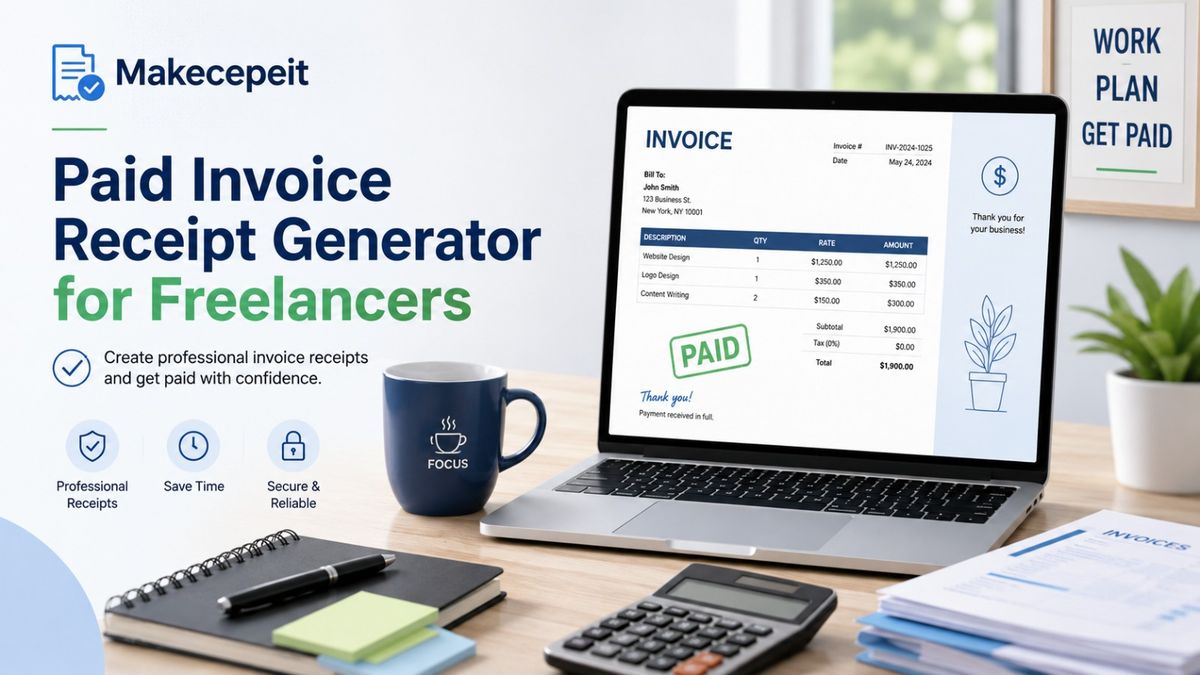
A paid invoice receipt generator for freelancers helps independent professionals turn a completed client payment into a clear, organized record showing what service was provided, how much was paid, and when the transaction was completed. Instead of sending an invoice that still appears to request payment, a freelancer can provide a document clearly marked "Paid" or create a separate payment receipt for the client.
For U.S. freelancers, consultants, designers, developers, writers, photographers, marketers, and other independent professionals, accurate payment records also make bookkeeping easier. Makecepeit can be used as part of this workflow when you need to create a customized receipt containing the real details of a completed transaction.
What Is a Paid Invoice Receipt for Freelancers?
A paid invoice receipt is a document confirming that a client has already paid for freelance services. It usually connects the original invoice information with the final payment details, creating a record that both the freelancer and client can keep.
The key distinction is simple: an invoice requests payment, while a receipt confirms payment. Once an invoice has been settled, freelancers may mark the invoice as paid, issue a separate receipt, or do both depending on their accounting workflow and the client's documentation requirements.
A useful freelance payment receipt should answer five questions immediately: who was paid, who paid, what was provided, how much was paid, and when the payment was completed.
This distinction becomes especially useful when freelancers work with corporate clients, agencies, startups, or accounting departments that require documented proof that an invoice has been settled.
What Should a Freelancer Payment Receipt Include?
A professional freelancer payment receipt should contain enough information to identify the actual transaction without exposing unnecessary financial information.
- Freelancer or business name.
- Business contact information when appropriate.
- Client or company name.
- Unique receipt or invoice number.
- Invoice date.
- Payment date.
- Clear description of the freelance service.
- Quantity, hours, project fee, or other pricing structure when relevant.
- Subtotal.
- Applicable discounts.
- Applicable tax, if legally required.
- Total amount paid.
- Currency, such as USD.
- Payment method.
- A visible "Paid" or "Payment Received" status.
- Optional transaction or payment reference.
A freelancer normally does not need to display full card numbers, complete bank account numbers, or other sensitive financial credentials on a client receipt. A payment method such as "Bank Transfer," "Credit Card," "ACH," or "PayPal" is usually enough unless a legitimate accounting requirement calls for additional information.
Paid Invoice vs Receipt: What Is the Difference?
| Document | Main Purpose | When It Is Sent | Typical Status |
|---|---|---|---|
| Invoice | Requests payment | Before payment | Due or outstanding |
| Paid Invoice | Shows an invoice has been settled | After payment | Paid |
| Payment Receipt | Confirms money was received | After payment | Payment received |
| Invoice + Receipt | Creates a more complete billing trail | Before and after payment | Full transaction history |
For a simple freelance project, marking the original invoice as paid may be sufficient. A separate receipt can be useful when the client specifically requests proof of payment or when the freelancer wants a cleaner separation between billing documents and payment confirmations.
Why Paid Receipts Matter for U.S. Freelancers
Freelancers in the United States often work across multiple clients, payment platforms, states, and project types. A consistent receipt system makes those transactions easier to identify later.
The IRS explains that supporting business documents can include invoices, receipts, sales slips, paid bills, deposit information, and other records used to support entries in business books and tax returns.
This does not mean that one receipt by itself determines the tax treatment of a transaction. Freelancers should maintain a broader recordkeeping system that clearly tracks business income and expenses and should consult a qualified tax professional when tax treatment is uncertain.
Better Records for Client Payments
Suppose a freelance web developer in Austin completes five projects during a busy month. If every payment has an identifiable invoice number, payment date, client name, service description, and receipt number, reconciling those payments is considerably easier than searching through unrelated bank deposits months later.
Easier Communication With Clients
Clients may lose invoices or need documentation for their own accounting departments. A properly labeled receipt gives them immediate confirmation that the account has been settled.
Cleaner Year-End Bookkeeping
Independent professionals working in cities such as New York, Los Angeles, Chicago, Miami, or Seattle may receive payments through several channels. Consistent receipts help create an organized transaction trail regardless of whether payment arrived by card, bank transfer, payment platform, or another legitimate method.
How to Create a Paid Invoice Receipt for Freelance Work
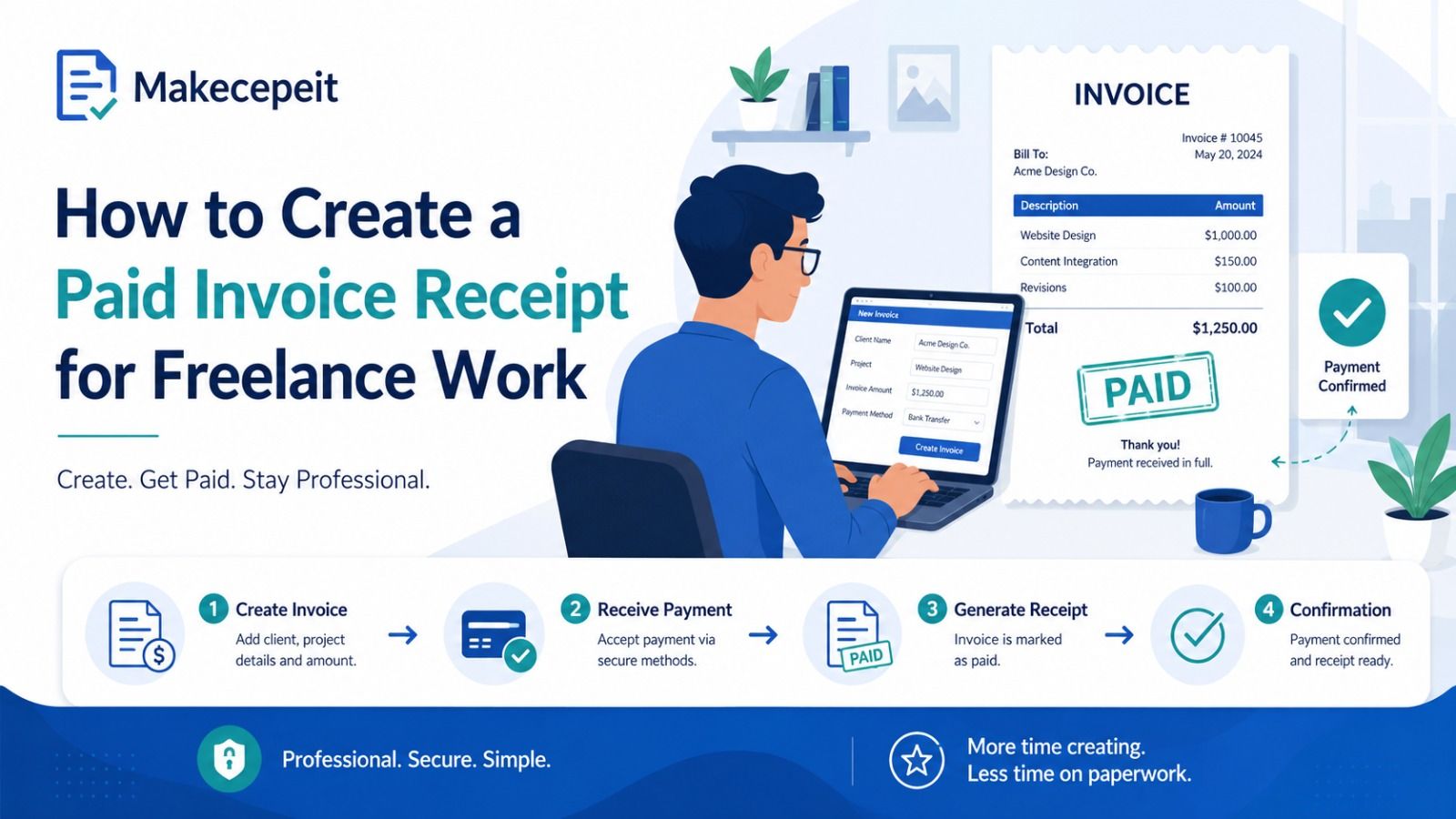
The most reliable process is to build the receipt from the actual invoice and confirmed payment information rather than recreating transaction details from memory.
- Open the original invoice. Confirm the invoice number, client, services, subtotal, and total.
- Confirm that payment was actually received. Check your legitimate payment record before issuing the receipt.
- Enter your freelance business information. Use the same professional name used on the original invoice.
- Add the client information. Enter the individual or business that made the payment.
- Itemize the completed services. Keep descriptions clear enough for both parties to recognize the project.
- Enter the amount paid. The receipt total should reconcile with the actual payment.
- Add taxes only when applicable. Tax treatment can vary by state, locality, and type of service.
- Enter the payment date and method. Use the date payment was actually completed.
- Mark the document as paid. Use wording such as "Paid," "Paid in Full," or "Payment Received."
- Review before sending. Confirm names, dates, totals, and references before providing the receipt to the client.
Example of a Freelance Paid Invoice Receipt
A freelance graphic designer who created a brand identity package might issue a receipt containing information similar to the following:
- Freelancer: Example Creative Studio
- Client: Example Business LLC
- Invoice: INV-2026-104
- Receipt: REC-2026-104
- Service: Brand identity design package
- Invoice total: $1,500
- Amount received: $1,500
- Payment method: ACH transfer
- Status: Paid in Full
The example above is illustrative only. Real receipts should always reflect real services and genuine transactions.
Using Makecepeit as a Freelancer Receipt Generator
Makecepeit provides an online receipt-building environment for creating and customizing receipt information and exporting completed documents. Its current receipt builder supports editable transaction details and downloadable receipt formats.
For freelancers, the advantage of using a dedicated receipt builder is consistency. Instead of creating a different document manually every time a client pays, you can follow the same basic structure for each transaction.
Keep the Receipt Consistent With the Original Invoice
The freelancer name, client, service description, amount, and invoice reference should agree with the original billing record. If something changed after the invoice was issued, document that change accurately rather than silently altering the transaction history.
Use a Unique Receipt Number
A predictable numbering system makes individual transactions easier to locate. For example, a freelancer might use a sequence such as REC-2026-001, REC-2026-002, and REC-2026-003.
The exact naming convention matters less than consistency.
Save a Copy for Your Own Records
Do not treat the receipt only as a document for the client. Save the final version with the related invoice and payment confirmation so you can understand the transaction later.
When Should a Freelancer Send a Paid Receipt?
A freelancer should normally send a paid receipt after confirming that the payment has been successfully received.
Common situations include:
- A client asks for payment confirmation.
- A company needs a receipt for its accounting department.
- A deposit or milestone payment has been completed.
- A final project balance has been paid.
- A retainer payment has been received.
- A freelancer wants to maintain a consistent receipt trail for every completed payment.
If payment is still pending, processing, disputed, or reversed, the document should not inaccurately state that the invoice is fully paid.
Can Freelancers Add Sales Tax to a Receipt?
Sales-tax obligations for freelance services are not identical across the United States. Whether a particular service is taxable may depend on the state, locality, service category, and nature of the transaction.
For that reason, a freelancer should not automatically add a generic sales-tax percentage simply because a receipt generator provides a tax field.
If sales tax applies to your business, show it separately so the subtotal, tax amount, and final total are easy to understand. When uncertain, verify the rules with the relevant state tax authority or a qualified tax professional.
Common Mistakes When Creating Freelancer Receipts
Marking an Invoice Paid Before Receiving the Money
A payment receipt should represent a completed transaction. Sending one before funds have actually arrived can create inconsistent records for both freelancer and client.
Using a Different Total From the Original Transaction
If an invoice was partially paid, the receipt should accurately show the amount received rather than presenting the entire invoice as paid in full.
Writing Vague Service Descriptions
Descriptions such as "work completed" provide very little context. A description like "August 2026 website copywriting — five service pages" makes the transaction considerably easier to identify.
Including Sensitive Payment Information
A professional receipt does not need to expose private banking credentials or complete payment-card details.
Applying the Wrong Tax
Do not copy a sales-tax rate from an unrelated receipt or assume that every freelance service is taxed in the same way.
Creating a Receipt for a Transaction That Never Happened
A receipt generator should be used to document genuine transactions. Creating fabricated receipts to misrepresent expenses, obtain reimbursement, deceive a customer, support a false tax position, or create misleading proof of purchase is inappropriate and may have legal consequences.
Tips for Better Freelance Payment Records
A good receipt is most useful when it is part of a consistent financial workflow.
- Use sequential invoice and receipt numbers.
- Match receipts to actual payment records.
- Separate personal and business transactions whenever practical.
- Keep service descriptions specific.
- Record payments promptly rather than reconstructing them months later.
- Store invoices and receipts in an organized folder structure.
- Organize records by year, client, or project.
- Keep backup copies of important financial records.
- Reconcile receipt totals with bookkeeping records.
- Ask an accountant or tax professional about situations involving uncertain tax treatment.
The IRS states that businesses may use a recordkeeping system suited to their circumstances as long as it clearly shows income and expenses, and supporting documents should be maintained as long as needed to substantiate relevant tax-return information.
Why Choose Makecepeit for Freelance Receipts?
A freelancer usually needs something simpler than a full accounting platform when the immediate task is creating a clean payment receipt.
Makecepeit is designed around customizable online receipts, allowing users to enter transaction details and prepare a document that can be retained or shared with the appropriate client.
That makes it particularly useful when you already know the legitimate transaction details and simply need to turn them into a clear document.
The most important principle remains accuracy. A polished template cannot replace correct payment information, so freelancers should always verify the client name, service description, payment date, tax treatment, and total before using the final receipt.
What to Check Before Sending a Paid Invoice Receipt
Before providing a receipt to a client, complete a final review.
- Confirm the payment actually cleared.
- Check the freelancer and client names.
- Verify the invoice and receipt numbers.
- Confirm the service description.
- Compare the receipt amount with the payment received.
- Check any tax or discount calculation.
- Confirm the currency.
- Review the payment date.
- Remove unnecessary sensitive information.
- Save your own copy before sending it.
This short review can prevent many bookkeeping problems caused by incorrect dates, duplicate receipt numbers, or mismatched totals.
Final Thoughts on Paid Invoice Receipts for Freelancers
A paid invoice receipt generator for freelancers provides a straightforward way to document completed client payments. The strongest receipt is not the one with the most complicated design; it is the one that clearly connects a real client, real service, real payment, and accurate transaction details.
For freelancers working across the United States, consistent receipts can improve client communication, make bookkeeping easier, and create a more organized record of business income.
When you have received payment and need a professional document confirming the transaction, use makecepeit to prepare your receipt using accurate invoice and payment information, review the details carefully, and provide the client with a clear record of the completed payment.
Frequently asked questions
- What is a paid invoice receipt generator for freelancers?
- It is an online tool used to create a document confirming that payment for freelance services has already been received.
- Is a paid invoice the same as a receipt?
- Not exactly. A paid invoice is the original invoice marked as settled, while a receipt is specifically issued to confirm payment.
- What information should a freelancer receipt include?
- Include the freelancer name, client, invoice or receipt number, service description, payment date, amount, currency, payment method, and paid status.
- Do freelancers need to send receipts to every client?
- Not necessarily in every situation, but receipts can provide useful payment confirmation and improve financial recordkeeping.
- Can I create a receipt after receiving payment online?
- Yes. Once the payment is confirmed, you can create a receipt reflecting the actual amount, payment date, service, and payment method.
- Should a freelancer receipt show the client's name?
- Including the client's name is usually helpful because it makes the transaction easier for both parties to identify.
- Can I show a partial payment on a receipt?
- Yes. Clearly identify the amount received and avoid marking the entire invoice "Paid in Full" if a balance remains.
- Should sales tax appear on a freelance receipt?
- Only when the transaction is subject to applicable sales tax. Taxability varies by state, locality, and service type.
- Should freelancers keep copies of their receipts?
- Yes. Keeping copies alongside invoices and payment records helps maintain an organized business transaction history.
- Can I use Makecepeit to create a freelancer payment receipt?
- Yes. Makecepeit provides an online receipt-building workflow that can be used to enter genuine freelance transaction details and prepare a payment receipt.