How Do Split Payments Appear on a Receipt?
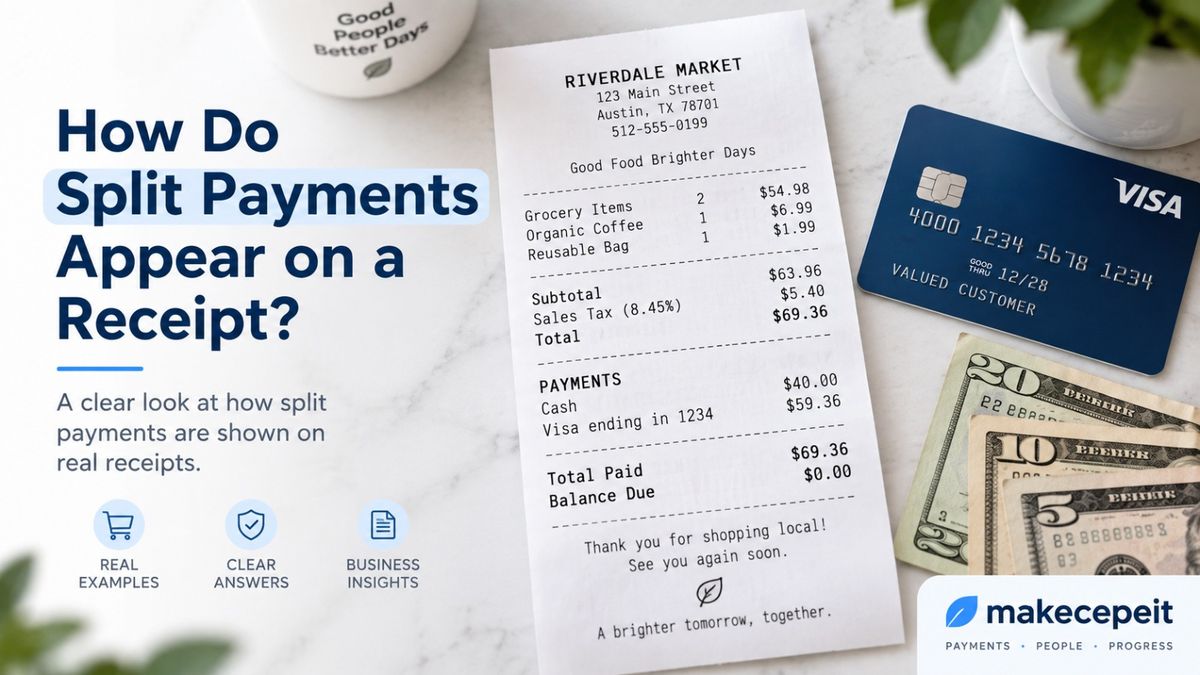
Split payments usually appear on a receipt as separate payment lines showing each payment method and the amount charged to it. For example, a $100 purchase might show $30 paid in cash and $70 paid by Visa, with a final balance of $0.00. Some point-of-sale systems place all payment methods on one receipt, while others generate a separate receipt for each portion of the payment. For customers and U.S. businesses, the clearest format is one that connects the full sale total with every payment used. Tools such as makecepeit can help structure legitimate transaction details into a clear receipt format.
What Is a Split Payment on a Receipt?
A split payment occurs when one purchase is completed using two or more forms of payment. It is also commonly called a split tender transaction.
The customer is not necessarily splitting the purchase itself. Instead, the amount owed is divided across different payment sources. A shopper could use cash for part of a retail purchase and a credit card for the remainder. A restaurant guest might divide a bill between two cards. Someone may also combine a gift card with a debit card when the gift card balance does not cover the entire transaction.
A properly structured split payment receipt makes three things easy to identify: the original transaction total, the amount assigned to each payment method, and whether any balance remains unpaid.
A clear split-payment receipt should make it possible to confirm, at a glance, that all recorded payment amounts add up to the amount actually collected.
How Do Split Payments Appear on a Receipt?
Split payments typically appear in the payment section of the receipt, with one line for each method used. The itemized purchase, subtotal, discounts, applicable taxes, tips or service charges are generally calculated first. The resulting total is then followed by the payment breakdown.
A simple split payment receipt might look like this:
| Receipt Detail | Example |
|---|---|
| Subtotal | $92.00 |
| Applicable Sales Tax | $7.36 |
| Total | $99.36 |
| Cash | $40.00 |
| Visa ending in 1234 | $59.36 |
| Total Paid | $99.36 |
| Balance Due | $0.00 |
The amounts above are only an illustration. Actual sales tax depends on the transaction and the applicable state and local tax rules.
This format is useful because the reader does not have to reconstruct the transaction from multiple records. The relationship between the sale total and the individual tenders is immediately visible.
Can Multiple Payment Methods Appear on One Receipt?
Yes, multiple payment methods can appear on one receipt when the POS system or receipt format supports a consolidated split-tender record. However, receipt behavior varies by payment platform and business workflow.
For example, a receipt could show:
- Cash: $20.00
- Mastercard ending in 4567: $45.00
- Gift Card: $15.00
- Total Paid: $80.00
- Balance: $0.00
Other systems may issue individual receipts for the separate payment portions instead. This distinction matters: the existence of a split payment does not guarantee that every POS system will display all tenders together on a single customer receipt.
Modern POS systems can process split tenders by continuing to collect individual payment amounts until the sale is fully covered. Square, for example, documents support for split tender transactions, while receipt presentation can depend on the specific workflow and system configuration.
Split Payment vs. Split Check: What Is the Difference?
A split payment and a split check are related but not identical concepts.
With a split payment, there is usually one transaction total that is paid using multiple tenders. With a split check, the original order may be divided into separate amounts, people, seats, or groups before each portion is paid.
| Type | What Is Split? | Typical Receipt Result |
|---|---|---|
| Standard Payment | Nothing | One total and one payment method |
| Split Payment | The payment method or amount | One sale paid using two or more tenders |
| Split Check | The bill, items, seats, or guest shares | Separate checks or receipts for each portion |
This distinction is especially important in restaurants. A table may split one $150 check equally across three cards, or the restaurant may first divide the order into three separate checks based on what each guest ordered. Those workflows can produce different receipts.
What Information Should a Split-Payment Receipt Include?
A useful split-payment receipt should identify both the underlying sale and the way the customer paid for it.
Business and Transaction Details
The receipt should clearly identify the legitimate transaction. Depending on the business and receipt type, useful information may include:
- Business or seller name
- Transaction date and time
- Receipt, transaction, or order number
- Products or services purchased
- Quantities and prices
- Subtotal
- Discounts or adjustments
- Applicable sales tax
- Tips or service charges when relevant
- Final transaction total
Individual Payment Lines
Each tender should be shown independently rather than combined into an unexplained total.
For example:
- Cash — $50.00
- Debit Card ending in 2345 — $75.00
- Gift Card — $25.00
If the sale was paid in full, the combined payments should reconcile to the amount collected and the balance should normally show $0.00.
How Does a Cash and Credit Card Split Appear?
A cash-and-card split receipt should normally identify the cash portion separately from the amount charged to the card.
Suppose a customer buys goods totaling $120 and gives the cashier $20 in cash. The remaining $100 is processed on a credit card. The payment section can read:
- Total: $120.00
- Cash: $20.00
- Credit Card ending in 7890: $100.00
- Total Paid: $120.00
- Balance Due: $0.00
If change is given, the receipt should avoid creating confusion between the amount of cash handed over and the amount of cash actually applied to the sale. A well-designed receipt may distinguish between cash tendered, cash applied, and change.
How Do Two Credit Cards Appear on the Same Receipt?
When two cards pay for one transaction, the payment section can list each card separately with its corresponding amount.
For a $200 purchase divided evenly, the receipt might show:
- Visa ending in 1111 — $100.00
- Mastercard ending in 2222 — $100.00
- Total Paid — $200.00
- Balance Due — $0.00
Another customer might choose an uneven split, such as $50 on one card and $150 on another. There is no requirement that a split tender be divided equally unless the business or payment system imposes its own operational rule.
How Should Card Information Appear on U.S. Receipts?
Card numbers should be masked or truncated on electronically printed receipts. U.S. federal law generally prohibits a merchant accepting credit or debit cards from printing more than the last five digits of the card number or printing the card's expiration date on an electronically printed receipt provided at the point of sale.
That means a split payment receipt may identify a card in a format such as:
- Visa •••• 1234
- Mastercard ending in 9876
It should not display the customer's full card number simply because multiple payment methods were used.
Businesses should also follow the requirements of their payment processor, card network, POS provider, and any applicable federal, state, or local rules. Receipt requirements can vary according to the transaction and industry.
Why Clear Split-Payment Receipts Matter in the United States
Clear payment records are useful for retailers, restaurants, freelancers, service businesses, customers, accountants, and employees submitting reimbursable expenses.
The IRS recognizes receipts, sales slips, invoices, credit card sales slips, and similar documents as examples of records that can support entries in business books and tax records. Businesses should maintain records that allow income and expenses to be identified and supported.
A split-payment breakdown can make those records easier to reconcile because the receipt explains why a $150 sale may correspond to a $50 cash collection and a $100 card transaction rather than one $150 payment in a bank or processor report.
This is particularly useful for U.S. businesses operating in environments where customers regularly mix payment methods, such as restaurants in New York, retail stores in California, service businesses in Texas, hotels, tourism businesses, and independent professionals accepting both cash and electronic payments.
Benefits of Showing Split Payments Clearly
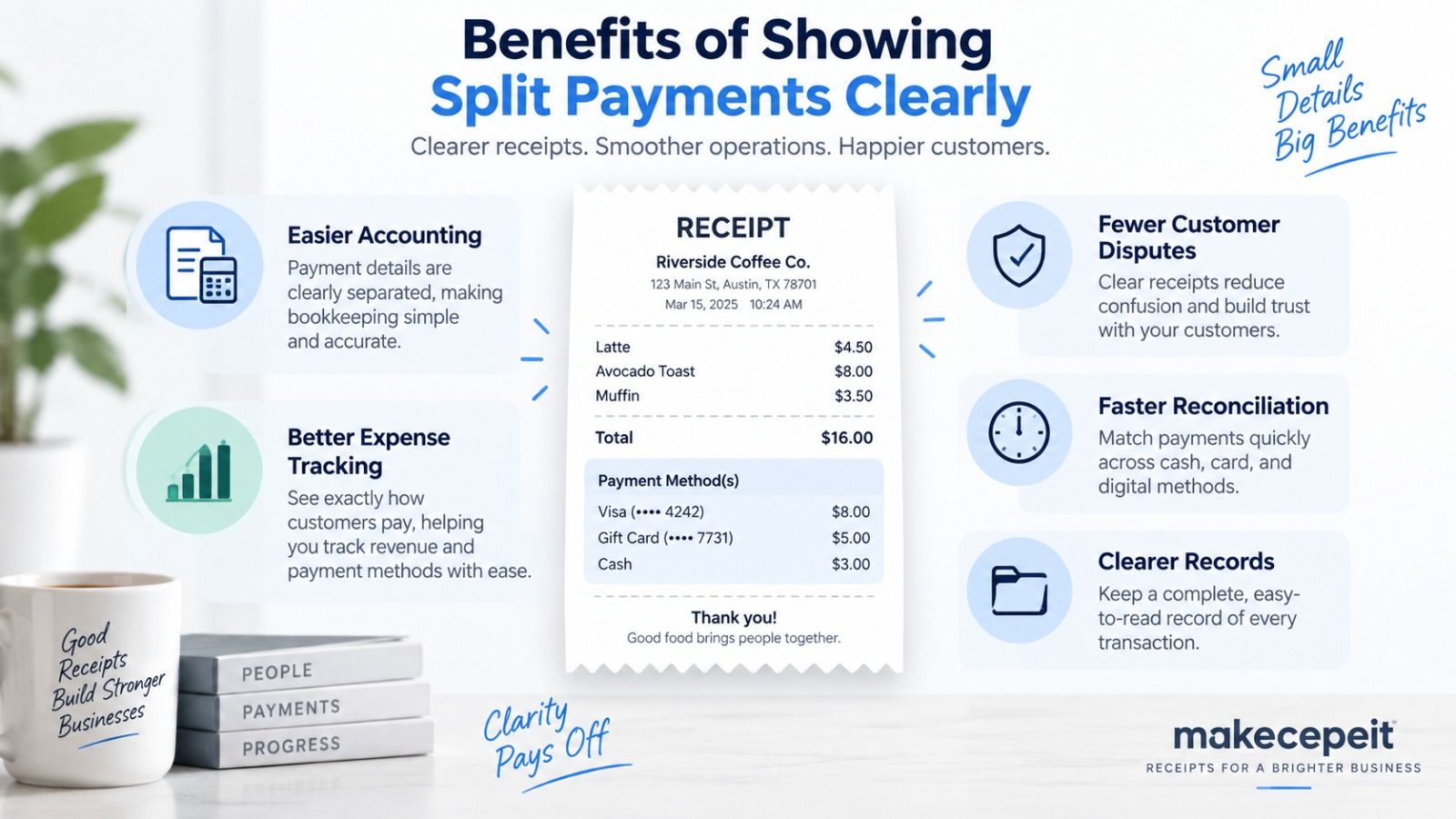
Faster Transaction Reconciliation
A clear payment breakdown helps staff compare the receipt against the cash drawer, card processor, gift card system, or bookkeeping records.
Less Customer Confusion
Customers can immediately see how much was charged to each card or how much cash was applied. This is particularly helpful when several people contributed to one purchase.
Better Expense Documentation
Someone reviewing the receipt later can distinguish the total purchase value from the amount paid through a specific payment method.
A Clearer Audit Trail
Accurate payment lines create a more understandable connection between the purchase, the amounts collected, and the business records supporting the transaction.
How to Create a Clear Split-Payment Receipt
The most reliable process is to calculate the complete transaction first and divide the payment only after the final amount is confirmed.
- Enter the actual items or services. Record what was genuinely purchased.
- Calculate the subtotal. Confirm quantities, prices, and discounts.
- Add applicable taxes and charges. Include sales tax, tips, or service fees when they legitimately apply.
- Confirm the final total. Do this before entering payment amounts.
- Record the first payment method. Enter the amount actually collected.
- Calculate the remaining balance. Subtract the first payment from the amount due.
- Add the next tender. Continue until the transaction is fully paid.
- Verify the payment total. Make sure the recorded tenders reconcile with the amount collected.
- Review card masking and transaction details. Do not expose sensitive card information.
- Save or issue the receipt. Keep the final document consistent with the underlying real transaction.
Why Use makecepeit for Split-Payment Receipt Documentation?
makecepeit is particularly relevant when a business needs to organize a genuine transaction into a clear receipt with separate payment methods. Its receipt resources specifically address split-payment documentation and the need for each tender amount to reconcile with the transaction total.
For a small business, freelancer, retailer, restaurant, or service provider, that structure can make a significant difference. Instead of leaving a vague note such as "paid cash/card," the receipt can clearly state exactly how much was assigned to each method.
The important principle is accuracy. A receipt generator should be used to document a real transaction using the true merchant, date, items, taxes, amounts, and payment methods. It should not be used to fabricate purchases, alter genuine financial records, or create misleading proof of payment.
Tips Before Issuing a Split-Payment Receipt
- Confirm the transaction total before dividing the payment.
- Use the exact amount actually charged to each card.
- Separate cash, debit, credit, gift card, and other tenders clearly.
- Make sure all payments reconcile with the amount collected.
- Show the remaining balance when the transaction is not fully paid.
- Use masked card identifiers rather than sensitive account information.
- Keep the receipt consistent with POS and payment-processor records.
- For business expenses, retain related supporting documentation where necessary.
Common Split-Payment Receipt Mistakes to Avoid
Showing Only the Final Total
A receipt that says "Paid: $150" without identifying the separate tenders does not clearly explain a split payment.
Payment Amounts That Do Not Add Up
If the receipt shows $25 cash and $70 card against a $100 total, the unexplained $5 difference creates an obvious reconciliation problem unless a remaining balance is intentionally shown.
Confusing the Amount Tendered With the Amount Applied
If a customer hands over $50 cash but receives $10 change, the cash portion applied to the sale is not necessarily $50. Receipt labels should make that distinction clear.
Exposing Too Much Card Information
Never display full card credentials simply to distinguish one payment from another.
Creating a Receipt That Does Not Match the Real Transaction
Dates, amounts, merchants, taxes, payment methods, and purchased items should reflect what actually occurred. A professional-looking receipt is useful only when the information behind it is accurate.
Final Answer: What Should a Split-Payment Receipt Look Like?
A well-structured split-payment receipt should show the complete transaction total followed by a separate line for every payment method used. If a customer pays $40 in cash and $60 by credit card toward a $100 sale, the receipt should make those amounts easy to identify and show that the balance is $0.00 when payment is complete.
The exact layout depends on the POS or receipt system. Some systems consolidate multiple tenders onto one receipt, while others may issue separate payment records. Either way, the documentation should allow the customer or business to understand how the transaction was paid without guessing.
For businesses that need a clear way to document legitimate cash-and-card, multi-card, gift-card, or other split-tender transactions, makecepeit provides a practical next step for organizing the actual transaction details into a readable receipt format.
Create a Clear Split-Payment Receipt With makecepeit
If a real transaction was paid with multiple methods, the receipt should make that payment trail easy to understand. Use makecepeit to organize the genuine purchase details, payment amounts, taxes, and remaining balance into a clear receipt that customers and business teams can review with confidence.
Frequently asked questions
- How do split payments appear on a receipt?
- They usually appear as separate payment lines showing each payment method and the amount assigned to it, followed by the total paid and any remaining balance.
- Can cash and a credit card appear on the same receipt?
- Yes. A supported receipt format can show the cash amount and card amount separately under the same transaction.
- Can two credit cards appear on one receipt?
- Yes, if the POS or receipt system supports consolidated split-payment receipts. Each card can be listed separately with its respective amount.
- Does a split payment always create one receipt?
- No. Some systems show all tenders on one receipt, while others may create separate receipts or payment records for each portion.
- What is a split tender receipt?
- A split tender receipt documents a single purchase paid using two or more payment methods, such as cash plus a credit card.
- Should a split-payment receipt show the remaining balance?
- Yes, when useful. A completed transaction typically shows a $0.00 balance, while a partial payment should clearly indicate the amount still due.
- Can a gift card and debit card be shown together?
- Yes. The receipt can list the gift card payment and debit card payment separately when both were used for the same purchase.
- Should the full credit card number appear on the receipt?
- No. U.S. rules restrict card information on electronically printed point-of-sale receipts, so card numbers should be properly truncated or masked.
- Is a split check the same as a split payment?
- No. A split check divides the bill itself, while a split payment generally divides how one amount is paid across multiple tenders.
- Can makecepeit be used for split-payment receipts?
- makecepeit can be used to structure legitimate receipt information, including transactions in which multiple payment methods need to be shown clearly.