Florist Receipt Generator with Custom Logo
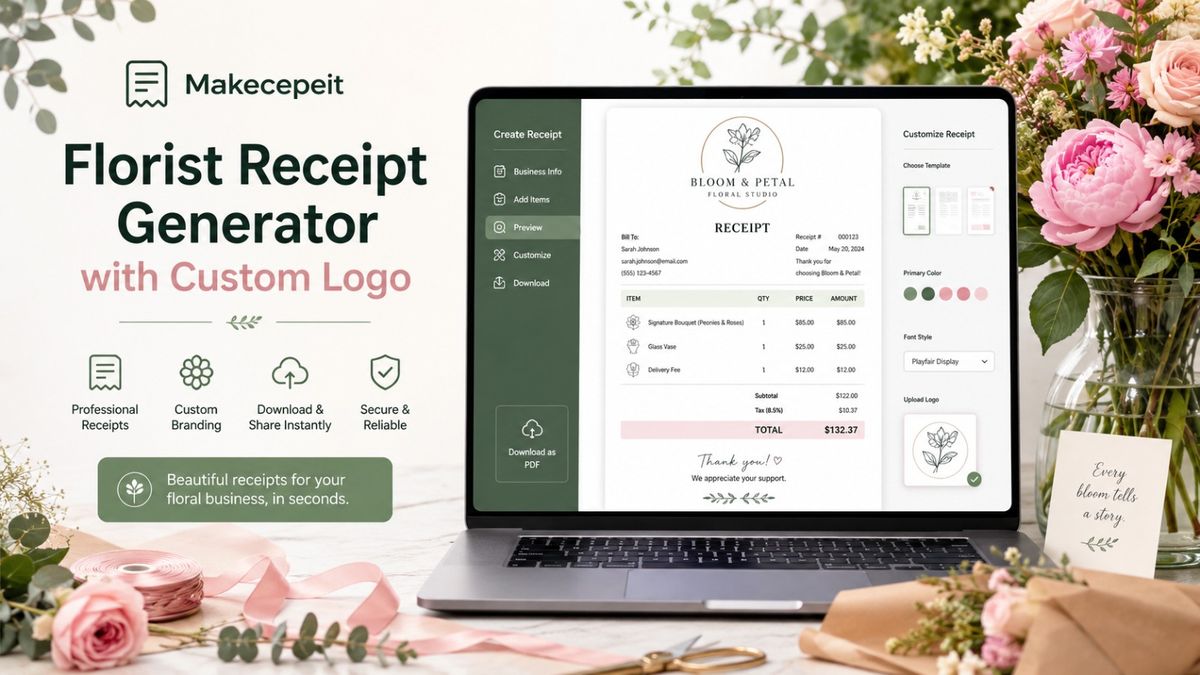
A florist receipt generator with custom logo helps flower shops, independent florists, floral designers, and delivery-based flower businesses create professional receipts without building every document manually. A good receipt can show the florist's business details, logo, bouquets or arrangements purchased, delivery charges, sales tax, tips, payment information, and final total in one clear record.
For businesses in the United States, Makecepeit provides an online way to create and customize receipts, including florist-style receipts. Users can edit receipt information, preview changes, add branding such as a logo, and prepare the finished receipt for digital or printable use. Makecepeit currently provides a dedicated florist receipt template as well as editable receipt-building tools.
Whether you run a neighborhood flower shop, take custom wedding orders, sell arrangements online, or provide same-day floral delivery, creating consistent receipts can make each transaction easier to understand and document.
What Is a Florist Receipt Generator with Custom Logo?
A florist receipt generator with custom logo is an online tool used to create a transaction receipt specifically suited to flower and floral-service purchases while displaying the florist's own branding.
Instead of starting with a blank Word document or manually calculating every order in a spreadsheet, the florist enters the transaction information into structured fields. The generator then organizes the information into a professional receipt layout.
A florist receipt may contain:
- Flower shop or florist name
- Business address and contact information
- Custom business logo
- Receipt or transaction number
- Date and time of purchase
- Customer information when needed
- Bouquets and floral arrangements
- Plants, vases, cards, balloons, or other add-ons
- Floral design or event services
- Delivery charges
- Discounts
- Applicable sales tax
- Tip or gratuity
- Subtotal and final amount
- Payment method
- Notes or a thank-you message
The result is a receipt that looks more consistent with the florist's business rather than a generic document created for an unrelated industry.
Why Adding a Custom Logo Matters for a Flower Shop Receipt
A custom logo turns a basic transaction record into a recognizable branded document. Customers may receive receipts alongside delivery confirmations, event paperwork, reimbursement documents, or business expense records. Keeping the visual identity consistent helps them immediately identify where the purchase came from.
It reinforces your flower shop identity
A florist's presentation often matters beyond the flowers themselves. Packaging, cards, arrangement style, website design, and delivery presentation all contribute to the customer experience. The receipt can follow the same approach.
Adding your flower shop logo gives the document a clear connection to your business.
It makes receipts easier to recognize later
A customer reviewing several receipts weeks or months later may recognize a logo more quickly than a line of plain business text. This can be particularly useful for customers who purchase flowers for offices, events, weddings, hospitality businesses, or recurring occasions.
It creates consistency across customer documents
Your logo may already appear on your website, business cards, flower tags, invoices, packaging, and social profiles. Using the same branding on receipts creates a more unified presentation.
Why Florist Receipts Are Important in the United States
Flower businesses in the United States handle many different types of transactions. A local shop might sell a single bouquet at the counter in the morning and process a large event order later the same day.
A detailed receipt helps distinguish what the customer actually purchased.
For example, one order could contain:
- One dozen roses
- A glass vase
- A personalized greeting card
- Same-day delivery
- A promotional discount
- Applicable sales tax
- A delivery tip
Showing these components separately is usually clearer than displaying only a final amount.
Tax treatment can also differ depending on the location and nature of the transaction. Florists should therefore enter the tax information appropriate to the sale and follow the applicable state and local requirements rather than relying on a generic rate.
For businesses serving cities such as New York, Los Angeles, Chicago, Houston, Miami, Dallas, Atlanta, or smaller local markets, an editable generator is useful because the same basic receipt format can be adapted to different order types without rebuilding it each time.
What Should a Professional Florist Receipt Include?
A professional florist receipt should identify the seller, explain the purchase, show the financial breakdown, and confirm the transaction clearly.
| Receipt Element | What to Include | Why It Matters |
|---|---|---|
| Business identity | Florist name, logo, address, phone or website | Identifies the seller |
| Transaction details | Receipt number, date and time | Helps organize records |
| Flower order | Bouquets, arrangements, plants and quantities | Shows exactly what was purchased |
| Extras | Vases, cards, balloons or other products | Separates add-on charges |
| Services | Design, setup or delivery | Clarifies service charges |
| Tax | Applicable tax label and amount | Shows how the total was calculated |
| Tip | Gratuity when applicable | Keeps optional charges visible |
| Payment | Cash, card or another payment method | Documents how payment was made |
| Total | Subtotal, adjustments and final total | Provides a clear transaction summary |
How to Create a Florist Receipt with a Custom Logo
You can create a branded flower shop receipt in a few straightforward steps.
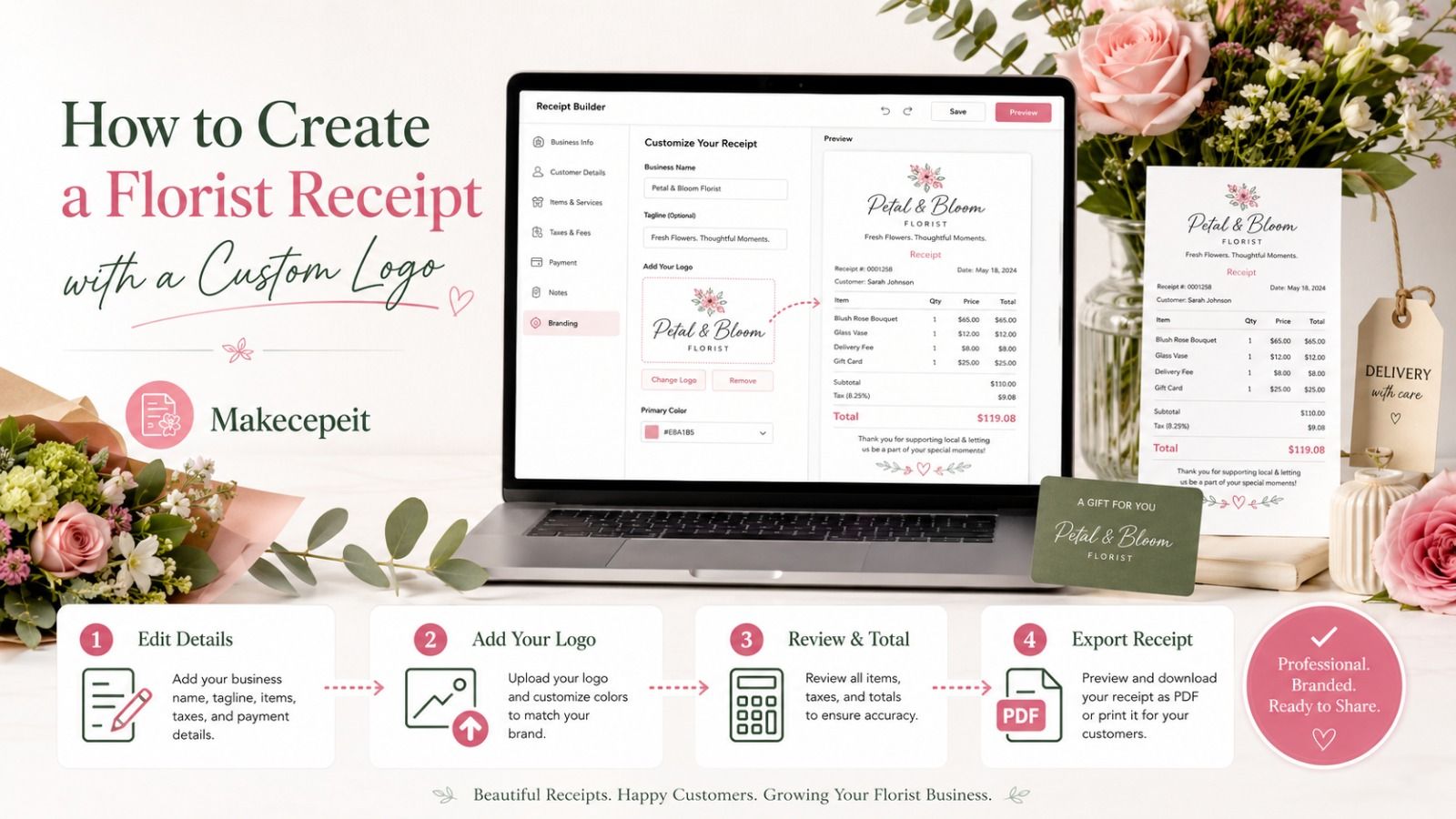
- Choose a florist receipt template. Start with a layout designed for flower-shop transactions rather than adapting an unrelated receipt.
- Add your business information. Enter the florist name, location, phone number, website, or other relevant contact details.
- Upload or add your custom logo. Use the same logo customers see on your other business materials.
- Enter the order items. Add bouquets, arrangements, plants, vases, cards, balloons, floral services, or other purchased items.
- Add delivery or service charges. Separate these fees from the flower products when appropriate.
- Enter discounts and tax. Use the amounts and tax treatment applicable to the actual transaction.
- Add a tip if relevant. Gratuity should be clearly identified instead of being hidden within another charge.
- Review the subtotal and total. Check quantities, prices, adjustments, and the final amount before generating the final document.
- Verify the receipt preview. Look for spelling mistakes, an incorrect date, duplicate items, or branding issues.
- Export or save the final receipt. Choose the format suitable for printing, emailing, business records, or another legitimate use.
Makecepeit provides live receipt editing and preview capabilities, and its receipt builder supports downloadable document and image formats such as PDF and PNG.
How Makecepeit Helps Create Florist Receipts
Makecepeit is useful for florists who want a straightforward receipt-building workflow rather than designing documents from scratch.
The platform currently includes a dedicated florist receipt template designed around typical flower-shop purchases, including arrangements, bouquets, vases, and delivery-related transactions.
Editable receipt information
Florists can customize receipt fields rather than being locked into a fixed sample document. This makes the same basic workflow useful for different customer orders.
Custom branding
Makecepeit's receipt-making tools support receipt branding, including adding a logo. This allows a florist to create a receipt that visually represents the business rather than using a completely generic layout.
Live preview
Seeing the receipt while editing helps catch incorrect prices, awkward descriptions, missing fields, or other issues before the final document is prepared. Makecepeit states that its receipt fields update through a live preview as users edit them.
Automatic financial fields
A structured receipt builder is especially helpful when an order contains multiple products, discounts, tax, and gratuity. Makecepeit supports custom tax labels and rates as well as discounts and tips, with calculations built into the receipt workflow.
PDF and image output
A digital receipt may need to be printed, emailed, attached to expense documentation, or stored with business records. Makecepeit supports PDF and high-resolution image exports, providing options for different legitimate recordkeeping needs.
Florist Receipt Generator vs. Creating Receipts Manually
A manual document can work for occasional transactions, but it requires more attention to layout, calculations, and consistency. A dedicated florist receipt maker organizes these elements into a repeatable workflow.
| Feature | Florist Receipt Generator | Manual Document |
|---|---|---|
| Custom logo | Easy to integrate into a reusable layout | Must be positioned manually |
| Order items | Structured line items | Manually formatted |
| Subtotal and totals | Can be calculated automatically | Often requires manual calculations |
| Tax and tip | Dedicated fields may be available | Must be created separately |
| Consistency | Reusable format | Formatting can vary |
| Editing | Designed for transaction data | Depends on document software |
How to Design a Better Custom Logo Florist Receipt
Keep the logo readable
A large logo is not necessarily better. Choose a size that clearly identifies the florist without competing with the order details.
Use short product descriptions
Instead of entering a long description such as "large romantic arrangement featuring several varieties of seasonal red flowers," use a concise transaction-friendly label such as "Premium Red Floral Arrangement."
The customer needs to understand what was purchased without reading an entire product description.
Separate products from services
Flower products, delivery, event setup, consultation, and other services can represent different parts of the same order. Clear line items make the transaction easier to review.
Make fees transparent
Delivery fees, service charges, discounts, tax, and tips should be clearly labeled. Avoid combining unrelated charges into a vague line item.
Use a meaningful receipt number
A consistent receipt-numbering approach can make transactions easier to locate later. The exact numbering system depends on the florist's workflow, but consistency is more useful than random labels.
Florist Receipt Examples for Different Types of Orders
A florist receipt generator should be flexible enough to represent more than a simple bouquet purchase.
Everyday bouquet purchase
- Mixed seasonal bouquet
- Greeting card
- Sales tax where applicable
- Total paid
Flower delivery order
- Rose arrangement
- Decorative vase
- Delivery fee
- Applicable tax
- Driver gratuity if applicable
- Final total
Wedding floral order
- Bridal bouquet
- Bridesmaid bouquets
- Boutonnieres
- Centerpieces
- Delivery
- Setup service
- Adjustments or discounts
- Payment details
Corporate flower order
- Reception arrangement
- Conference-room arrangement
- Recurring delivery charge
- Business customer details
- Transaction total
These examples show why florist receipts benefit from editable line items rather than one generic description such as "flowers."
Tips Before Generating Your Florist Receipt
Before finalizing the document, confirm that the receipt accurately represents a real transaction.
- Check the florist's business name for spelling errors.
- Verify that the logo belongs to the business using the receipt.
- Confirm the transaction date.
- Review quantities and unit prices.
- Check delivery and service fees.
- Use the appropriate tax information for the transaction.
- Make sure discounts are applied correctly.
- Verify any tip or gratuity amount.
- Confirm the payment method.
- Review the final total before providing the receipt to the customer.
A receipt should document an actual transaction accurately. Receipt-generation tools should be used for legitimate business, bookkeeping, recordkeeping, replacement, or design purposes—not to misrepresent a purchase or create fraudulent financial documentation.
Common Mistakes to Avoid with Florist Receipts
Using an oversized logo
The branding should support the receipt, not make transaction details difficult to read.
Writing vague item descriptions
"Flowers — $150" gives the customer less useful information than separate entries for a bouquet, vase, delivery, and related services.
Forgetting delivery charges
Delivery is common in the floral industry. If the customer paid a separate delivery fee, the receipt should represent it clearly.
Using an incorrect tax amount
Do not copy a tax rate from another transaction without checking whether it applies to the current sale and jurisdiction.
Combining tips with product prices
If gratuity is included, labeling it separately makes the payment breakdown easier to understand.
Not reviewing the final receipt
Generating the document does not replace verification. Always read the final version before sending, printing, or storing it.
Why Choose Makecepeit for a Custom Florist Receipt?
Makecepeit combines a florist-specific template with editable receipt fields and branding capabilities, allowing floral businesses to build receipts without designing the document structure from the beginning. Its current platform also offers live preview, automatic handling of receipt calculations, and PDF or image export options.
This approach can work well for independent florists, flower shops, mobile floral businesses, event designers, and other sellers who need occasional or repeatable receipts without turning every transaction into a document-design project.
The most important advantage is simplicity: enter accurate transaction information, apply your business branding, review the result, and produce a clean document suited to the order.
Final Thoughts
A florist receipt generator with custom logo gives flower businesses a practical way to turn transaction details into a clear, branded record. The strongest receipts do more than show the amount paid. They identify the florist, explain the products and services purchased, separate delivery charges and other fees, display tax and gratuity appropriately, and give customers an understandable final total.
For U.S. flower shops handling everything from individual bouquets to wedding and corporate orders, using a repeatable receipt format can simplify documentation while keeping the business presentation consistent.
If you need to create a florist receipt without manually designing each document, visit Makecepeit, choose a suitable receipt format, add your floral business details and custom logo, enter the actual transaction information, review the preview carefully, and create the finished receipt.
Frequently asked questions
- What is a florist receipt generator with custom logo?
- It is a tool that creates flower-shop receipts while allowing the florist to include business branding, transaction details, products, fees, tax, tips, and totals.
- Can I add my flower shop logo to a receipt?
- Yes. Makecepeit's receipt-making tools support branded receipts with a custom logo.
- What should a florist receipt include?
- Include the business name, receipt number, date, purchased flowers or services, prices, delivery fees, discounts, applicable tax, gratuity, payment method, and final total.
- Can I create a receipt for flower delivery?
- Yes. A delivery receipt can list the floral arrangement, vase or add-ons, delivery charge, applicable tax, tip, and total separately.
- Can a florist receipt include sales tax?
- Yes. Enter the tax applicable to the actual transaction and follow the requirements of the relevant state and local jurisdiction.
- Can I include a tip on a florist receipt?
- Yes. If gratuity is part of the transaction, showing it as a separate line makes the receipt easier to understand.
- Can Makecepeit create florist receipts?
- Yes. Makecepeit currently provides a dedicated florist receipt template for flower-shop transactions.
- Can I download a florist receipt as a PDF?
- Makecepeit supports PDF and high-resolution image exports for completed receipts.
- Can a florist receipt include wedding flower services?
- Yes. You can itemize bouquets, centerpieces, boutonnieres, delivery, setup, and other legitimate services included in the transaction.
- Should I use a receipt generator for fake purchases?
- No. Receipt tools should be used only for legitimate transactions, business records, bookkeeping, authorized replacements, or design purposes and should never be used to misrepresent a transaction.