Fast Food Receipt Generator With Order Number
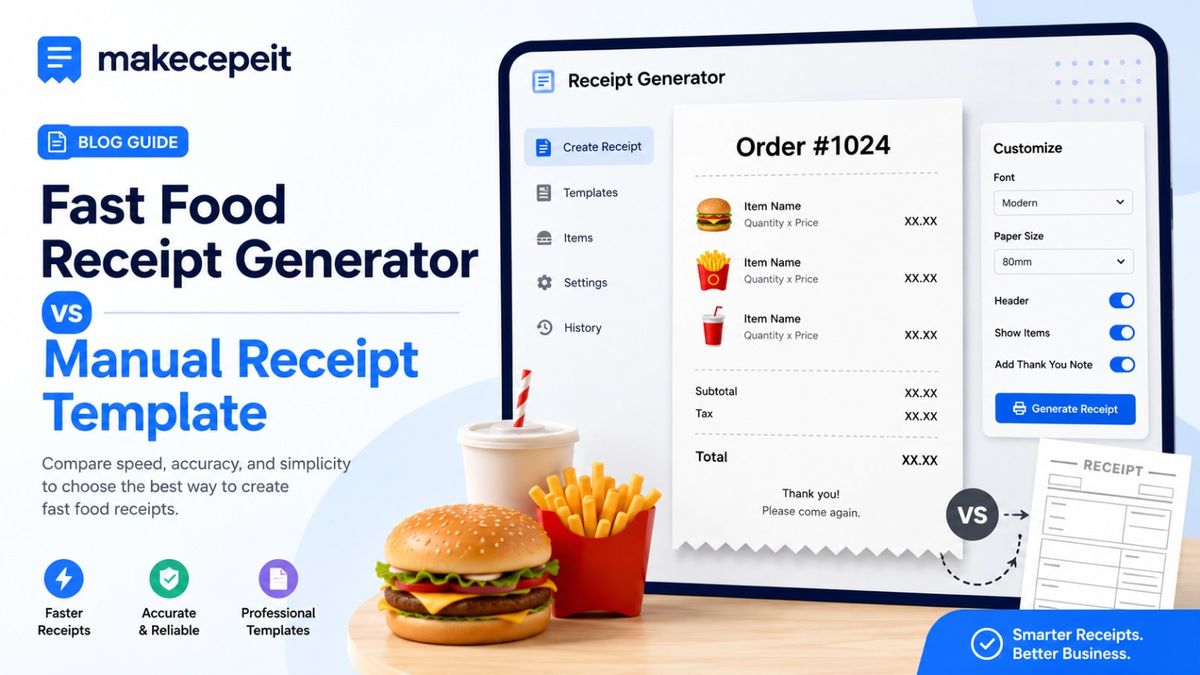
A fast food receipt generator with order number helps users create structured restaurant receipt templates containing an order identifier, purchased items, quantities, prices, taxes, totals, payment details, and transaction information. For legitimate uses such as business testing, bookkeeping examples, restaurant software demonstrations, training materials, design mockups, and personal record organization, a tool such as makecepeit can make the process faster and more consistent.
The order number is especially useful because it gives each receipt a clear reference point. Instead of identifying an order only by its total or transaction time, restaurant operators, developers, designers, and customers can refer to a short order ID when organizing records or demonstrating how a point-of-sale workflow should appear.
What Is a Fast Food Receipt Generator With Order Number?
A fast food receipt generator with order number is a tool for producing customizable restaurant-style receipt templates where each transaction can include a unique order reference. The generated document can resemble the structured layout commonly used for dine-in, drive-through, pickup, delivery, or takeaway transactions without requiring users to design every receipt manually.
A typical receipt may contain the restaurant or sample business name, date, time, individual menu items, modifiers, quantities, subtotal, applicable tax, total, payment method, transaction reference, and an order number.
An order number acts as a simple identifier that connects a receipt to a specific restaurant transaction or sample order.
This makes receipt templates easier to organize when multiple transactions need to be demonstrated, reviewed, archived, or tested.
Why the Order Number Matters on a Fast Food Receipt
An order number allows a restaurant transaction to be identified quickly without relying on the customer's name or payment information. In real restaurant operations, similar identifiers may be used by point-of-sale systems, kitchen displays, pickup screens, drive-through teams, and customer service staff.
For example, a customer might hear "Order 214 is ready" rather than having personal information announced inside a busy restaurant. Likewise, a restaurant manager reviewing an internal test transaction can search for a specific order number more easily than comparing several receipts containing similar totals.
Order Numbers Improve Receipt Organization
When several sample receipts are generated for testing or training, giving each document an individual order ID helps users distinguish one transaction from another. Numbers may follow a sequential system, a custom internal format, or another structure suitable for the project.
Order Numbers Support POS and Workflow Testing
Developers building restaurant applications may need realistic sample receipt data to test how transactions appear inside a user interface. Including an order number makes the test data closer to a normal restaurant ordering workflow while still allowing fictional or clearly marked sample information to be used.
What Information Should a Fast Food Receipt Include?
A useful fast food receipt should clearly identify the transaction and explain how the final amount was calculated. The exact fields depend on the intended use, but most structured restaurant receipts contain several common elements.
- Business or restaurant name
- Receipt or transaction date
- Transaction time
- Order number or order ID
- Individual food and drink items
- Quantities
- Item prices
- Optional modifiers or add-ons
- Subtotal
- Applicable sales tax
- Total amount
- Payment method
- Optional transaction or reference number
For sample or demonstration receipts, the information should remain fictional or clearly identified as an example when necessary. Generated receipts should not be used to impersonate an actual business transaction, misrepresent a purchase, obtain an improper reimbursement, or deceive another person or organization.
Fast Food Receipt Generator Features That Are Actually Useful
The usefulness of a receipt generator depends less on decorative design and more on whether users can control the transaction information they need. A good generator should make structured fields easy to understand and edit.
Custom Order Number
Users may need to enter an order number that matches a software test case, internal demonstration, training scenario, or sample transaction. A customizable order field provides more flexibility than automatically generating an identifier that cannot be changed.
Itemized Menu Entries
Fast food transactions frequently contain several products. An itemized receipt format makes it possible to separate burgers, sandwiches, fries, beverages, desserts, sauces, or other menu categories instead of presenting only a final total.
Modifiers and Add-Ons
Restaurant orders can become complicated because customers regularly customize products. A useful template may need to represent additions or changes such as extra cheese, a larger drink, an additional sauce, removal of an ingredient, or another fictional menu modifier used in a demonstration.
Subtotal, Tax, and Total Fields
Separating the subtotal from sales tax and the final total improves readability. It also helps software testers and designers verify whether a receipt layout has sufficient space for each calculation.
Date and Time Information
A transaction timestamp provides context for an order and can be important when testing sorting, record history, receipt archives, or restaurant software interfaces.
Payment Method
Depending on the intended template, a receipt may identify a generic payment category such as cash, card, or another supported method. Sensitive payment data should never be unnecessarily included in sample receipts.
Example Structure of an Itemized Fast Food Receipt
| Receipt Field | Example | Purpose |
|---|---|---|
| Order Number | 214 | Identifies the transaction |
| Date | Sample Date | Records when the order occurred |
| Item | Chicken Sandwich | Shows the ordered product |
| Modifier | Extra Cheese | Documents customization |
| Quantity | 1 | Shows how many were ordered |
| Subtotal | Calculated Amount | Amount before applicable tax |
| Sales Tax | Based on Applicable Rate | Separates tax from item cost |
| Total | Final Amount | Shows transaction total |
The example above demonstrates the information hierarchy rather than representing a real purchase. This distinction is important when producing templates for software development, design, training, or educational purposes.
How to Create a Fast Food Receipt With an Order Number
The basic process involves entering transaction details, assigning an order number, adding menu items, reviewing calculations, and generating the finished receipt template.
- Choose a fast food or restaurant receipt format.
- Enter the fictional or authorized business information required for your use case.
- Add the transaction date and time.
- Enter or generate the order number.
- Add each food or beverage item separately.
- Include quantities and appropriate item modifiers.
- Review the subtotal and applicable tax fields.
- Add the payment category if needed.
- Check spelling, order details, and formatting.
- Generate the final receipt for your legitimate project or record.
Using a structured tool such as makecepeit can reduce the need to recreate the same receipt layout manually whenever another sample transaction is required.
Why Fast Food Receipt Templates Are Useful in the United States
Restaurant transactions in the United States often involve itemized prices, local or state tax considerations, pickup numbers, digital ordering systems, and multiple payment methods. This makes structured receipt templates particularly useful for developers, restaurant technology teams, trainers, designers, and small businesses that need realistic examples of American restaurant transaction layouts.
A receipt template used for a test scenario in New York may require a different tax assumption from a demonstration prepared for another location. Likewise, businesses operating in cities such as Los Angeles, Chicago, Houston, Miami, or Seattle may structure their internal ordering workflows differently.
Because tax rules and business requirements vary by jurisdiction, users creating accounting or tax records should always rely on genuine transaction data and applicable state and local requirements rather than treating a generic receipt generator as accounting or tax software.
Fast Food Receipt Generator vs Manual Receipt Template
| Feature | Receipt Generator | Manual Template |
|---|---|---|
| Order Number Entry | Structured field | Must be added manually |
| Itemization | Organized input | Manual formatting |
| Repeated Receipts | Faster workflow | More repetitive editing |
| Consistency | Usually more consistent | Depends on manual formatting |
| Testing Scenarios | Easy to modify | Requires duplicated documents |
Manual templates can work well for a single static design. A generator becomes more practical when multiple receipts with different order numbers, menu items, totals, or timestamps are required.
Legitimate Uses for a Restaurant Receipt Generator
Receipt generation tools have several legitimate applications when they are used transparently and with authorized or fictional transaction information.
- Software development: Testing restaurant POS interfaces and transaction histories.
- UI and UX design: Creating sample screens for ordering applications.
- Restaurant staff training: Demonstrating how an order receipt is structured.
- Accounting demonstrations: Creating fictional examples for training materials.
- Educational projects: Showing how subtotal, tax, and total fields relate.
- Business mockups: Previewing a proposed receipt format before implementation.
- Personal organization: Structuring authorized transaction information for reference.
A generated template should never be presented as proof of a transaction that did not occur. When a receipt will be reviewed by an employer, insurer, financial institution, government agency, merchant, or other third party, the appropriate document is the genuine receipt issued for the actual transaction.
Why Choose makecepeit for Fast Food Receipt Templates?
makecepeit provides a practical option for users who need customizable receipt templates without manually building a complete restaurant receipt layout from scratch. The value of a generator is its ability to organize transaction fields in a predictable format while allowing users to customize the details relevant to their project.
For fast food examples, an order-number field is particularly useful because restaurant workflows often depend on quick transaction identification. Users can build sample receipts around individual orders instead of working with generic documents that lack an obvious reference number.
makecepeit is most appropriately used for legitimate purposes such as mockups, development, authorized records, demonstrations, training, and fictional examples. Keeping generated documents accurate to their intended context makes them more useful while avoiding misleading representations.
Tips Before Generating a Fast Food Receipt
Start by deciding exactly what the receipt will be used for. A software demonstration requires different information from an internal training document, and unnecessary fields can make a receipt harder to understand.
- Use a clear order-number format.
- Keep menu item names easy to read.
- Separate products from modifiers.
- Check quantities carefully.
- Verify subtotal and total calculations.
- Use the appropriate tax assumptions for legitimate testing scenarios.
- Avoid unnecessary personal or financial information.
- Mark fictional examples as samples when context could otherwise be misleading.
These practices help create a cleaner receipt while reducing confusion about what the document represents.
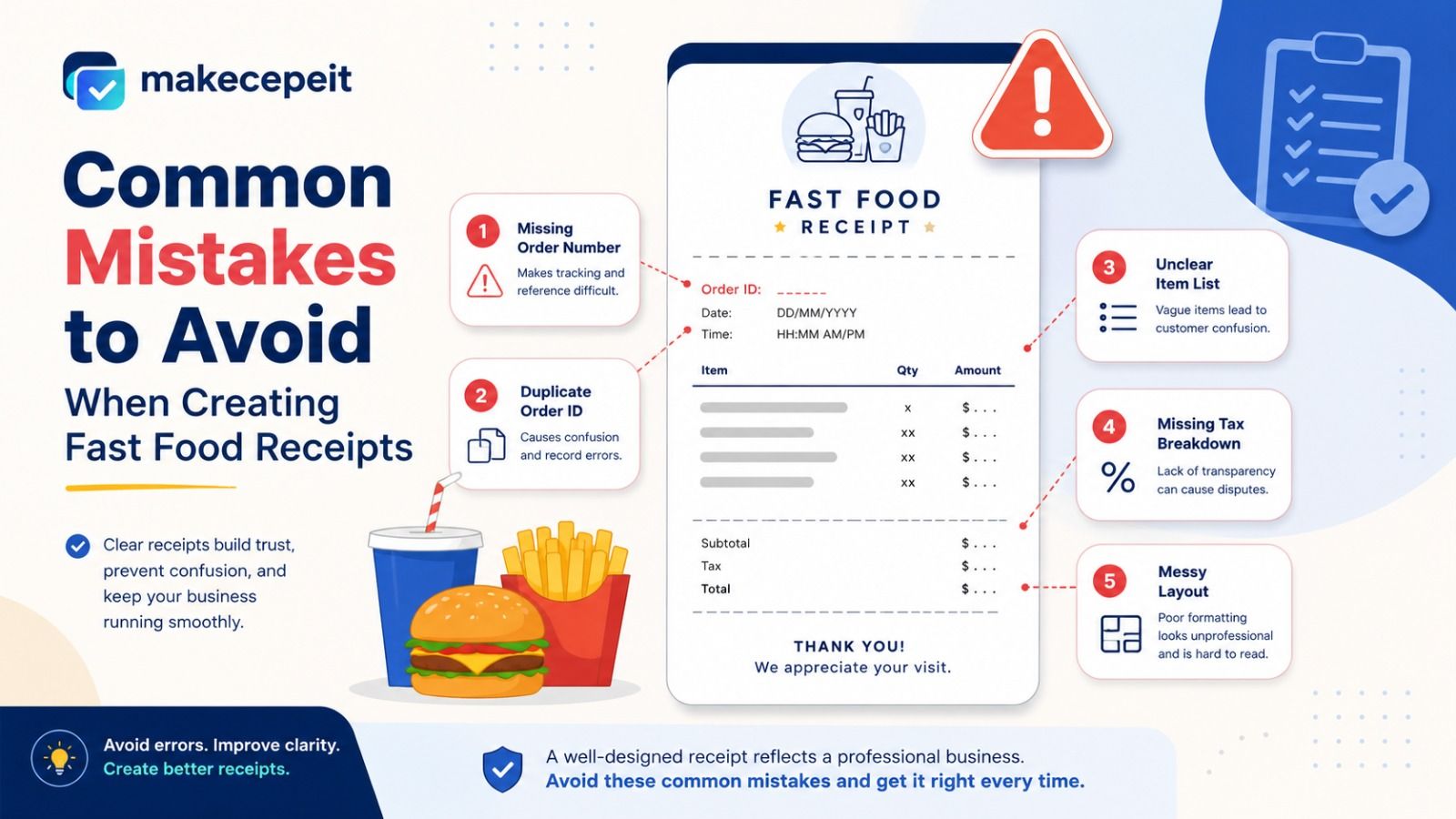
Common Mistakes to Avoid When Creating Fast Food Receipts
Using Duplicate Order Numbers
When testing a set of transactions, repeating the same order number can make records difficult to distinguish. Assigning different identifiers keeps the sample dataset organized.
Forgetting Item Modifiers
A customized restaurant order may not be understandable if the base product is shown without its selected changes. Include modifiers when they matter to the scenario.
Combining Tax and Subtotal
Keeping the subtotal, tax, and final total separate produces a clearer transaction breakdown and makes the receipt easier to review.
Including Sensitive Payment Information
Sample receipts generally do not require complete payment-card information or other sensitive financial details. Use generic payment labels whenever possible.
Presenting a Generated Receipt as a Genuine Purchase Record
A receipt generator should not be used to fabricate evidence of an expense, obtain reimbursement for a purchase that was never made, dispute a transaction dishonestly, or impersonate a real merchant document. Genuine purchases should be documented using genuine receipts or replacement receipts obtained from the merchant.
How to Make Receipt Templates Easier to Understand
Good receipt design follows a simple visual hierarchy. The order number and transaction details should be easy to locate, followed by itemized products, calculations, and the final total. Optional information should not distract from the basic transaction record.
For mobile-focused applications, short product names and clearly separated price columns can improve readability. Developers should also test longer menu names and larger order numbers to ensure the layout does not break under realistic conditions.
Final Thoughts on Using a Fast Food Receipt Generator With Order Number
A fast food receipt generator with order number can simplify the creation of structured restaurant transaction templates for testing, design, education, training, authorized record organization, and other legitimate purposes. The order number gives every transaction a recognizable reference, while itemized products, modifiers, tax information, totals, payment categories, and timestamps provide the detail expected from a useful restaurant receipt layout.
The key is to choose a generator that allows the important fields to be customized without making the workflow unnecessarily complicated. Users should also ensure that generated receipts remain appropriate to their purpose and are never misrepresented as genuine evidence of purchases that did not occur.
If you need a straightforward way to prepare customizable restaurant receipt examples, explore makecepeit and create a receipt template with the order number and transaction fields your legitimate project requires.
Frequently asked questions
- What is a fast food receipt generator with an order number?
- It is a tool that creates customizable restaurant receipt templates containing an order identifier along with items, prices, taxes, totals, and other transaction details.
- Can I add my own order number to a receipt?
- A customizable generator may allow users to enter an order number appropriate for a fictional example, authorized record, test transaction, or training scenario.
- What should appear on a fast food receipt?
- A typical receipt includes an order number, date, time, itemized products, quantities, prices, subtotal, applicable tax, total, and payment method.
- Can a receipt include food modifiers?
- Yes. Receipt templates can include modifiers such as extra ingredients, size changes, sauces, or other order customizations when supported.
- Why is an order number useful?
- An order number provides a short reference that makes individual transactions easier to identify and organize.
- Can developers use generated receipts for software testing?
- Yes. Fictional receipt data can be useful for testing point-of-sale systems, restaurant apps, transaction histories, and interface designs.
- Can generated receipts be used for reimbursement claims?
- Only genuine documentation of an actual eligible purchase should be used for reimbursement. Generated fictional receipts should not be represented as real transaction evidence.
- Do restaurant receipts in the United States include sales tax?
- Receipts may include applicable taxes depending on the transaction and jurisdiction. State and local tax rules vary across the United States.
- Can I create an itemized restaurant receipt?
- Yes. An itemized template can separate products, quantities, modifiers, individual prices, subtotal, tax, and final total.
- Why use makecepeit for receipt templates?
- makecepeit offers a practical way to organize customizable receipt information for legitimate uses such as testing, mockups, training, demonstrations, and authorized records.