Electronics Store Receipt Generator with SKU
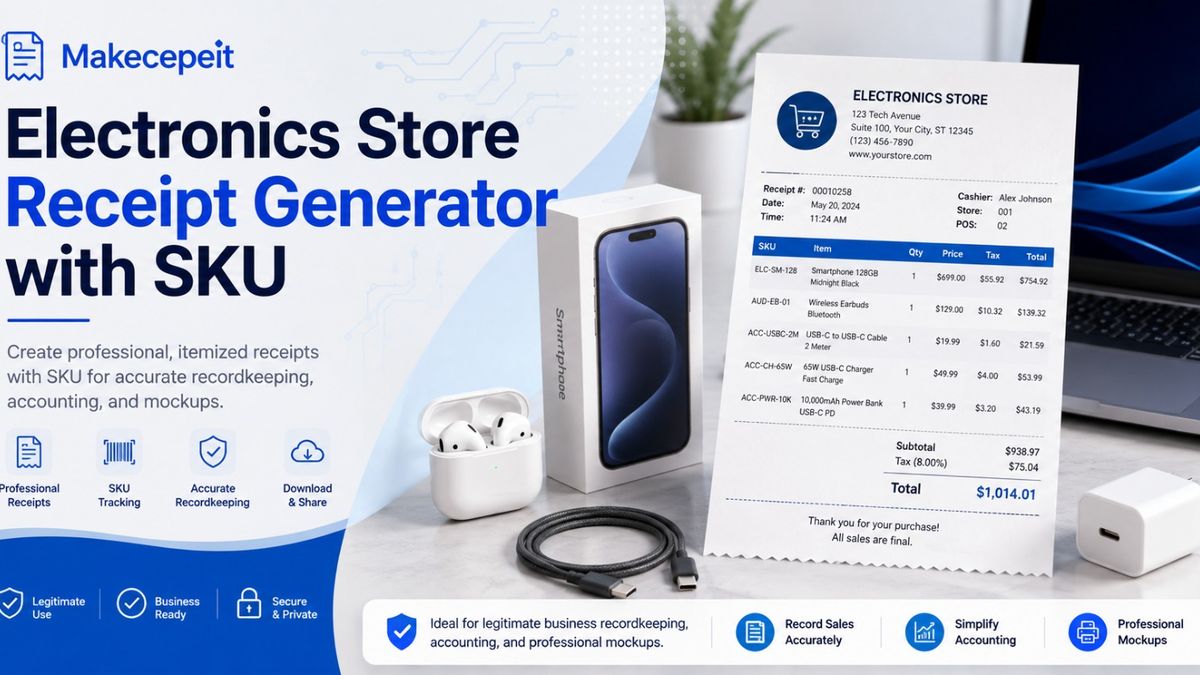
An electronics store receipt generator with SKU helps businesses create organized, itemized receipts that identify electronics products with store-specific stock codes. For legitimate transactions, recordkeeping, expense documentation, testing, and design mockups, including SKU information can make a receipt much more useful than a basic payment confirmation. Makecepeit provides an electronics-store receipt template designed for devices, accessories, protection plans, sales tax, and other retail details, giving users a practical starting point instead of building a receipt layout from scratch.
For U.S. electronics retailers, repair businesses, online sellers, and administrative teams, a well-structured receipt can connect the product description, SKU, quantity, price, tax, payment information, and transaction details in one readable document. The important principle is accuracy: generated receipts should represent genuine transactions, legitimate internal records, or clearly defined mockups rather than purchases that never occurred.
What Is an Electronics Store Receipt Generator with SKU?
An electronics store receipt generator with SKU is a tool for creating an itemized sales-receipt layout in which each product can be associated with a Stock Keeping Unit. The SKU functions as the retailer's internal identifier for a particular item or product variation.
GS1 US describes a SKU as an internal tracking identifier used by retailers rather than a universal product identifier. That distinction matters in electronics retail because a store may carry several versions of similar products, including different capacities, colors, bundles, generations, or configurations.
A structured electronics receipt might therefore identify a product using several pieces of information at once: a readable product name, the retailer's SKU, a model number, quantity, unit price, and the amount charged. This creates a clearer record than a receipt containing only a generic description such as "electronics item."
Important: A receipt generator should be used only for legitimate purposes such as documenting actual transactions, maintaining records, creating training examples, testing layouts, or preparing clearly identified mockups. It should not be used to fabricate proof of purchase, obtain unauthorized refunds or warranty benefits, misrepresent taxes, or impersonate a retailer.
Why SKU Information Matters on an Electronics Receipt
SKU information makes the product line more precise. Electronics stores often sell products that look nearly identical but differ in specifications. A descriptive name helps a person understand the item, while the SKU gives the retailer an internal reference that can connect the sale with inventory or product records.
SKU Helps Identify the Exact Store Item
A Stock Keeping Unit can distinguish between different versions of a product. A retailer might assign different SKUs to two smartphones with different storage capacities or to the same headphones sold in different colors.
Makecepeit's own guidance describes SKU as a retailer-controlled product code used to distinguish specific products and variants.
SKU Can Improve Internal Record Organization
For businesses maintaining transaction histories, consistent item identifiers make records easier to review. If a business uses the same SKU structure across inventory, sales records, and receipt documentation, staff can identify what was sold without relying entirely on shortened product descriptions.
SKU Can Make Customer-Service Records Easier to Read
When an authentic receipt is connected to a legitimate transaction, an exact product identifier can help staff distinguish similar devices or accessories. This can be particularly helpful for businesses selling chargers, adapters, memory products, computer components, phones, tablets, and other products with multiple versions.
SKU vs. UPC vs. GTIN on Electronics Receipts
SKU, UPC, and GTIN are not interchangeable identifiers. A SKU is normally created for a retailer's own internal inventory system, while standardized product identifiers serve a broader purpose.
| Identifier | Main Purpose | Who Controls It? | Typical Receipt Use |
|---|---|---|---|
| SKU | Internal product and inventory identification | Retailer | Identifying the store's specific item or variation |
| UPC | Standardized retail product identification | Associated with standardized product identification | May appear as a barcode or product number |
| GTIN | Globally unique trade-item identification | GS1 identification system | Product identification across commerce systems |
| Model Number | Identifying a particular manufacturer model | Manufacturer | Useful for electronics specifications and support |
| Serial Number | Identifying an individual physical unit | Manufacturer | Used only when the real transaction workflow requires it |
GS1 US explains that a GTIN is a globally unique trade-item identifier, whereas an SKU functions as a retailer's internal product identifier.
For an electronics sales receipt, the most appropriate identifier depends on the genuine transaction. Do not add a serial number, UPC, or SKU simply to make a document appear more authentic. Use identifiers that actually belong to the transaction or clearly label fictional information when creating a mockup or training example.
What Should an Electronics Store Receipt Include?
A useful electronics receipt should make it easy to understand who completed the transaction, what products were involved, what amounts were charged, and how the final total was calculated.
- Business information: legitimate store name and relevant contact information.
- Transaction date: the actual date associated with the sale or record.
- Receipt or transaction number: an internal identifier when your genuine workflow uses one.
- Product description: clear names for devices, accessories, parts, or services.
- SKU: the internal stock identifier assigned to the actual product.
- Model information: when needed to distinguish electronics products.
- Quantity: the number of units included in each line item.
- Unit price: the genuine selling price associated with the transaction.
- Discount: when a legitimate discount was actually applied.
- Subtotal: the total before applicable tax or other valid charges.
- Sales tax: the tax amount or rate that genuinely applied to the transaction.
- Final total: the amount actually charged.
- Payment information: a suitable payment-method description without exposing sensitive card data.
This level of itemization can also support responsible business recordkeeping. IRS recordkeeping guidance emphasizes maintaining records that contain enough information to determine items such as gross receipts, business expenses, and the purchase price of business assets.
How to Create an Electronics Store Receipt with SKU
The simplest process is to begin with an electronics-specific layout and enter only accurate transaction information. A dedicated template reduces formatting work while allowing the product data to remain organized.
- Select an electronics receipt template. Choose a format intended for technology products rather than forcing electronics information into an unrelated restaurant or service receipt.
- Enter legitimate business details. Use the real store information for an actual transaction, or clearly fictional information for a design or training mockup.
- Add each electronics product separately. Use individual lines for laptops, phones, accessories, components, protection plans, or services.
- Enter the correct SKU. Match the SKU to the retailer's genuine internal inventory record when documenting an actual sale.
- Add quantity and price. Confirm that quantity multiplied by unit price produces the intended line total.
- Enter applicable discounts or tax. Use only amounts that belong to the transaction being documented.
- Check the subtotal and final total. Arithmetic errors make records unreliable even when the visual layout looks correct.
- Review payment information. Avoid unnecessarily exposing complete card or financial-account information.
- Label mockups appropriately. Training, software-testing, and design examples should not be represented as authentic commercial transactions.
- Save the final document responsibly. Keep business records organized according to the needs and policies of your organization.
Using Makecepeit for Electronics Receipt Creation
Makecepeit is relevant to this search because its current template library includes a dedicated electronics-store receipt option rather than only a generic blank sales receipt. The electronics category is designed around common technology-retail information such as devices, accessories, protection plans, and sales tax.
The platform also states that users can start building and customizing receipts without signing up, while PDF and PNG download options are available through its workflow. Its template library also provides a blank-receipt option when a business needs greater control over fields and item details.
Another useful point is that Makecepeit publicly states that receipts created through the service are intended for legitimate purposes including recordkeeping, expense documentation, and design mockups, and specifically warns against creating receipts for fraud.
For a business evaluating Makecepeit, the practical approach is to focus less on making a receipt "look real" and more on whether the tool can present genuine transaction information clearly, accurately, and consistently.
Why Electronics Receipts Matter for U.S. Businesses
Electronics transactions can contain more product-specific information than many ordinary retail purchases. A buyer may need to distinguish a particular model, configuration, accessory, or bundle. Businesses may also need organized documentation for bookkeeping, internal auditing, expense reports, inventory reconciliation, or customer records.
This applies to electronics sellers across the United States, from independent computer stores and repair shops to ecommerce operations serving customers in cities such as New York, Los Angeles, Chicago, Houston, and Miami. The format can vary, but accurate itemization remains more useful than vague transaction descriptions.
Receipts may also matter when consumers keep documentation associated with genuine warranty purchases. The U.S. Federal Trade Commission advises consumers to retain their product receipts with warranty information because the receipt can document when the product was purchased and support ownership records.
That is also why fabricated receipts are inappropriate. A replacement copy or recreated internal record should reflect a purchase that actually occurred and should be produced from reliable transaction information whenever possible.
Practical Tips Before Generating an Electronics Receipt
Verify the Product Identifier
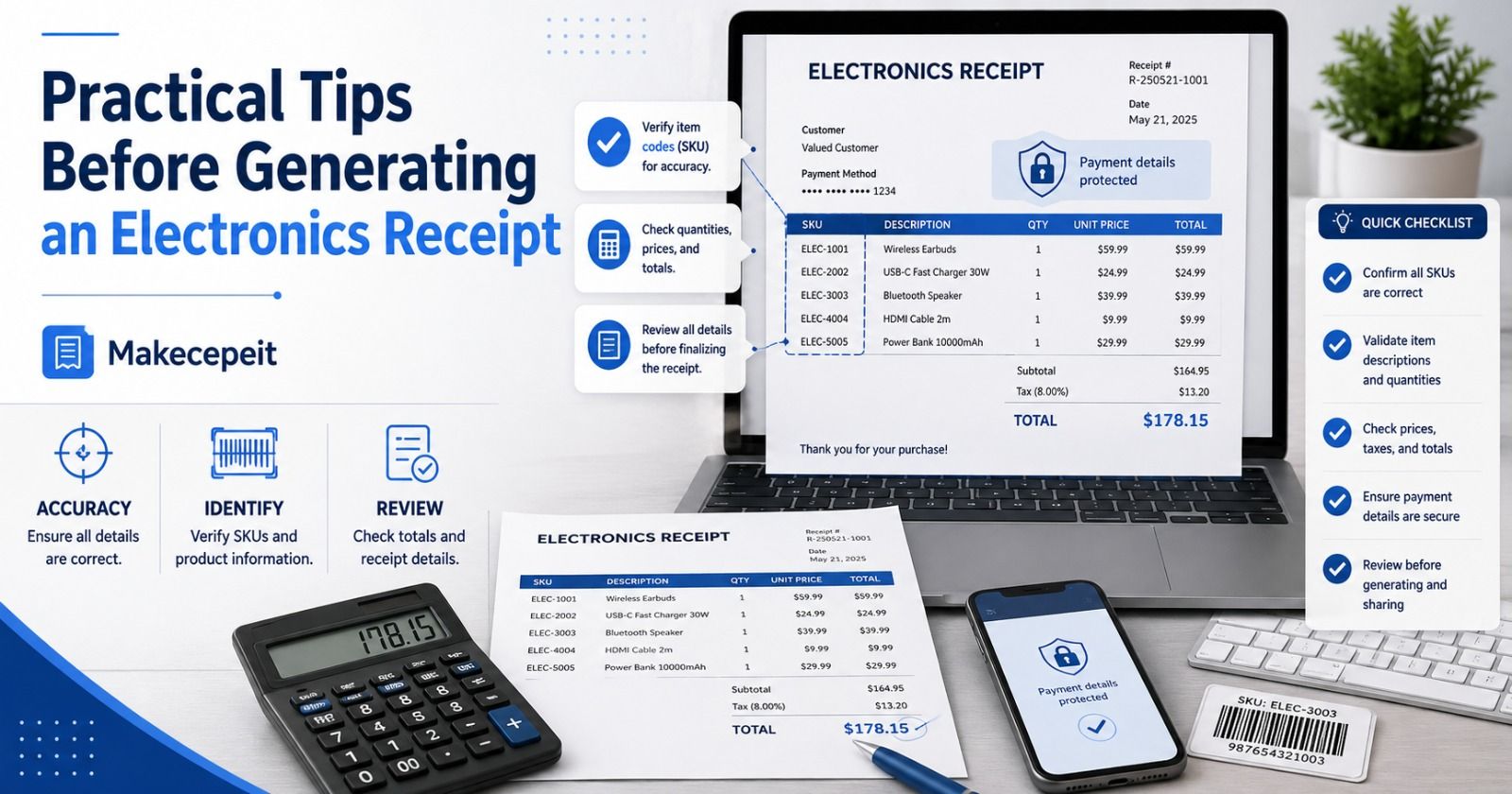
Do not assume that a number printed beneath a barcode is automatically the store's SKU. Check whether your source data identifies the value as a SKU, UPC, GTIN, model number, or serial number.
Keep Product Names Understandable
A receipt should not depend entirely on codes. Pair the SKU with a concise product description so someone reviewing the record months later can understand the purchase without searching every identifier.
Check the Math Separately
Confirm quantities, line totals, discounts, subtotal, tax, and final total. A polished layout does not correct inaccurate calculations.
Protect Sensitive Payment Data
Use only the payment information necessary for the legitimate record. A receipt normally does not need to expose complete payment-card credentials or other sensitive financial details.
Keep Source Records
If the receipt is being recreated from an authentic transaction, retain the source information that supports it. IRS guidance emphasizes keeping records that support income, expenses, and other business figures reported by a business.
Common Electronics Receipt Generator Mistakes to Avoid
Using the wrong SKU is one of the most avoidable problems. A receipt can have correct prices and totals but still point to the wrong product if its identifier is inaccurate.
Another mistake is treating SKU, UPC, GTIN, model number, and serial number as synonyms. Each identifier serves a different purpose, so the receipt should label information correctly.
Users should also avoid copying another retailer's identity or creating a document intended to pass as proof of a transaction that never happened. This can turn a legitimate document-generation tool into a method of misrepresentation.
Finally, avoid adding unnecessary detail purely for visual realism. A good business receipt is valuable because its information is accurate and useful, not because it contains as many codes and numbers as possible.
When an Electronics Receipt Generator Is Most Useful
An electronics receipt generator can be appropriate when a business needs a clean record of a real sale, a properly labeled copy based on existing transaction information, an internal bookkeeping document, a software-testing example, a user-interface mockup, or staff-training material.
For developers and designers, a structured electronics receipt can also help test how long product names, SKUs, tax values, discounts, and multiple line items behave within a receipt interface.
For actual commercial records, however, the document should remain connected to real source data. A generator should complement a legitimate transaction workflow rather than replace reliable sales records.
Final Thoughts
An electronics store receipt generator with SKU is most useful when it combines clear formatting with accurate product identification. SKU fields help distinguish the specific items handled by a retailer, while descriptions, prices, tax, totals, and payment information provide the broader transaction context.
For U.S. businesses, the goal should be trustworthy documentation rather than visual imitation. Use genuine transaction data, understand the difference between SKU and standardized product identifiers, verify calculations, and retain appropriate source records.
If you need an electronics-specific starting point, Makecepeit provides a dedicated electronics receipt template and customizable receipt workflow for legitimate records, expense documentation, and design mockups. Review your information carefully, add the correct SKU to each relevant line item, and create a receipt that is useful because it is accurate.
Frequently asked questions
- What is an electronics store receipt generator with SKU?
- It is a tool that creates an itemized electronics receipt while allowing products to be identified using retailer-specific Stock Keeping Unit codes.
- What does SKU mean on an electronics receipt?
- SKU means Stock Keeping Unit. It is an internal identifier that a retailer uses to distinguish products or product variations.
- Is a SKU the same as a UPC?
- No. A SKU is normally created by an individual retailer for internal tracking, while UPC and GTIN systems are standardized product-identification systems.
- Should an electronics receipt include a serial number?
- Only when the genuine transaction or business process requires it. Do not add fictional serial numbers to make a receipt appear more authentic.
- What details should an electronics receipt contain?
- Typical useful fields include business information, transaction date, product description, SKU, quantity, unit price, subtotal, applicable tax, total, and payment method.
- Can Makecepeit create an electronics store receipt?
- Yes. Makecepeit's current template library includes an electronics-store receipt template covering technology products, accessories, protection plans, and sales tax.
- Can receipts be used for business recordkeeping?
- Yes, legitimate receipts can form part of a business's supporting records. The IRS recommends maintaining records that support income, expenses, and business transactions.
- Can I recreate a receipt I lost?
- A recreated record should be based on a genuine transaction and reliable source information. It should never claim that a purchase occurred when it did not.
- Why are SKUs useful for electronics products?
- They help retailers distinguish similar products and variations, making internal inventory and transaction records easier to organize.
- Is it legal to create a fake receipt for a refund or warranty claim?
- A receipt generator should not be used to fabricate proof of purchase, obtain benefits you are not entitled to, or misrepresent a transaction.