Dry Cleaning Receipt Generator Online
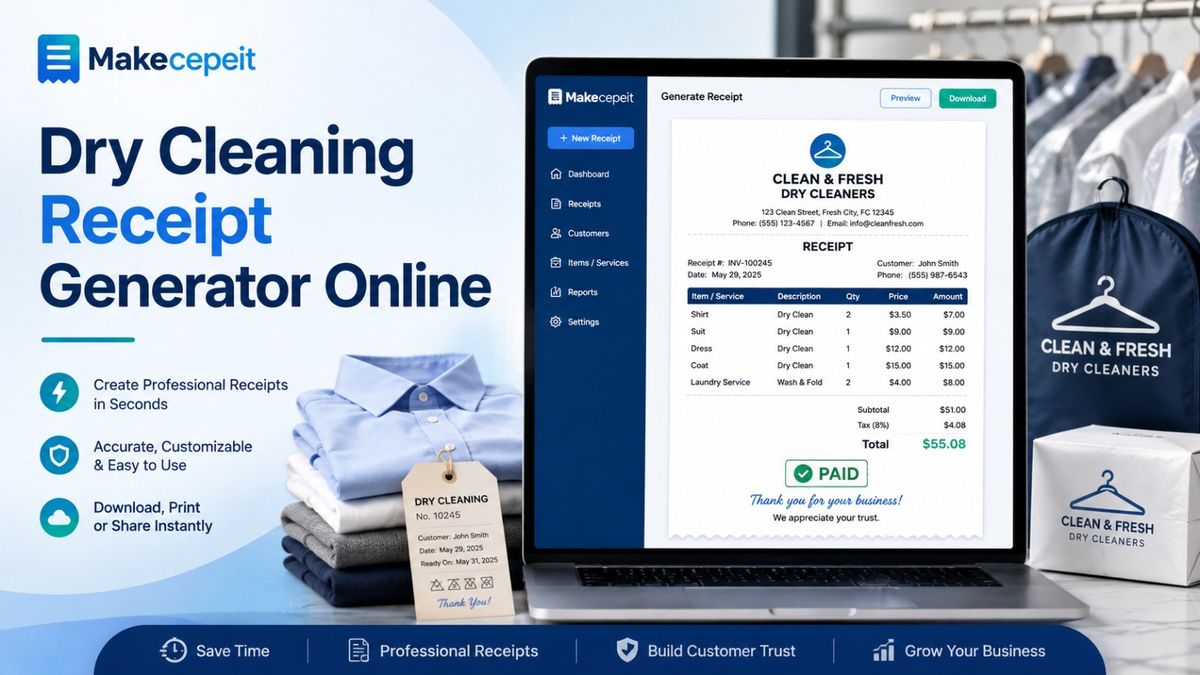
A dry cleaning receipt generator online helps dry cleaners, laundry businesses, alteration shops, and authorized staff create clear records of completed customer transactions without building every receipt manually. A useful receipt should identify the business, describe the garments or services provided, show the amount paid, record the payment method, and provide a date or transaction reference.
For businesses in the United States, a digital workflow can also make receipts easier to organize, print, email, or save as PDF files. Makecepeit provides an online receipt-building workflow with live preview and digital export options, allowing users to prepare customized receipts directly in a browser.
What Is a Dry Cleaning Receipt Generator Online?
A dry cleaning receipt generator is an online tool used to create an itemized record showing that a customer paid for dry cleaning, laundry, pressing, alterations, stain treatment, or related garment-care services.
Instead of starting with a blank document in Word or manually designing a receipt, the user fills in structured fields such as the business name, customer information, garment description, quantity, service price, taxes or applicable charges, payment method, and total.
Once completed, the receipt can be reviewed and saved in a format suitable for printing or digital record keeping.
A dry cleaning receipt should accurately document a real transaction and clearly show what service was provided, how much was paid, and when the transaction occurred.
Dry cleaning receipts are commonly used as proof of payment after garment-care services are completed. Industry receipt templates typically include the business and customer details, services performed, individual charges, and transaction totals.
Why Digital Dry Cleaning Receipts Matter in the United States
Dry cleaners in the United States serve a wide range of customers, from individuals cleaning everyday clothing to professionals needing suits, uniforms, dresses, coats, household textiles, or specialty garments serviced.
A structured receipt makes each transaction easier for both sides to understand.
For the customer, it creates a record of the service and payment. For the business, it provides an organized transaction record that can be retained with other operational documents.
Digital receipts are especially practical for businesses serving customers in cities such as New York, Los Angeles, Chicago, Houston, Miami, Boston, and Washington, D.C., where customers may prefer receiving documentation electronically instead of keeping small paper receipts.
The format is also useful for businesses offering pickup and delivery. A digital receipt can be prepared after payment and provided without requiring the customer to return to the store simply to obtain paperwork.
What Should a Dry Cleaning Receipt Include?
A professional dry cleaning receipt should contain enough information for the customer and business to understand the transaction without unnecessary complexity.
Business Information
Start with identifying information for the dry cleaner or laundry business. Depending on the business, this may include:
- Business or store name
- Business address
- Telephone number
- Email address
- Website, if applicable
- Receipt or transaction number
Customer Information
Not every walk-in transaction requires extensive customer information. When appropriate, however, a receipt may include the customer's name, phone number, account number, or another identifier used by the business.
Garments and Services
The receipt should explain what the customer paid for. Descriptions should be specific enough to reduce confusion.
Examples include:
- 2 men's dress shirts — dry cleaning
- 1 wool coat — dry cleaning
- 1 evening dress — specialty cleaning
- 3 trousers — press only
- 1 jacket — stain treatment
- Pants hemming — alteration service
Price and Payment Details
Include the price for each line item when appropriate, followed by subtotal, applicable taxes or authorized fees, discounts, and the final amount paid.
The receipt can also identify the payment method, such as cash, credit card, debit card, or another accepted payment option. Avoid displaying full card numbers or other unnecessary sensitive financial information.
Transaction Date
The receipt should state when the payment occurred. If pickup and delivery dates are relevant to the service, they can be recorded separately so they are not confused with the payment date.
How to Create a Dry Cleaning Receipt Online
Creating a dry cleaning receipt online can be straightforward when the transaction details are already available.
- Open the receipt generator. Start with a suitable receipt layout or template.
- Enter the dry cleaner's information. Add the business name and relevant contact details.
- Add the transaction date. Use the actual date associated with the payment.
- Enter the customer information if needed. Include only information relevant to the transaction.
- List each garment or service. Separate items when customers need an itemized breakdown.
- Add prices and applicable charges. Verify every amount before calculating the final total.
- Record the payment method. Indicate how the legitimate transaction was paid.
- Review the receipt. Check names, dates, quantities, descriptions, and totals.
- Export or print it. Save the completed receipt in the format needed for your records or customer.
Makecepeit's current receipt builder provides a live preview while fields are edited and supports formats including PDF, PNG, JPG, and print-ready output.
Dry Cleaning Receipt vs. Invoice: What Is the Difference?
A receipt and an invoice document different stages of a transaction. An invoice normally requests payment, while a receipt normally confirms that payment has already occurred. See receipt vs invoice for a fuller breakdown.
| Feature | Dry Cleaning Receipt | Dry Cleaning Invoice |
|---|---|---|
| Main purpose | Records payment | Requests payment |
| When issued | Usually after payment | Usually before payment is completed |
| Amount due | Typically shows amount paid | Typically shows amount owed |
| Payment method | Often included | May instead show payment instructions |
| Customer use | Proof and record of transaction | Review and payment processing |
A business should therefore avoid labeling an unpaid bill as a receipt. Clear terminology helps customers understand whether money is still owed.
Benefits of Using an Online Dry Cleaning Receipt Maker
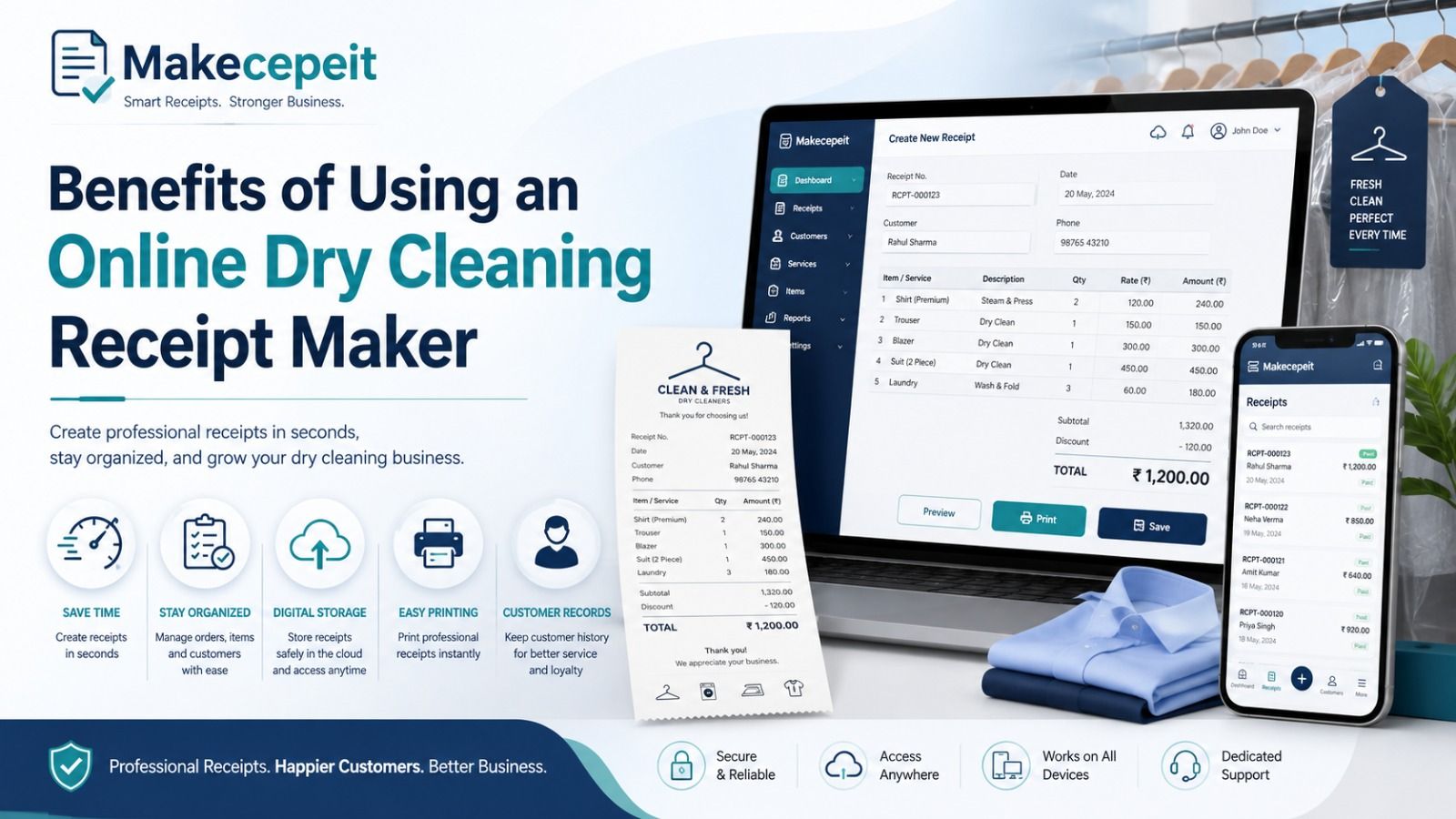
Faster Receipt Creation
A reusable receipt generator reduces the need to recreate the same layout for every transaction. Staff can concentrate on entering the information that changes, such as garments, quantities, prices, and payment details.
Consistent Presentation
Using the same general structure for receipts can give customers a more consistent experience. Business information, transaction details, and totals appear in predictable locations instead of changing from one manually created document to another.
Clear Itemization
Dry cleaning orders frequently contain several garments. An itemized receipt can distinguish a shirt from a coat, dress, suit, comforter, or alteration service and show the charge associated with each.
Digital Record Keeping
A PDF or other digital receipt can be stored with the business's transaction records rather than relying entirely on paper copies.
Easy Customer Delivery
Depending on the business workflow, a completed receipt can be printed or sent electronically to the customer.
When Is a Dry Cleaning Receipt Generator Useful?
An online receipt maker can support several legitimate dry cleaning workflows.
- Independent dry cleaners: Create customer payment records without designing documents from scratch.
- Laundry and wash-and-fold businesses: Document completed laundry services and payment.
- Alteration shops: Record charges for tailoring or alterations that accompany garment care.
- Pickup and delivery services: Provide customers with digital transaction documentation.
- Small businesses: Maintain consistent receipts when a more complex point-of-sale system is unnecessary.
- Authorized replacement receipts: Recreate a lost business receipt from verified transaction records when the business is authorized to do so, clearly identifying it as a duplicate when appropriate.
Why Use Makecepeit for Dry Cleaning Receipts?
Makecepeit is designed around online receipt creation rather than requiring users to manually format a document from a blank page.
Its current builder includes live preview functionality, allowing users to see changes as receipt fields are edited. The platform also provides digital export options, which can be useful when the finished receipt needs to be saved or shared electronically.
That workflow can be useful for a dry cleaning business that wants to enter transaction details, review the finished layout, and produce a clean customer-facing receipt without spending time adjusting document formatting.
The important principle remains accuracy. The information entered should match the transaction that actually occurred and the records the user is authorized to document.
Tips for Creating a Professional Dry Cleaning Receipt
Use Specific Garment Descriptions
Writing only "cleaning service" may be too vague for an order containing several pieces. Use concise descriptions such as "wool coat," "dress shirt," "two-piece suit," or "comforter" when that information is relevant.
Separate Additional Services
If the customer paid separately for stain treatment, pressing, alterations, rush handling, pickup, or delivery, show those services as distinct line items when possible.
Check the Total Before Exporting
Incorrect quantities and unit prices can create customer disputes. Compare the completed receipt with the actual order before providing it to the customer.
Use the Correct Currency
For U.S. transactions, amounts are normally presented in U.S. dollars unless the underlying transaction legitimately uses another currency.
Keep Sensitive Data Off the Receipt
Include only the information necessary to document the transaction. Avoid placing complete payment-card details, passwords, account credentials, or unrelated personal information on the document.
Common Mistakes to Avoid With Dry Cleaning Receipts
A well-designed receipt can still become confusing if the underlying information is incomplete or inaccurate.
- Using the wrong transaction date: Record the actual date associated with the documented transaction.
- Leaving services unclear: Identify what was cleaned, pressed, repaired, or altered.
- Combining unrelated charges: Itemize services when separating them improves clarity.
- Forgetting the payment status: Make clear that the document is a receipt for an amount actually paid.
- Entering an incorrect total: Review quantities, prices, adjustments, and applicable taxes or fees.
- Adding unnecessary private information: Keep the document limited to legitimate business needs.
- Confusing a receipt with an invoice: Use the document type that reflects the actual stage of the transaction.
Use Receipt Generators Only for Accurate, Authorized Records
An online receipt generator is a documentation tool. It should be used only for transactions that the user is authorized to record.
Do not create fictitious dry cleaning transactions, change amounts to misrepresent what was paid, falsify dates, imitate another business without authorization, or create receipts for false reimbursement, insurance, warranty, expense, or tax claims.
If a customer loses an original receipt, the safest approach for the business is to verify the original transaction against its records and issue an accurate replacement or duplicate rather than inventing transaction details.
Tax and record-keeping requirements can also vary by jurisdiction and business circumstances. A receipt generator does not replace professional accounting, tax, or legal advice.
How to Make Digital Receipts Easier to Manage
Receipt creation is only one part of good record keeping. Dry cleaning businesses can also adopt simple naming and filing practices.
For example, use a consistent internal transaction number and store receipts according to date or customer order. A predictable file name can make records easier to locate later.
A business might organize legitimate receipts using a structure such as:
2026-08-14-Receipt-10482.pdf
This approach is easier to search than folders filled with files named "receipt-final," "new-receipt," or "document1."
Businesses should also follow their own retention policies and any accounting or regulatory requirements applicable to their location and type of transaction.
Choosing the Right Dry Cleaning Receipt Format
The right format depends on how the receipt will be used.
PDF is practical for documents that need consistent formatting across devices or printing. An image format may be convenient when a customer simply needs a visual copy. Printed receipts remain useful for in-store customers who prefer physical documentation.
The most important factor is not the file extension. It is whether the receipt is readable, accurate, complete, and connected to a legitimate transaction.
Final Thoughts on Using a Dry Cleaning Receipt Generator Online
A dry cleaning receipt generator online can simplify the process of documenting completed garment-care transactions. A strong receipt identifies the business, lists relevant garments or services, records prices and the total paid, includes the transaction date, and provides a clear record for both the business and customer.
For U.S. dry cleaners, laundry providers, alteration shops, and other authorized users, digital receipts can also make printing, sharing, and record organization more convenient.
The best results come from keeping every receipt accurate and tied to a real transaction. A polished template cannot replace correct information.
Ready to prepare your next legitimate customer receipt? Use Makecepeit to organize the transaction details, review the receipt with a live preview, and create a clear digital record that fits your dry cleaning workflow.
Frequently asked questions
- What is a dry cleaning receipt generator online?
- It is a browser-based tool that helps authorized users create itemized receipts documenting completed dry cleaning or garment-care transactions.
- What should be included on a dry cleaning receipt?
- Include the business information, transaction date, garments or services, quantities, prices, applicable charges, amount paid, and payment method when relevant.
- Can I create a dry cleaning receipt as a PDF?
- Yes. Online receipt tools such as Makecepeit support digital receipt export, including PDF output.
- Is a dry cleaning receipt the same as an invoice?
- No. An invoice generally requests payment, while a receipt documents a payment that has already been made.
- Can dry cleaning receipts be sent digitally?
- Yes. A business can provide a legitimate receipt electronically when that method suits its customer and business workflow.
- Should every garment appear on the receipt?
- Itemizing garments is helpful when an order contains multiple items or different prices because it makes the transaction easier to understand.
- Can a dry cleaning receipt include alterations?
- Yes. Legitimate alteration, repair, pressing, stain-treatment, or related garment services can be listed as separate line items when they were actually provided.
- Can a business issue a replacement for a lost dry cleaning receipt?
- Yes, when the business can verify the original transaction. The replacement should accurately reproduce the existing record and can be identified as a duplicate where appropriate.
- Can I use a receipt generator to change an old transaction?
- No. A receipt should accurately reflect the real transaction. It should not be altered to misrepresent dates, amounts, services, or payments.
- Why use Makecepeit for a dry cleaning receipt?
- Makecepeit provides an online receipt-building workflow with editable information, live preview, and digital export options, making it suitable for preparing clear authorized transaction records.