Coffee Shop Receipt Generator With Modifiers
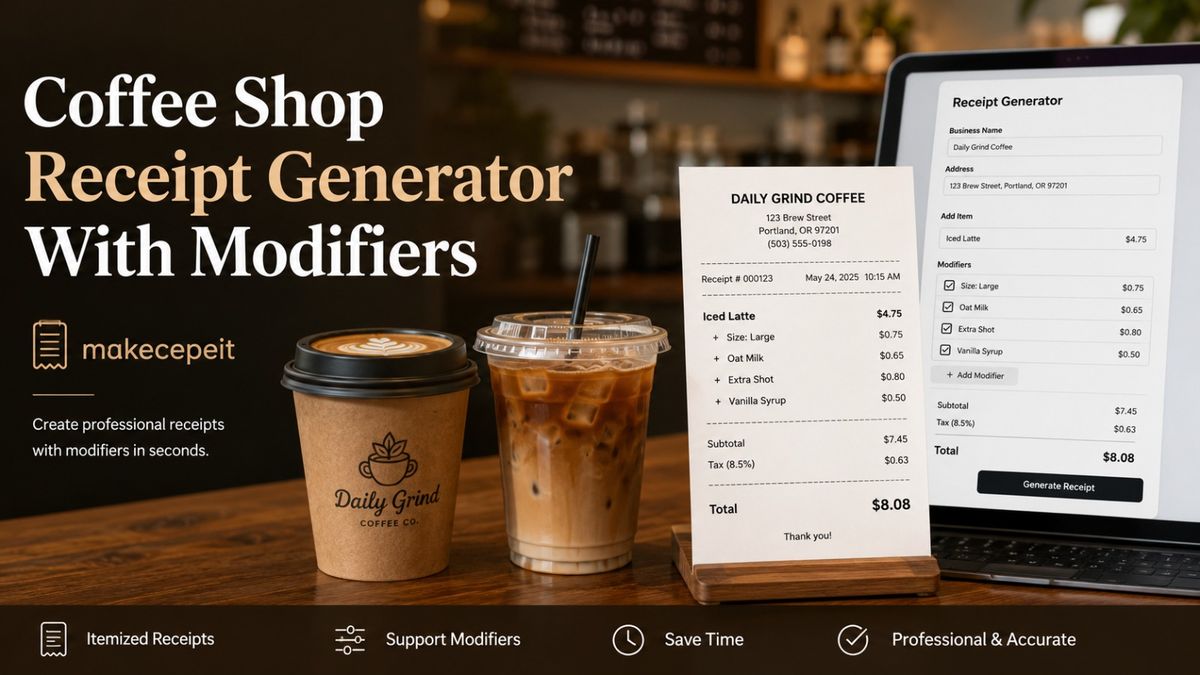
A coffee shop receipt generator with modifiers helps cafés, independent coffee businesses, designers, trainers, and legitimate record keepers create organized receipts that show more than a basic drink name and price. Instead of listing only "Latte," a detailed receipt can display the drink size, milk choice, extra espresso shots, syrups, toppings, food add-ons, tax, tip, and payment information in a readable format.
For coffee businesses in the United States, this level of detail is especially useful because modern café orders are highly customizable. makecepeit provides a practical way to structure coffee shop receipts so that the main item and its modifiers remain easy to understand while totals stay organized.
What Is a Coffee Shop Receipt Generator With Modifiers?
A coffee shop receipt generator with modifiers is an online tool designed to create itemized café receipts while allowing individual drink customizations to appear alongside the main products.
A standard receipt might simply show:
Latte — $5.00
A modifier-friendly receipt can provide significantly more useful information:
| Item | Amount |
|---|---|
| Large Iced Latte | $5.00 |
| Oat Milk | +$0.75 |
| Extra Espresso Shot | +$1.00 |
| Vanilla Syrup | +$0.50 |
This structure makes it immediately clear what the customer ordered and which options changed the final price. It also mirrors the way many modern café menus are organized, where one base beverage can have several possible customizations.
Why Coffee Shop Receipts Need Detailed Modifiers
Coffee orders are different from many simple retail transactions because customers frequently modify the original product. A customer buying a packaged snack may only choose the item and quantity, while someone ordering a latte might change five separate elements of the drink.
Common coffee shop modifiers include:
- Small, medium, large, or shop-specific beverage sizes
- Hot, iced, or blended preparation
- Whole, skim, almond, soy, coconut, or oat milk
- Regular or decaffeinated espresso
- Single, double, or additional espresso shots
- Vanilla, caramel, mocha, hazelnut, or seasonal syrups
- Extra foam or light foam
- Whipped cream and toppings
- Sweetener adjustments
- Food substitutions or bakery add-ons
When these details affect the price, placing them directly below the original item helps customers and staff understand exactly how the total was calculated.
How Should Coffee Drink Modifiers Appear on a Receipt?
The clearest approach is to display the primary beverage first and place related modifiers directly underneath it. Chargeable modifiers should show their additional price, while no-cost preferences can be listed without adding an amount.
| Modifier Type | Example | Recommended Receipt Display |
|---|---|---|
| Size | Large | Include with the main drink name or directly below it |
| Milk | Oat milk | Show separately if it changes the price |
| Espresso | Extra shot | Show the quantity and additional charge |
| Syrup | 2 pumps vanilla | List below the beverage with any applicable charge |
| Preparation | Iced | Add as a no-cost modifier when appropriate |
| Topping | Whipped cream | Show separately when useful for order clarity |
The goal is not to make the receipt unnecessarily long. The goal is to preserve the relationship between the purchased item, its options, and the amount charged.
What Information Should a Coffee Shop Receipt Include?
A professional itemized café receipt should make the transaction easy to understand from top to bottom. The exact information needed depends on the business and transaction, but several fields are commonly useful.
Business Information
Start with the coffee shop name and appropriate business details. A location or branch identifier can be useful for businesses operating more than one café.
Transaction Details
Include an appropriate transaction date, time, and receipt or order number when those details are part of the real transaction record.
Itemized Products
Every purchased drink, food item, or retail product should have its own line. Quantities should be clear whenever a customer purchases more than one of the same item.
Drink Modifiers
Modifiers should stay connected visually to the beverage they customize. This is especially important when several drinks in the same order have different milk choices or flavor combinations.
Subtotal, Tax, Tip, and Total
The financial summary should separate the subtotal from applicable sales tax, gratuity or tip, discounts, and the final amount. Because tax treatment can vary by state and local jurisdiction in the United States, businesses should use the tax rules that actually apply to their location and transaction rather than assuming one universal rate.
Payment Information
A receipt can identify the general payment method, such as cash, credit card, debit card, or another accepted method. Sensitive payment credentials should never be exposed unnecessarily.
How to Use a Coffee Shop Receipt Generator With Modifiers
Creating a structured coffee receipt is easier when information is entered in the same order that a barista or point-of-sale system would process the transaction.
- Enter the coffee shop information. Add the appropriate business name and relevant location details.
- Add the transaction information. Enter the correct date, time, and order or receipt reference when needed.
- Add each main product. Start with drinks, bakery products, sandwiches, or other café items.
- Attach modifiers to the correct drink. Include size, milk, espresso, syrup, temperature, toppings, or other options.
- Add modifier charges. If an extra shot or alternative milk carries an additional charge, show it clearly.
- Review quantities. Confirm that multiple items are calculated correctly.
- Enter applicable tax and tip information. Use values appropriate for the actual transaction.
- Confirm the final total. Make sure the itemized amounts reconcile with the displayed total.
- Review the receipt visually. Check spacing, readability, spelling, and the relationship between items and modifiers.
- Export or save the document for its legitimate purpose. Keep the final version consistent with the underlying transaction or authorized use case.
Example of an Itemized Coffee Shop Order
Consider an order containing two highly customized drinks and one bakery item. A clear receipt structure could look like this:
| Item | Amount |
|---|---|
| Large Iced Latte | $5.25 |
| Oat Milk | +$0.75 |
| Extra Shot | +$1.00 |
| Vanilla Syrup | +$0.50 |
| Medium Cappuccino | $4.50 |
| Decaf | |
| Almond Milk | +$0.75 |
| Butter Croissant | $3.75 |
With this format, the reader does not have to guess which modifier belongs to which beverage. The information hierarchy is immediately understandable, which improves both record keeping and customer clarity.
Why Modifier-Level Detail Matters for U.S. Coffee Shops
Coffee culture across the United States—from independent cafés in New York and Los Angeles to neighborhood coffee counters in Austin, Chicago, Seattle, Miami, and smaller communities—places heavy emphasis on personalized orders. Customers commonly expect several preparation choices before the drink reaches the barista.
That makes modifier-level itemization valuable. A receipt that clearly distinguishes the base beverage from optional extras can help explain price differences, support internal order review, and make business records easier to interpret.
Local requirements can also differ. Sales tax rules and documentation practices are not identical across every U.S. state, county, or city. A receipt generator should therefore allow the user to enter information appropriate to the actual business rather than forcing one generic tax assumption.
Coffee Receipt Generator vs Basic Receipt Template
A basic receipt template may be enough when every product has a fixed description and price. Coffee shops often require more flexibility because a single beverage can produce dozens of possible combinations.
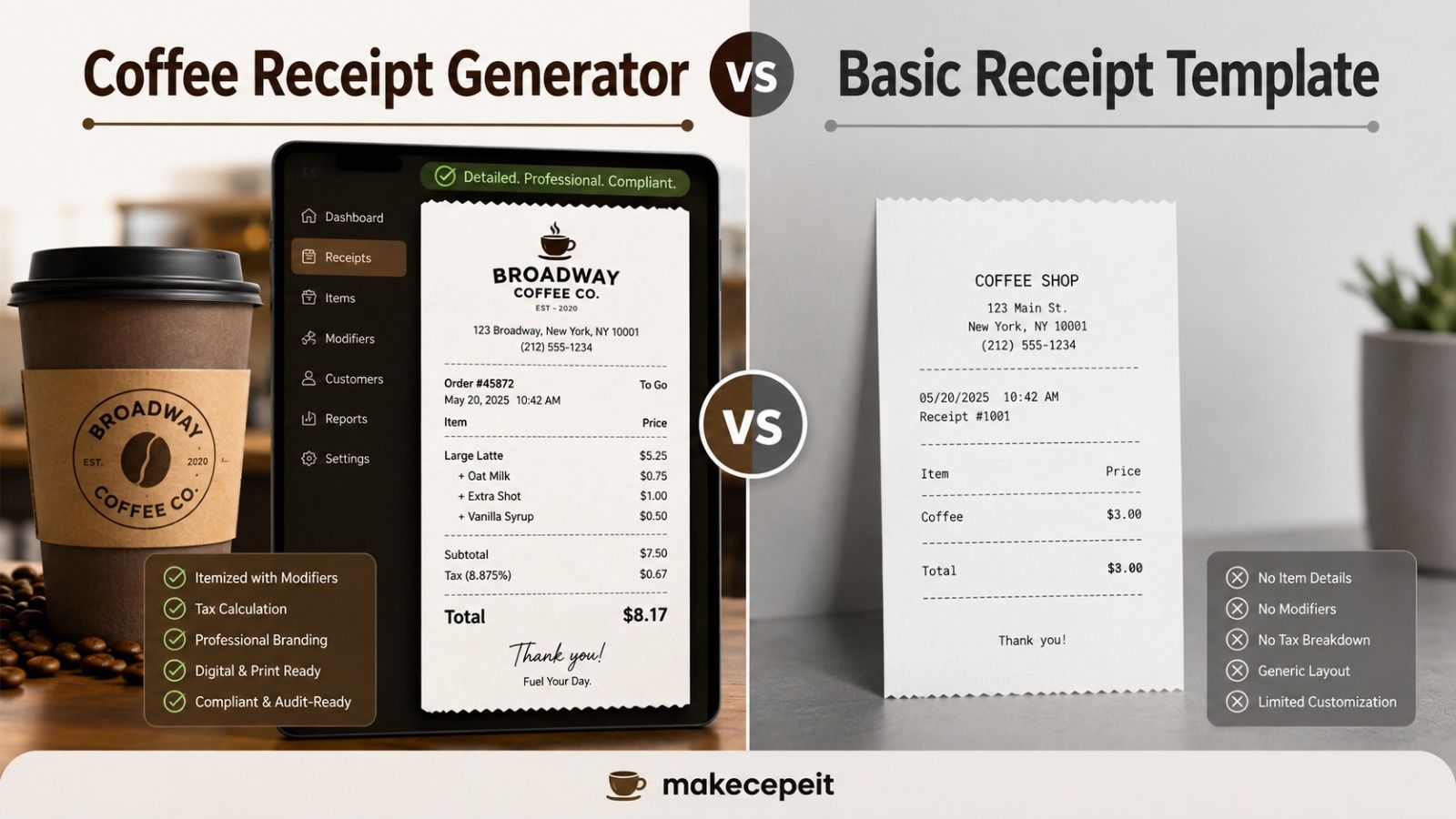
| Feature | Basic Receipt Template | Modifier-Friendly Coffee Receipt |
|---|---|---|
| Basic line items | Yes | Yes |
| Beverage sizes | Limited | Clearly organized |
| Milk substitutions | Often entered manually | Shown with the related drink |
| Extra shots | May be unclear | Can be itemized separately |
| Syrups and toppings | Limited detail | Easy to associate with each beverage |
| Complex café orders | Can become difficult to read | Better suited to customized orders |
Benefits of Using an Itemized Cafe Receipt Generator
Clearer Price Breakdown
Customers can see whether an additional charge came from a larger drink, plant-based milk, an extra espresso shot, or another customization instead of seeing only one unexplained final price.
Better Order Organization
Modifiers grouped underneath the correct beverage make multi-drink orders easier to review. This matters when several customers order similar drinks with different customizations.
More Consistent Business Documentation
Using a repeatable receipt structure helps cafés maintain consistent records. Items, adjustments, taxes, tips, and payment details can appear in predictable positions.
Useful for Training and Demonstrations
Coffee-shop receipt layouts can also be useful for barista training, point-of-sale demonstrations, interface mockups, classroom examples, and design prototypes when they are clearly used for those purposes.
Improved Digital Record Readability
When a receipt is saved digitally, descriptive itemization makes the document easier to understand later. A generic line labeled "Coffee $8.00" communicates far less than a beverage with its individual options.
Why Choose makecepeit for Coffee Shop Receipts?
makecepeit is a practical option for users who need to organize a coffee receipt around individual products, prices, taxes, payment information, and café-specific order details.
The advantage of using a dedicated receipt creation workflow is control. Instead of forcing a complicated coffee order into a generic text document, users can structure each purchase in a receipt-oriented format and review the full transaction before completing the document.
For coffee receipts, that flexibility matters most when an order includes combinations such as an iced latte with oat milk, two extra espresso shots, sugar-free syrup, and a food item. The finished receipt should still be readable even when the order itself is complex.
makecepeit can therefore fit legitimate needs such as issuing business documentation, organizing verified transaction records, building café demonstrations, or producing mock receipt layouts for training and design work.
Best Practices for Coffee Shop Receipt Modifiers
A well-designed receipt should communicate customization without overwhelming the reader. Several practical rules help.
- Keep the main beverage name visually stronger than its modifiers.
- Place every modifier directly below the item it changes.
- Show additional charges instead of hiding them inside the base price when clarity is important.
- Use consistent names for milk alternatives, syrups, and espresso options.
- Separate quantities from modifiers so customers can distinguish "two drinks" from "two extra shots."
- Use the same currency format throughout the receipt.
- Verify subtotal, tax, gratuity, discounts, and final total before saving.
- Avoid including unnecessary sensitive customer or payment information.
Common Mistakes When Creating Coffee Shop Receipts
Combining Every Customization Into One Long Product Name
A line such as "Large Iced Oat Milk Double Shot Vanilla Latte" can become difficult to scan. Separating the drink from its modifiers usually produces a cleaner receipt.
Adding Modifier Charges Without Identifying Them
If the total changes because of oat milk or an extra shot, show that adjustment clearly. Unexplained price differences reduce transparency.
Using the Wrong Tax Information
Do not copy a random tax percentage from another receipt or city. Use information applicable to the actual transaction and relevant jurisdiction.
Forgetting Quantity
Two cappuccinos and one cappuccino with two extra shots are completely different transactions. Quantities and modifiers must remain distinct.
Creating Documentation for a Transaction That Did Not Occur
A receipt generator should not be used to fabricate purchases, misrepresent expenses, obtain reimbursements for transactions that never occurred, or deceive another person or organization. When recreating a lost receipt for record-keeping, use verified information from the original transaction and follow any documentation requirements of the organization involved.
Tips Before Finalizing a Coffee Shop Receipt
Before exporting the document, compare every field with the underlying order or authorized example. Check the business information, item names, quantities, modifier prices, tax, gratuity, payment method, and final total.
Then read the receipt from the customer's perspective. It should be possible to identify the base drink, understand each paid customization, and confirm how the final amount was reached without performing unnecessary guesswork.
For cafés with standardized menus, using consistent modifier terminology can also reduce confusion. If the menu uses "extra shot," for example, avoid switching between "espresso add-on," "shot upgrade," and "additional coffee" on different receipts unless those phrases represent genuinely different products.
When Is a Coffee Shop Receipt Generator Most Useful?
A customizable cafe receipt generator is particularly useful when the transaction contains more detail than a traditional one-line receipt can communicate.
- Independent cafés creating customer receipts
- Mobile coffee carts and pop-up beverage businesses
- Café operators documenting legitimate transactions
- Barista training materials
- Point-of-sale interface demonstrations
- Restaurant or café software prototypes
- Film, stage, or design props clearly used as fictional materials
- Verified replacement records where permitted by the relevant organization
The important principle is accuracy. A professional appearance should make legitimate documentation easier to understand, not be used to misrepresent a transaction.
Final Thoughts
A coffee shop receipt generator with modifiers solves a specific problem that generic receipt templates often handle poorly: modern coffee orders contain many small customizations that can affect preparation and price.
By separating the base beverage from options such as size, alternative milk, espresso shots, syrups, toppings, tax, and gratuity, a receipt becomes easier to read and easier to verify. That structure is especially valuable for U.S. cafés where customizable beverages are a normal part of the ordering experience.
Whether you operate a small coffee business, need a clean layout for a legitimate transaction record, or are preparing a café-related demonstration, makecepeit offers a logical starting point for organizing the information into a clear receipt format.
Ready to create a more detailed café receipt? Use makecepeit to organize your coffee order, add the appropriate modifiers, review the totals, and create a clear document suited to your legitimate business or record-keeping needs.
Frequently asked questions
- What is a coffee shop receipt generator with modifiers?
- It is a receipt creation tool that lets you show coffee drinks together with customizations such as size, milk type, extra espresso shots, syrups, toppings, tax, and tip.
- Can coffee shop receipts show milk alternatives?
- Yes. Options such as oat, almond, soy, or coconut milk can be listed underneath the related beverage, including an additional charge when applicable.
- How should extra espresso shots appear on a receipt?
- List the extra shot beneath the main drink and show its quantity and additional price when the modifier carries a charge.
- Can I include syrups and toppings on a cafe receipt?
- Yes. Syrups, whipped cream, toppings, and similar customizations can be displayed as modifiers associated with the appropriate beverage.
- Should coffee shop receipts include sales tax?
- When sales tax applies to the transaction, it should be displayed clearly. The correct treatment depends on the applicable state and local rules.
- Can a coffee receipt include a tip?
- Yes. A gratuity or tip can be displayed separately from the subtotal, applicable tax, and final total when it is part of the transaction.
- What payment methods can appear on a coffee receipt?
- A receipt may identify payment methods such as cash, credit card, debit card, or another accepted option without exposing unnecessary sensitive payment details.
- What makes an itemized coffee receipt easier to read?
- Place each main beverage on its own line and group its size, milk, shots, syrups, and other modifiers directly underneath it.
- Can makecepeit be used for coffee shop receipts?
- Yes. makecepeit can be used to structure legitimate coffee shop receipts with itemized products, pricing, transaction information, and relevant order details.
- Can I recreate a lost coffee receipt?
- You should only recreate documentation using verified details from a transaction that actually occurred and follow the record or reimbursement requirements of the organization requesting it.