AI Receipt Generator From Text Description
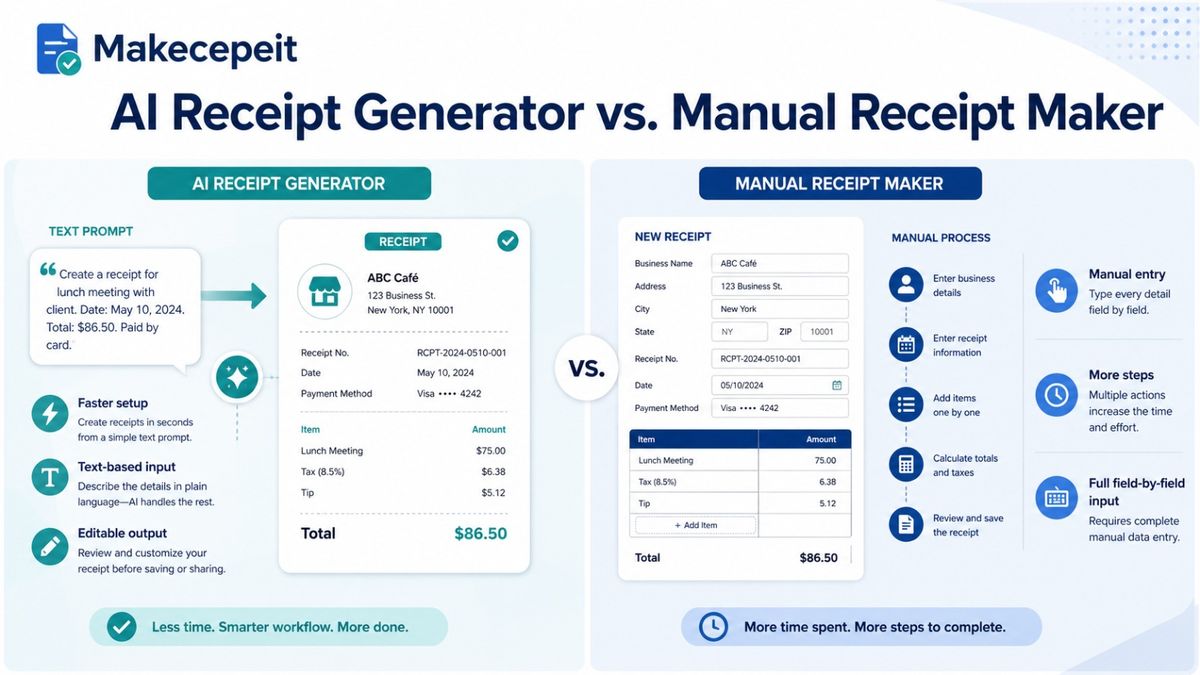
An AI receipt generator from text description turns a simple sentence about a transaction into a structured, editable receipt. Instead of manually entering a merchant name, individual items, prices, tax, date, payment information, and totals one field at a time, you describe the transaction in plain English and let AI organize those details into a receipt format.
For users in the United States, this can be especially useful for legitimate record keeping, small-business documentation, replacement copies of genuine transactions, software testing, presentations, and design mockups. Makecepeit combines text-based AI generation with an editable receipt builder, allowing users to generate a draft and then review every important detail before exporting it.
What Is an AI Receipt Generator From Text Description?
An AI receipt generator from text description is an online tool that interprets natural-language instructions and converts them into organized receipt fields. The user describes the transaction, while the system identifies details such as the merchant, products or services, quantities, prices, tax, date, and payment method.
For example, rather than completing numerous form fields, a user might describe a legitimate transaction as a coffee purchase in Austin with two drinks and a pastry. The AI can transform those details into a structured draft that can then be checked and edited.
This approach is different from a traditional receipt template generator. Traditional tools usually require the user to complete each field manually. AI-assisted receipt creation reduces that setup work by interpreting the description first.
How Does a Text-to-Receipt Generator Work?
A text-to-receipt generator generally follows three stages: understanding the description, organizing transaction data, and rendering the information as a receipt.
- You describe the transaction. Include the merchant, items or services, amounts, date, and any other known information.
- AI identifies the receipt fields. The system separates merchant information, line items, prices, taxes, totals, and payment details.
- A receipt draft is generated. The extracted information is placed into a receipt layout.
- You review the information. Correct dates, amounts, tax values, spelling, or other details before using the document.
- You export the final document. Depending on the tool, the receipt may be available in PDF or image format.
The important distinction is that AI helps structure information; it should not replace verification. If a receipt represents an actual transaction, the generated details should match the transaction evidence available to you.
What Information Should You Include in the Text Description?
The more complete your description is, the less editing you will normally need afterward. A useful receipt description should focus on factual transaction information rather than visual instructions alone.
- Business or merchant name
- Location, when relevant
- Transaction date
- Products or services purchased
- Quantity of each item
- Unit price or total price
- Discounts, when applicable
- Sales tax information
- Tip, service fee, or delivery fee when relevant
- Payment method
- Any genuine transaction reference available
Keep the Description Specific
"Restaurant receipt for $70" leaves several details unclear. A description that identifies the restaurant, actual purchased items, transaction date, subtotal, tax, tip, and final amount gives the AI much more useful structure.
Do Not Let AI Invent Important Financial Details
If you are rebuilding documentation for a real transaction, enter only information you can verify. When a tax rate, date, merchant address, or transaction number is unknown, confirm it from the original merchant, account history, bank statement, email confirmation, or other available evidence instead of treating an AI-generated value as factual.
Why AI Receipt Generation Is Useful in the United States
American consumers, freelancers, contractors, and small businesses manage transactions across restaurants, rideshare services, online stores, local vendors, hotels, and independent service providers. Documentation can therefore exist across paper slips, emails, apps, payment platforms, and bank statements.
An AI receipt maker can simplify the formatting side of that process when a business needs to issue its own receipts, when a genuine transaction needs to be reconstructed for internal records, or when a designer needs sample receipt content for a prototype.
Record keeping matters particularly for businesses. The IRS explains that supporting documents such as receipts, invoices, canceled checks, and credit-card records may help support entries in business books and tax returns. A generated receipt, however, does not by itself prove that a transaction occurred; the underlying information and supporting evidence remain important.
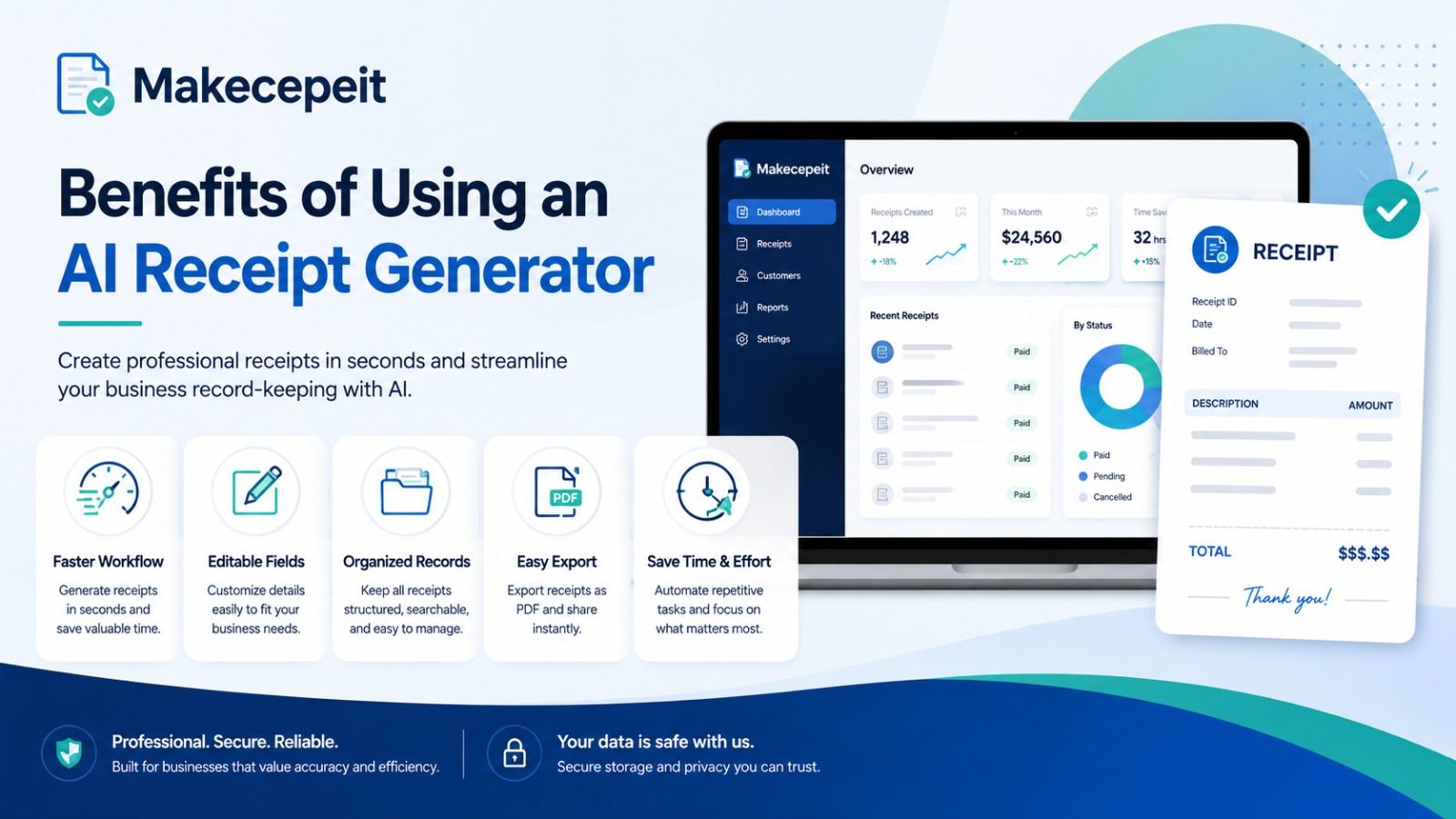
Benefits of Using an AI Receipt Generator
Faster Receipt Creation
The main advantage is speed. Natural-language input can replace the repetitive process of manually filling in every receipt field. This is especially convenient when preparing multiple legitimate documents or mockups.
Structured Line Items
AI can separate a description into individual products, quantities, unit prices, fees, and totals. Structured information makes a receipt easier to read and easier to review.
Easier Editing
An editable receipt generator allows users to correct individual details without recreating the entire document. This is particularly useful when the AI understands most of the description correctly but a date, item name, or tax value still needs adjustment.
Consistent Formatting
Using a receipt template provides more consistent spacing, typography, totals, and transaction sections than manually creating a document in a general-purpose text editor.
Useful Digital Exports
PDF receipts work well for records, printing, and document workflows, while PNG or JPG versions can be convenient for presentations, mockups, attachments, and digital archives.
AI Receipt Generator vs. Manual Receipt Maker
| Feature | AI Receipt Generator | Manual Receipt Maker |
|---|---|---|
| Starting input | Natural-language description | Individual form fields |
| Speed | Fast initial draft | Depends on number of fields |
| Line-item organization | AI can structure the description | User enters every item |
| Editing | Usually editable after generation | Editable while building |
| Best for | Quick drafts and structured input | Users who want full manual control from the beginning |
| Need for verification | High | High |
Neither method eliminates the need to check financial information. AI improves convenience, while manual tools provide direct control. A strong platform combines both approaches.
How to Create a Receipt From a Text Description With Makecepeit
Makecepeit allows users to start with an AI description and then fine-tune the generated receipt inside an editor. Its current platform also provides receipt templates, live editing, and export options for common digital formats.
- Open the Makecepeit receipt generator.
- Describe the legitimate transaction in clear English.
- Include the merchant, purchased items, actual amounts, and date when known.
- Generate the receipt draft.
- Review every line item and transaction field.
- Correct any information that does not match your records.
- Check the subtotal, tax, discounts, tips, and final total.
- Choose an appropriate receipt layout or paper style.
- Preview the completed document.
- Export the receipt in the available format that fits your workflow.
The AI stage should be treated as a drafting shortcut. The final review remains the user's responsibility.
What Should a Professional Receipt Include?
A useful receipt should clearly identify who issued it, what transaction occurred, and how the final total was calculated.
Merchant Information
Include the business name and appropriate contact or location information when those details are relevant to the transaction.
Transaction Information
The transaction date, receipt number, or other genuine reference can help distinguish one purchase from another.
Itemized Purchases
Products and services should be listed separately where possible. Itemization provides more context than displaying only a final dollar amount.
Subtotal, Tax, and Total
The mathematical relationship between line items, discounts, tax, tips, fees, and the final amount should be clear.
Payment Information
A receipt may identify the payment type, such as cash or card. Sensitive payment data should never be unnecessarily exposed.
Why Choose Makecepeit for AI-Assisted Receipt Creation?
Makecepeit is useful for people who want both automation and control. Instead of forcing users to choose between an AI generator and a traditional editor, the platform allows a receipt to begin with a text prompt and then be refined manually.
According to its current product information, Makecepeit provides an AI-assisted generator, live receipt editing, multiple receipt templates and paper styles, and PDF and image export options. The platform also states that the standard builder works primarily in the browser, while information is sent when server-based features such as AI generation or account saving are used.
That combination is helpful for small-business owners, freelancers, administrators, designers, developers, and individuals who need organized receipt documents without building a layout from scratch.
Common Legitimate Uses for an AI Receipt Maker
- Small-business sales: Creating a customer receipt for a real sale when a full point-of-sale system is unnecessary.
- Freelance work: Documenting completed services and received payments.
- Internal bookkeeping: Organizing real transaction information into a consistent format.
- Replacing lost documentation: Reconstructing a record from accurate information when an original receipt has been lost or damaged.
- Design mockups: Creating sample receipt layouts for applications, websites, presentations, or prototypes.
- Software testing: Producing synthetic sample documents for interface or document-processing workflows.
- Training materials: Building fictional examples that are clearly presented as demonstrations.
Is It Legal to Generate a Receipt With AI?
Creating a receipt is generally legitimate when the document accurately represents a real transaction or is clearly used as a sample, mockup, or test document. Problems arise when a fabricated or altered document is presented as evidence of a transaction that did not occur.
An AI-generated receipt should never be used to fabricate expenses, obtain an unauthorized reimbursement, support a false tax deduction, misrepresent a purchase, or deceive a merchant, employer, financial institution, insurer, or other party.
Makecepeit's published guidance similarly distinguishes legitimate receipt creation from using a document to misrepresent a transaction.
If an original receipt is missing and the document will be submitted to an employer, accountant, insurer, tax authority, or reimbursement system, check that organization's documentation policy before relying on a reconstructed copy.
AI-Generated Receipts and U.S. Business Record Keeping
A receipt generator can help format information, but reliable record keeping requires more than a professional-looking document.
The IRS states that businesses should maintain records that clearly show income and expenses and retain supporting documents for transactions. Depending on the situation, those records may include receipts, invoices, account statements, canceled checks, credit-card records, and other transaction evidence.
For that reason, a reconstructed receipt should ideally be kept alongside available original evidence, such as a card transaction, purchase confirmation, merchant email, invoice, or order history.
Tips for Getting Better Results From a Text-to-Receipt Generator
- Include only transaction details you know to be accurate.
- Use clear product or service names.
- Separate multiple items logically in the description.
- Specify quantities when more than one item was purchased.
- Provide the actual subtotal and tax when known.
- Check the mathematical total after generation.
- Confirm the transaction date before exporting.
- Review merchant information carefully.
- Use realistic but fictional information for prototypes and testing.
- Clearly label samples when there is any risk they could be mistaken for genuine transaction evidence.
Common Mistakes to Avoid When Using an AI Receipt Generator
Accepting AI-Generated Details Without Checking Them
AI may organize information efficiently, but an automatically completed value is not automatically correct. Dates, addresses, item prices, tax amounts, and transaction references should be verified.
Entering an Ambiguous Description
Very short descriptions force the system to make more assumptions. Adding specific factual information usually produces a cleaner first draft.
Ignoring Sales Tax Differences
Sales tax in the United States varies by state and locality. Do not assume a generic tax percentage accurately represents a particular transaction.
Using a Generated Receipt as Proof of Something That Never Happened
A visually convincing receipt does not create a legitimate transaction. Using fabricated documentation to obtain money, tax benefits, returns, reimbursements, or other benefits can create serious legal and financial consequences.
Replacing Stronger Original Evidence Unnecessarily
If you can recover the original receipt from a merchant app, order history, email, or customer service team, that document is generally preferable to recreating one.
How to Choose the Right AI Receipt Generator
Look beyond appearance. A useful receipt generator should make the document easy to create, verify, edit, and export.
- Natural-language input: Can the tool understand a normal description?
- Editable fields: Can incorrect AI output be corrected?
- Live preview: Can you see changes before downloading?
- Itemization: Can multiple products, fees, discounts, and taxes be shown clearly?
- Export formats: Are PDF or high-quality images available?
- Currency support: Can the receipt match the transaction currency?
- Privacy: Does the provider explain how submitted information is handled?
- Responsible-use policies: Does the service clearly distinguish legitimate documentation from deceptive use?
These factors matter more than simply choosing the most realistic-looking template.
AI Receipt Generation Is Most Valuable When Accuracy Comes First
An AI receipt generator from text description removes much of the repetitive work involved in creating a structured receipt. A user can describe a transaction naturally, receive an organized draft, edit individual fields, verify totals, and export the result without manually designing the document.
The technology is particularly useful for legitimate small-business records, genuine replacement documentation, administrative workflows, software testing, and design mockups. Its value comes from convenience and organization—not from replacing original evidence or creating transactions that never occurred.
For users who want an AI-assisted workflow combined with an editable receipt builder, Makecepeit provides a practical way to move from a short description to a polished receipt format while retaining control over the final details.
Create Your Receipt More Efficiently With Makecepeit
If you already have the accurate details of a transaction, you should not need to spend unnecessary time rebuilding its structure field by field. Describe the information, let AI organize the first draft, review the details carefully, and keep the finished document consistent with your real records.
Use Makecepeit to turn a clear text description into an editable receipt and choose the format that fits your legitimate record-keeping, business, development, or design workflow.
Frequently asked questions
- What is an AI receipt generator from text description?
- It is a tool that converts a plain-English description of a transaction into structured receipt fields such as merchant information, items, prices, tax, date, and total.
- Can AI create a receipt from one sentence?
- Yes. AI can interpret a short sentence and build an initial receipt draft, although providing more factual detail generally reduces the amount of manual editing required.
- Can I edit an AI-generated receipt?
- Yes. A good AI receipt generator should allow you to review and modify items, prices, dates, taxes, merchant information, and other fields before exporting.
- Can I download an AI-generated receipt as a PDF?
- Yes. Makecepeit currently supports PDF and image-based receipt exports, depending on the selected workflow and account features.
- Is an AI-generated receipt valid for bookkeeping?
- It can help organize legitimate transaction information, but businesses should retain appropriate supporting evidence. A generated document alone does not prove that a transaction occurred.
- Can I recreate a lost receipt?
- You can reconstruct accurate information about a genuine transaction for legitimate record-keeping purposes, but first try to recover the original from the merchant, email, app, or order history when possible.
- Is it legal to make a receipt online?
- Creating receipts for genuine transactions, business records, or clearly identified mockups is generally legitimate. Creating or altering documentation to deceive another party or obtain an improper benefit is not.
- What details should I put in a receipt prompt?
- Include the merchant, transaction date, actual items or services, quantities, prices, tax, fees, discounts, total, and payment method when those details are known.
- Does AI automatically calculate receipt totals?
- Many receipt tools calculate subtotals, taxes, fees, discounts, and final totals, but users should still verify the arithmetic and underlying values before using the document.
- Why use Makecepeit instead of creating a receipt manually?
- Makecepeit combines text-based AI drafting with editable receipt fields and digital export options, reducing repetitive data entry while still allowing users to review the finished document.